Recipe Configuration
SmartPack recipes live under the pack: section of config.yml.
Each recipe defines an input material, output material, input ratio, and output ratio.
pack:
  IRON_INGOT:
    output: IRON_BLOCK
    ratio_in: 9
    ratio_out: 1
This means 9 iron ingots become 1 iron block.
| Field | Meaning |
|---|---|
INPUT_MATERIAL |
Bukkit/Paper material name used as the config key |
output |
Bukkit/Paper material name produced by the recipe |
ratio_in |
Number of input items consumed per conversion |
ratio_out |
Number of output items produced per conversion |
Both input and output must be valid item materials.
The bundled config includes vanilla-style reversible storage recipes:
| Input | Output |
|---|---|
BONE_MEAL |
BONE_BLOCK |
COAL |
COAL_BLOCK |
COPPER_NUGGET |
COPPER_INGOT |
COPPER_INGOT |
COPPER_BLOCK |
DIAMOND |
DIAMOND_BLOCK |
DRIED_KELP |
DRIED_KELP_BLOCK |
EMERALD |
EMERALD_BLOCK |
GOLD_NUGGET |
GOLD_INGOT |
GOLD_INGOT |
GOLD_BLOCK |
IRON_NUGGET |
IRON_INGOT |
IRON_INGOT |
IRON_BLOCK |
LAPIS_LAZULI |
LAPIS_BLOCK |
NETHERITE_INGOT |
NETHERITE_BLOCK |
RAW_COPPER |
RAW_COPPER_BLOCK |
RAW_GOLD |
RAW_GOLD_BLOCK |
RAW_IRON |
RAW_IRON_BLOCK |
REDSTONE |
REDSTONE_BLOCK |
RESIN_CLUMP |
RESIN_BLOCK |
SLIME_BALL |
SLIME_BLOCK |
WHEAT |
HAY_BLOCK |
Recipes can chain during the same pack cycle.
For example:
pack:
  GOLD_NUGGET:
    output: GOLD_INGOT
    ratio_in: 9
    ratio_out: 1

  GOLD_INGOT:
    output: GOLD_BLOCK
    ratio_in: 9
    ratio_out: 1
With enough gold nuggets, SmartPack can pack nuggets into ingots, then continue into gold blocks without requiring the player to run /pack multiple times.
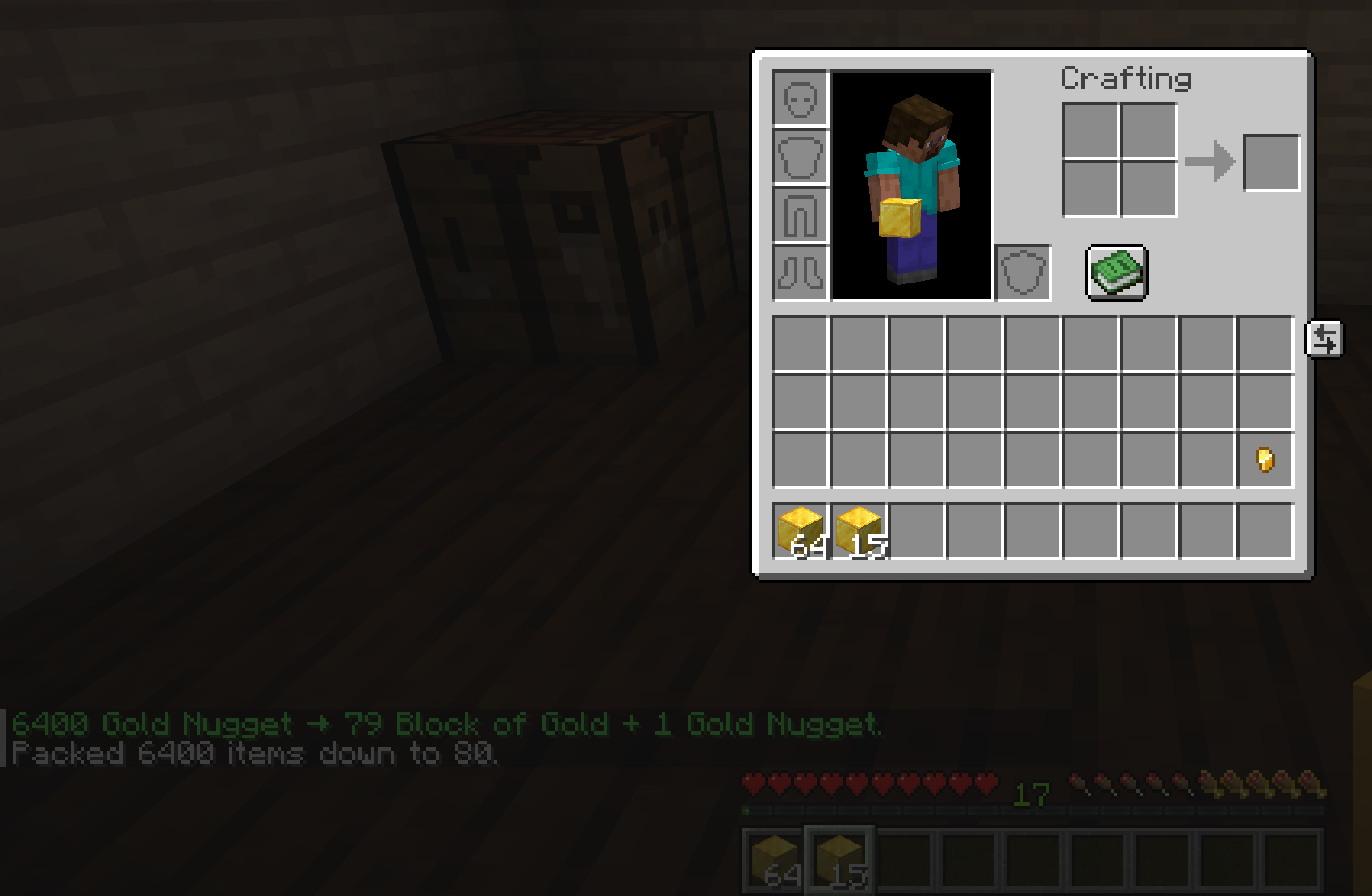
The default config keeps lower-tier inputs before higher-tier inputs so chains are easy to read:
GOLD_NUGGET -> GOLD_INGOT
GOLD_INGOT -> GOLD_BLOCK
SmartPack can continue running passes until no more conversions are possible, but keeping related recipes ordered clearly makes config maintenance easier.
SmartPack can check whether configured recipes appear reversible using the server's loaded crafting recipes:
validation:
  warn_if_not_reversible: true
  disable_non_reversible_recipes: false
If strict disabling is enabled, non-reversible inputs are ignored at runtime.
To add a custom recipe:
- Add a new entry under
pack:. - Use valid material names for the input key and
output. - Set positive
ratio_inandratio_outvalues. - Restart or run
/pack reload. - Watch console logs for validation warnings.
Example:
pack:
  CHARCOAL:
    output: COAL_BLOCK
    ratio_in: 9
    ratio_out: 1
If your server uses datapacks or custom recipes, test strict reversible validation before enabling it on a live server.