Activation Modes
SmartPack supports two activation modes:
| Mode | Primary Player Action |
|---|---|
COMMAND |
Run /pack
|
SMART_PACKER_ITEM |
Right-click a crafted Smart Packer item |
Set the mode in config.yml:
activation:
  mode: COMMAND
Run /pack reload after changing activation mode.
COMMAND is the default mode. Players pack materials with:
/pack
In command mode:
-
requirements.*crafting-table settings are enforced. - Auto-pack follows command-mode crafting-table requirements.
-
/pack chestcan pack a chest the player is looking at, ifchest_pack.commandis enabled. - Smart Packer items are cleaned up from online players on startup, reload, and player join.
SMART_PACKER_ITEM registers a custom crafted item named Smart Packer. Players right-click it from their inventory to pack materials.
In Smart Packer item mode:
-
requirements.*crafting-table checks are ignored. - The Smart Packer item cannot be placed as a block.
- The Smart Packer recipe is registered only while item mode is active.
- The item has custom persistent data so ordinary crafting tables are not treated as Smart Packers.
- Right-clicking the Smart Packer while a chest inventory is open can pack that chest, if
chest_pack.smart_packer_itemis enabled.
| Interaction | Behavior |
|---|---|
| Right-click Smart Packer in player inventory | Pack the player inventory |
| Right-click Smart Packer while a chest inventory is open | Pack the chest inventory |
| Shift-right-click Smart Packer in player inventory | Enable auto-pack for that player, if available |
The Smart Packer tooltip lists the core interactions, and the same inventory view can show the result of a completed pack run.
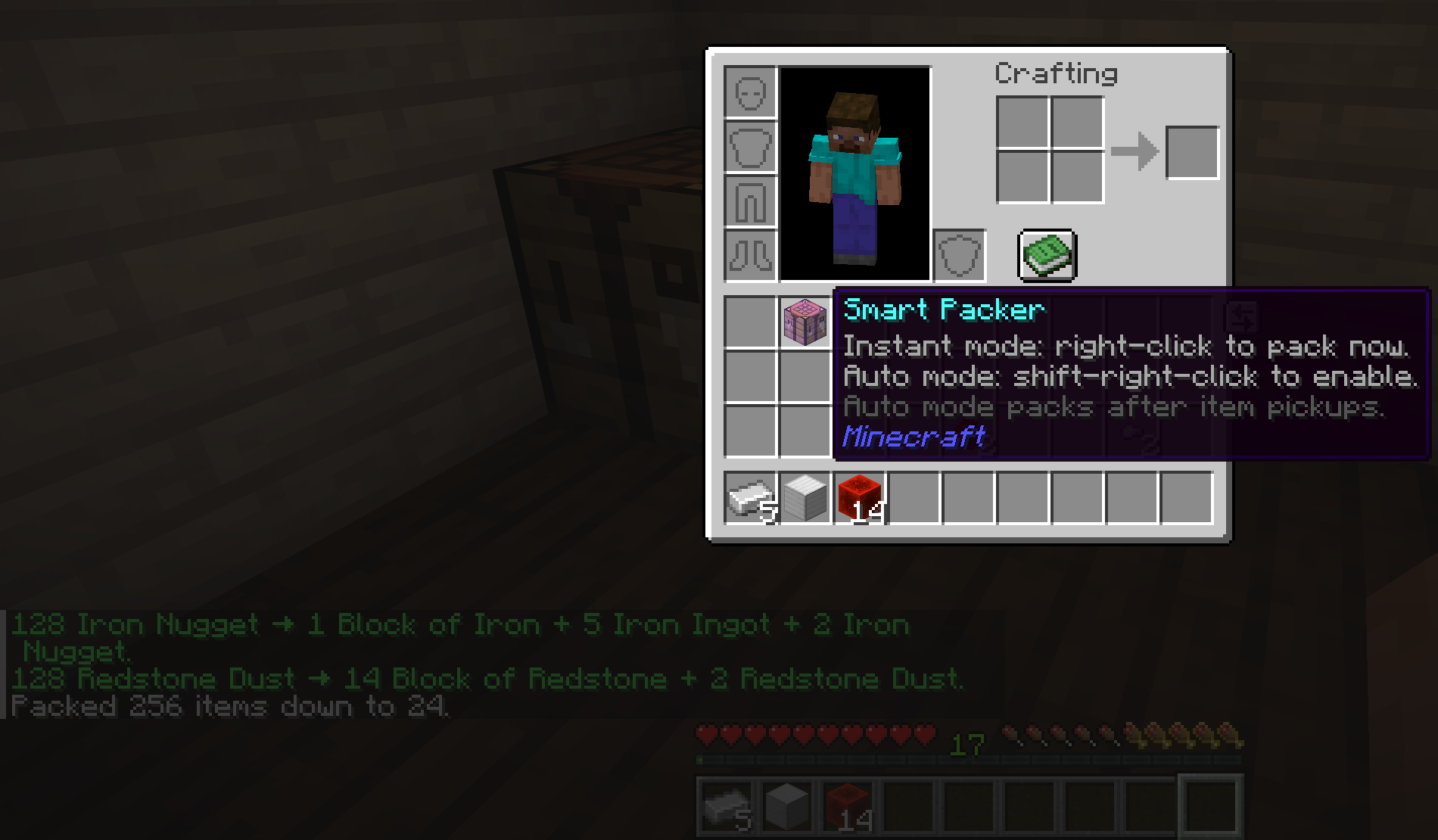
Smart Packer interactions
The tooltip documents right-click and shift-right-click behavior while the chat summary shows a completed pack run.
Smart Packer item mode can require a cooldown between item uses:
activation:
  smart_packer_item:
    cooldown:
      enabled: true
      seconds: 10
When cooldown mode is enabled:
- Auto-pack is disabled.
- The Smart Packer tooltip no longer shows auto-mode guidance.
- The tooltip shows the remaining cooldown time and updates once per second.
- Players receive an ActionBar message when the Smart Packer is ready again.
- Players with
smartpack.cooldown.bypassskip the cooldown.
Messages:
message:
  info:
    smart_packer_cooldown_active: "Smart Packer cooling down: [time]."
    smart_packer_cooldown_ready: "Smart Packer ready."
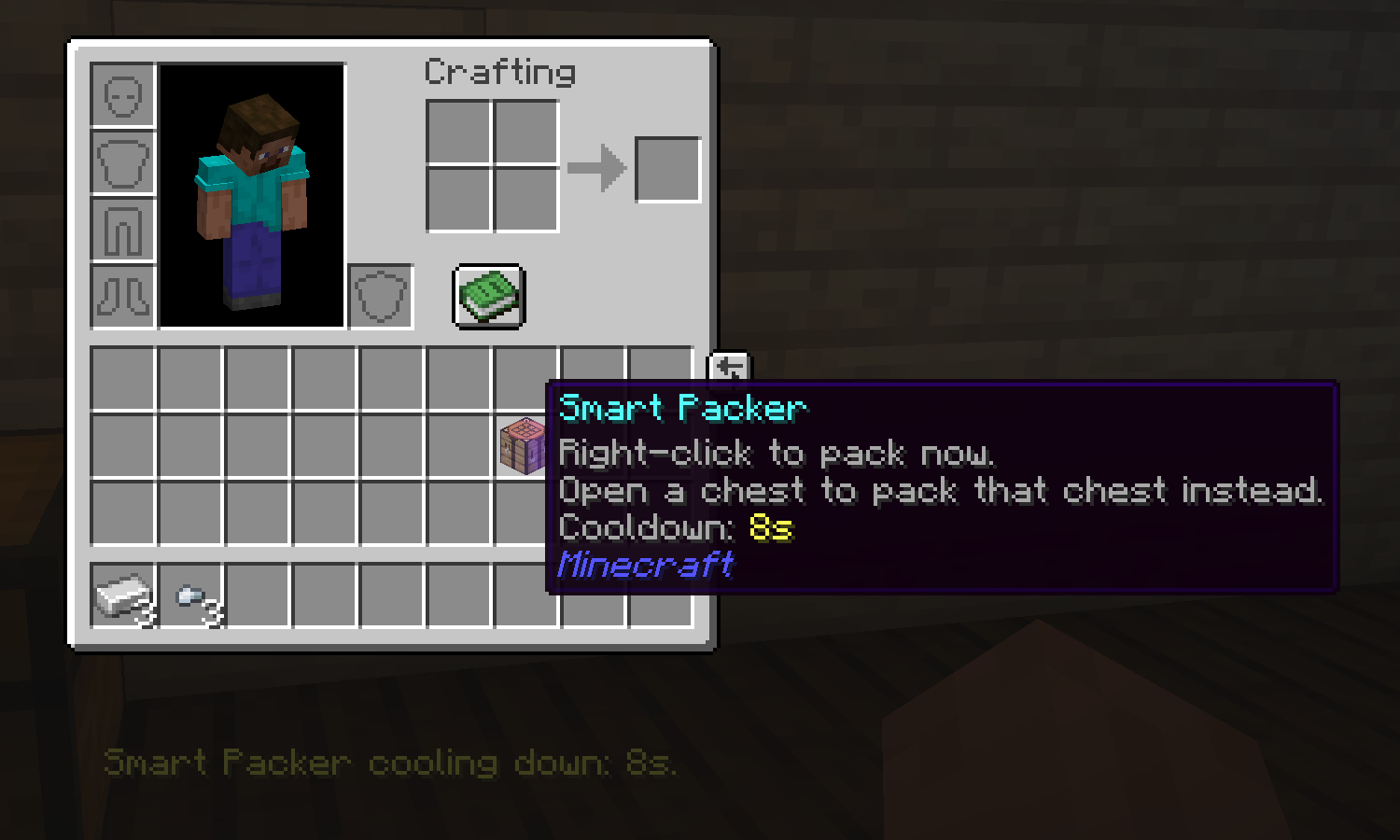
Active cooldown The tooltip timer and ActionBar warning use the same cooldown state. |
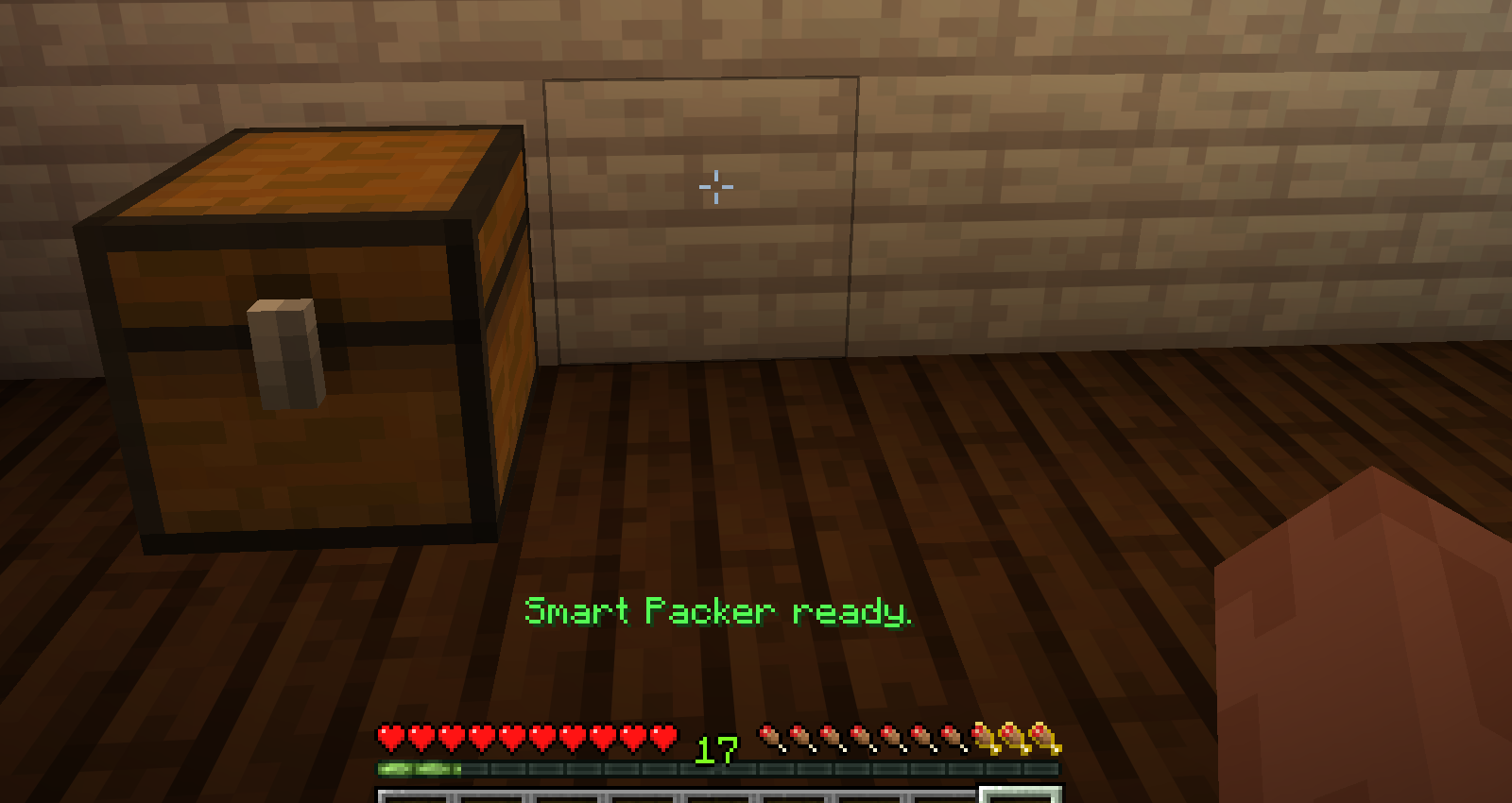
Ready again Players get a short ActionBar notice when the Smart Packer can be used again. |
View larger Smart Packer cooldown screenshots
Active cooldown
Ready again
By default, item mode requires item activation. Server owners can also allow /pack while the player is carrying a Smart Packer:
activation:
  smart_packer_item:
    allow_command_with_item: true
When enabled, /pack still requires the player to have a Smart Packer in their inventory.
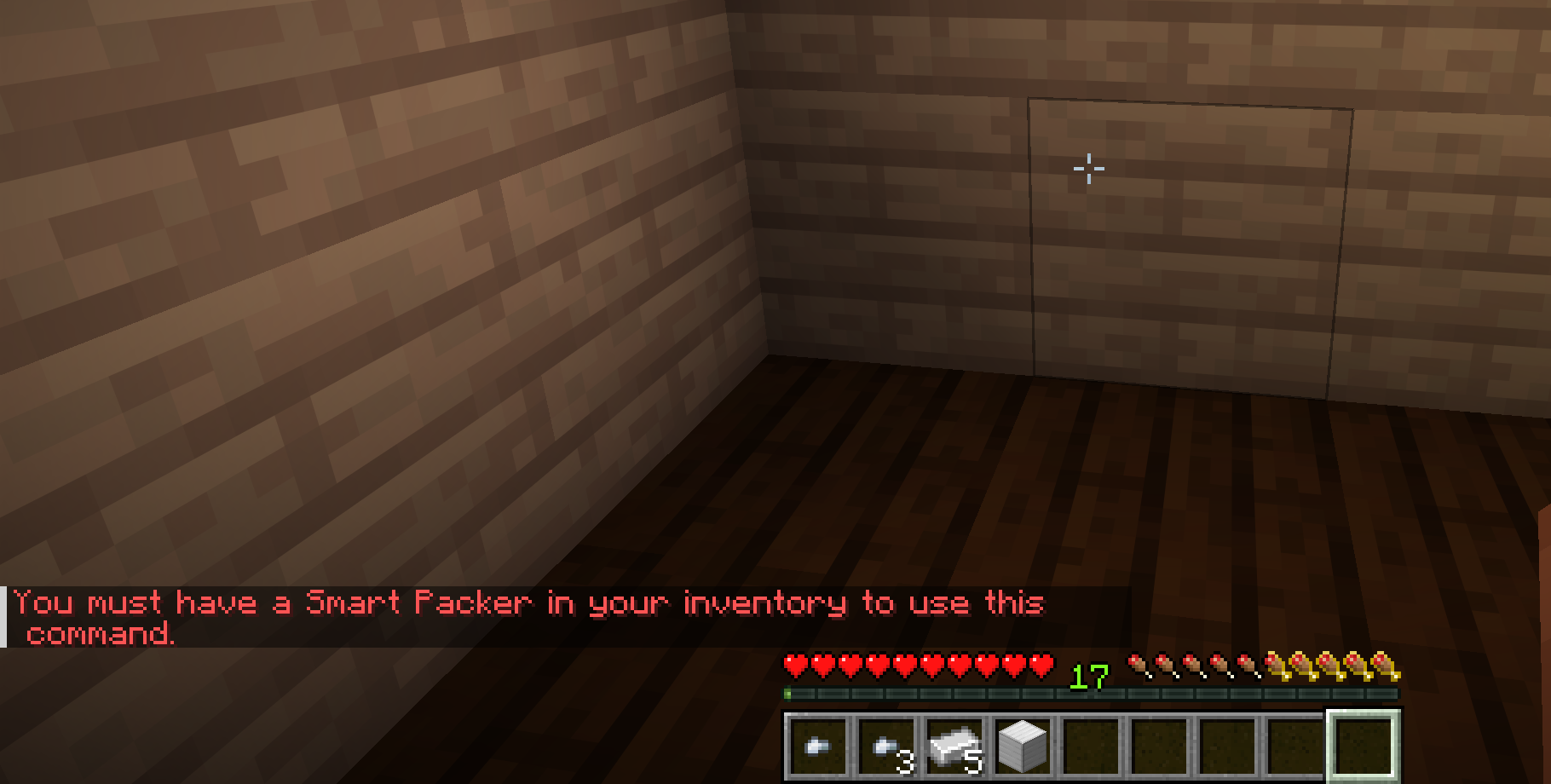
Smart Packer required
Command access in item mode can still require the crafted Smart Packer item.
The default recipe is:
activation:
  smart_packer_item:
    recipe:
      shape:
        - "IRI"
        - "RCR"
        - "IRI"
      ingredients:
        I: IRON_INGOT
        R: REDSTONE
        C: CRAFTING_TABLE
Recipe rows must be 1 to 3 characters wide, all rows must have the same width, and every non-space key in the shape must have a valid item material under ingredients.
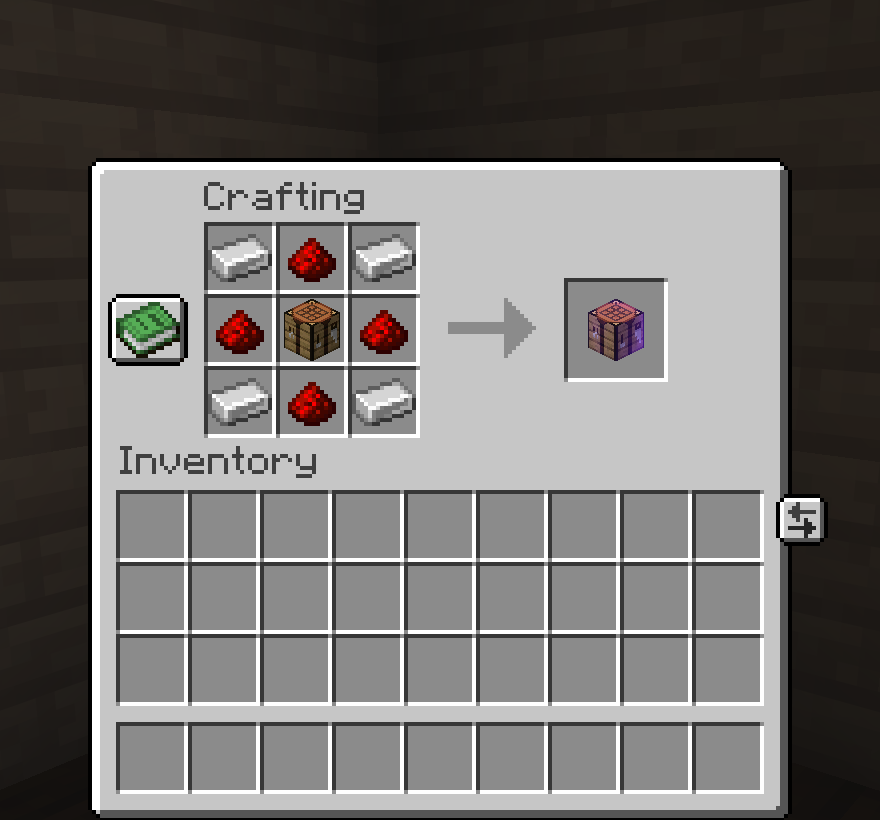
Crafted Smart Packer item
The configured recipe creates a named crafting table item with a glint.