Player Exclusions
Players can use /pack exclude to choose configured input materials that SmartPack should skip.
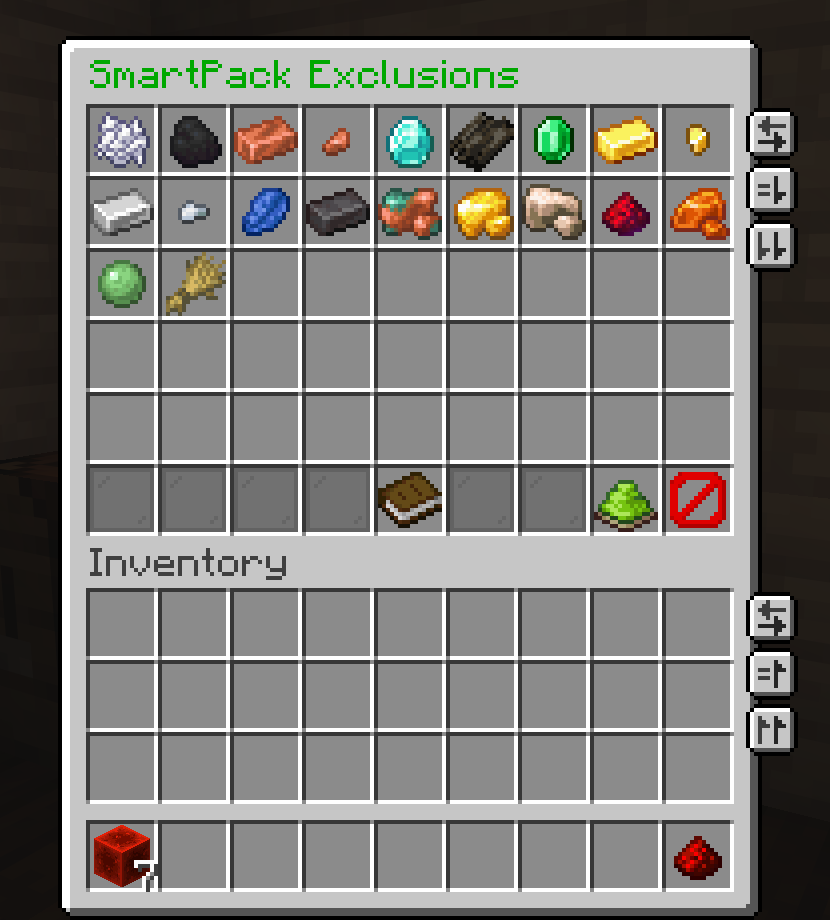
| Action | Behavior |
|---|---|
| Left-click a material | Toggle a one-time next-run skip |
| Right-click a material | Toggle a persistent skip |
| Green apply button | Save current edits and close |
| Close inventory normally | Save current edits |
| Red cancel button | Revert all edits made during the current menu session |
Glowing slots indicate that an exclusion is currently active for that material.
One-time exclusions apply to the next pack cycle only. After that cycle finishes, SmartPack clears the player's next-run exclusions.
This also applies to auto-pack: if the next pack cycle happens automatically, the one-time skip is consumed by that automatic run.
Persistent exclusions are saved in:
plugins/SmartPack/player-exclusions.db
They remain active across sessions until the player toggles the material again in /pack exclude.
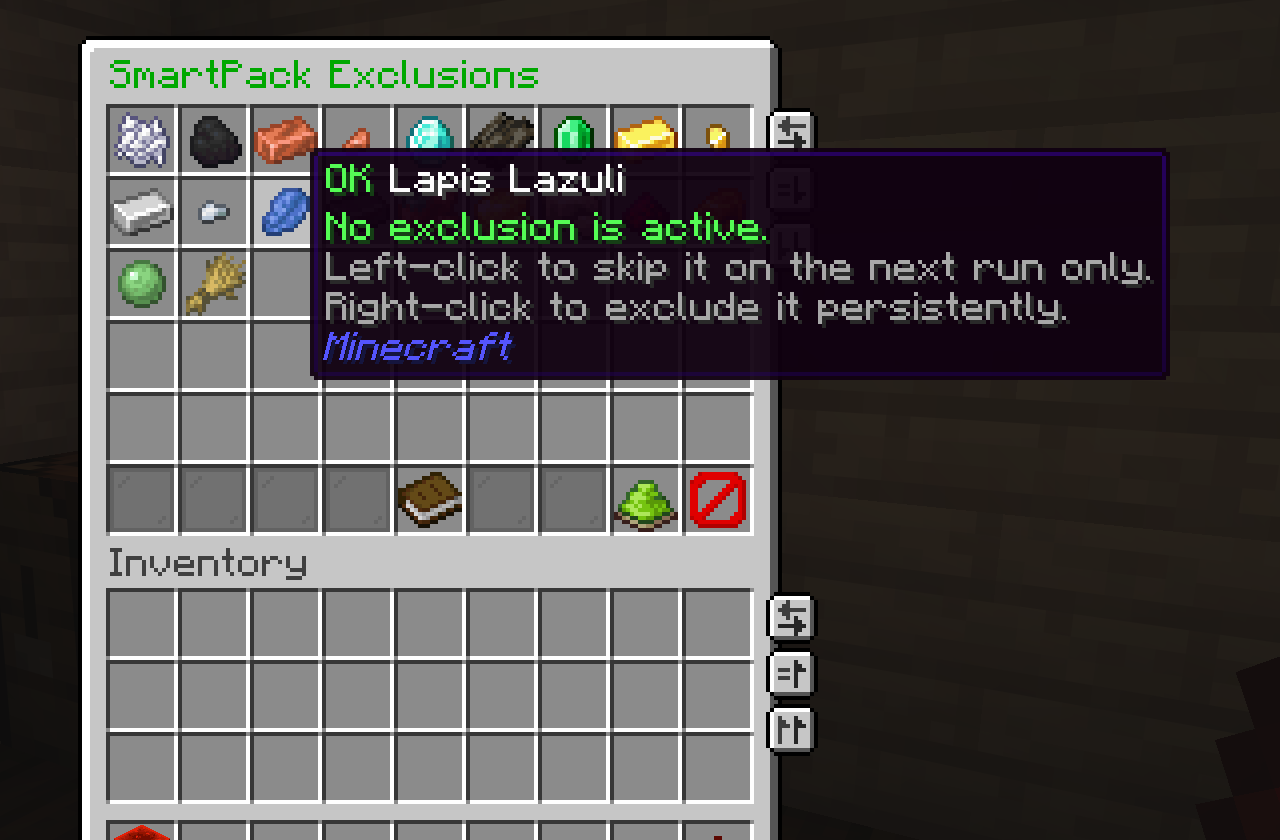
Normal input The material is eligible for packing. |
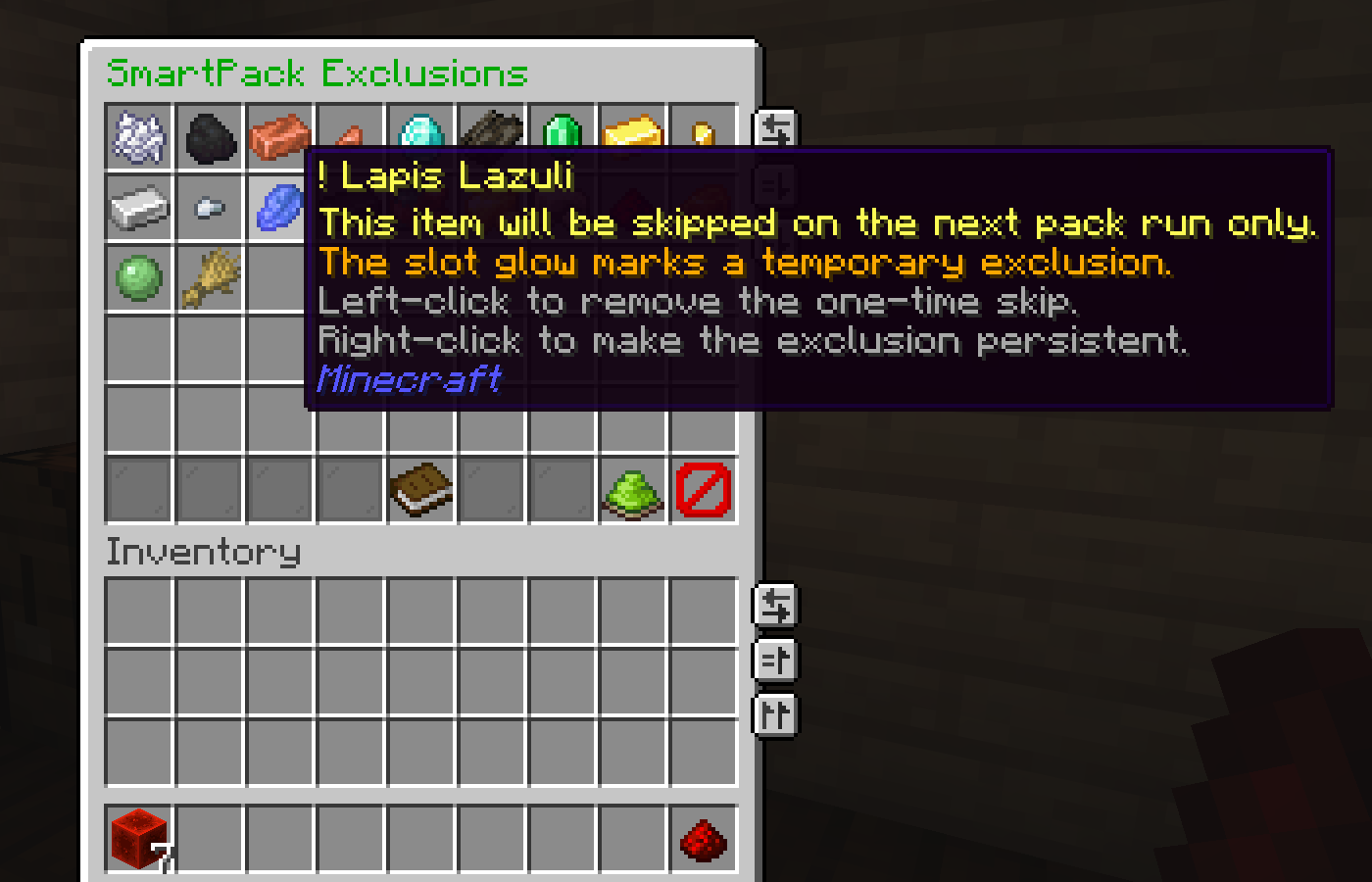
Next-run skip The material is skipped once. |
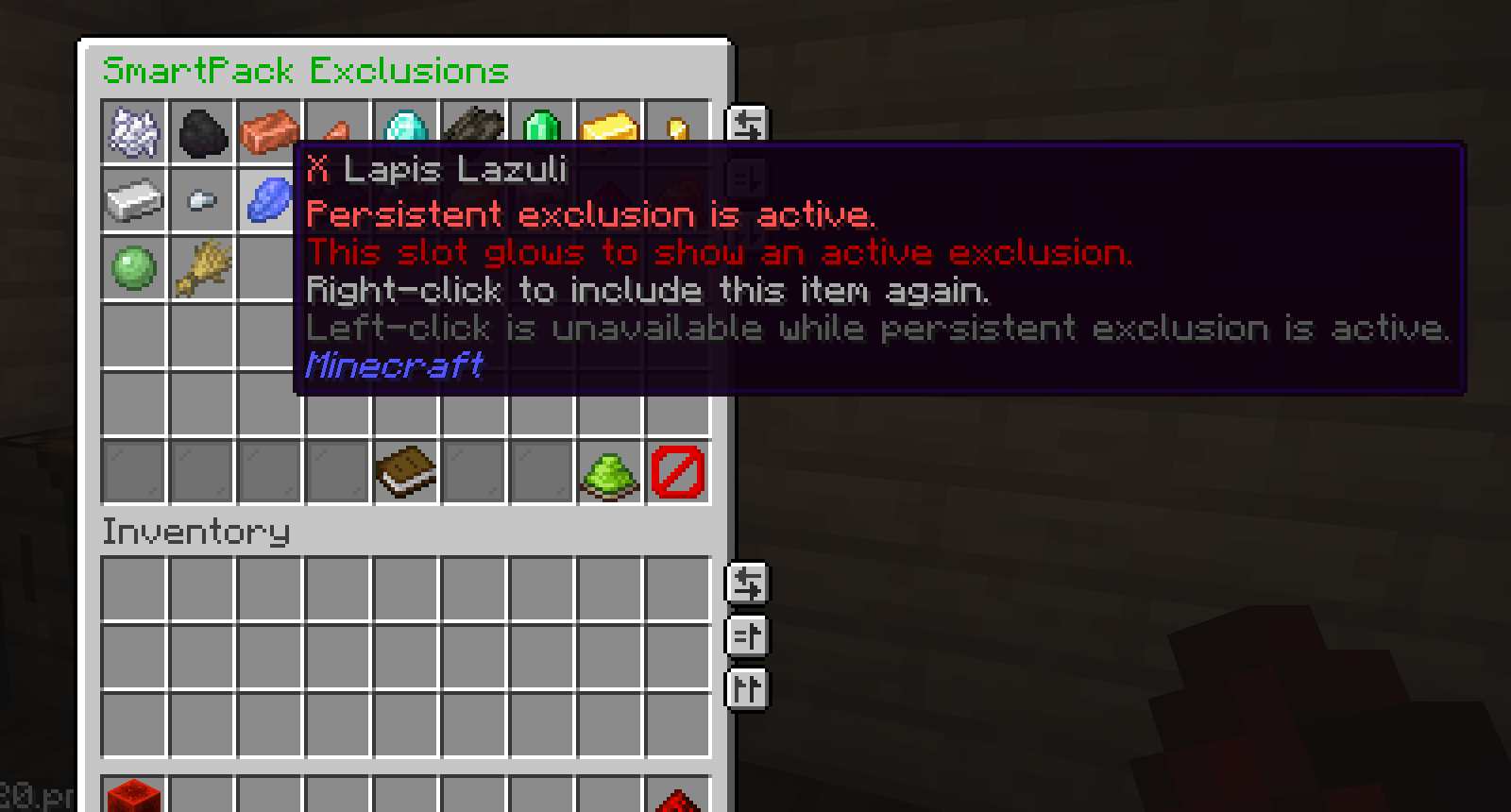
Persistent skip The material remains skipped. |
View larger exclusion state screenshots
Normal input
Next-run skip
Persistent skip
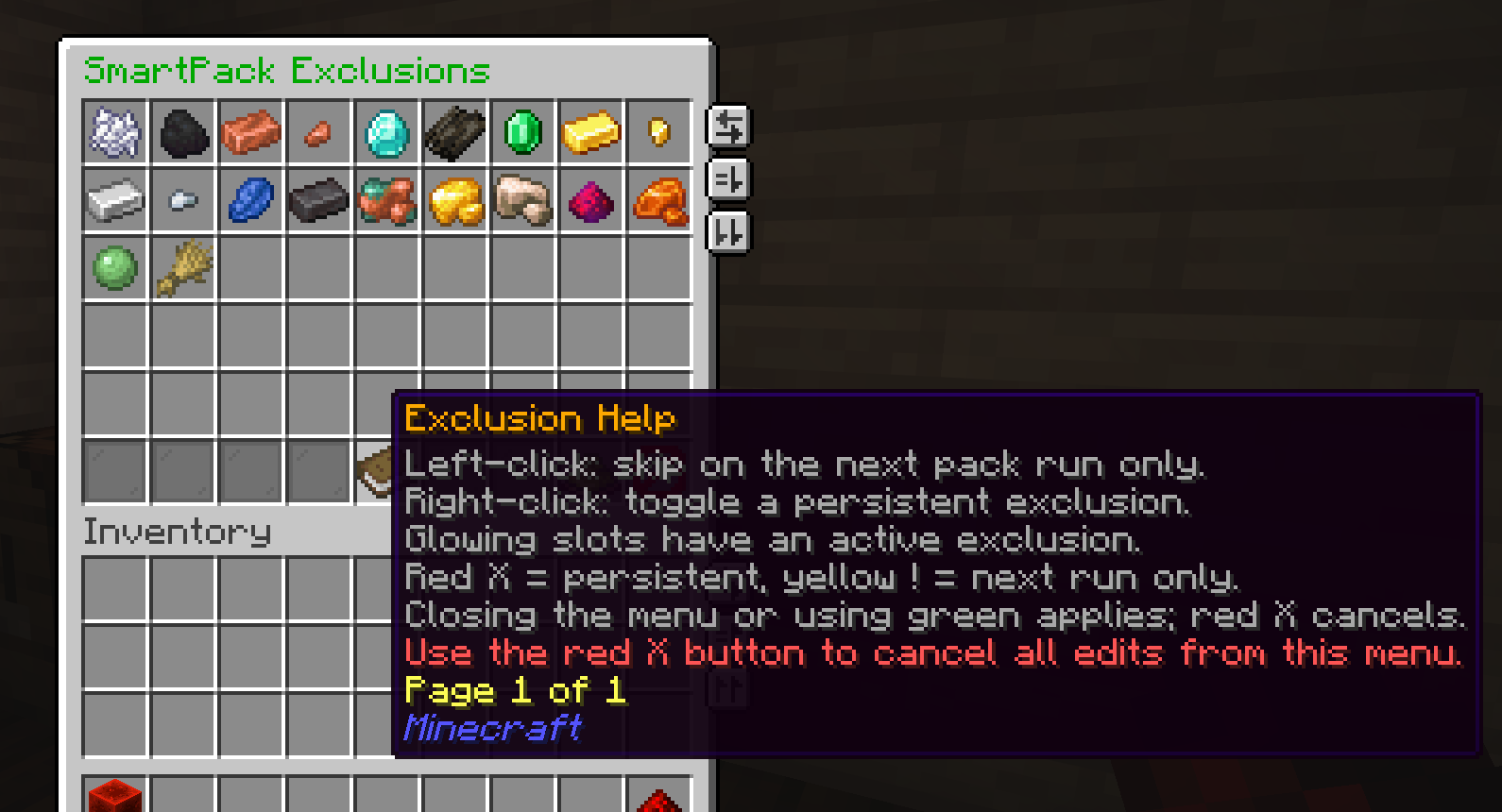
Built-in help The info item explains left-click, right-click, glowing slots, apply, and cancel behavior. |
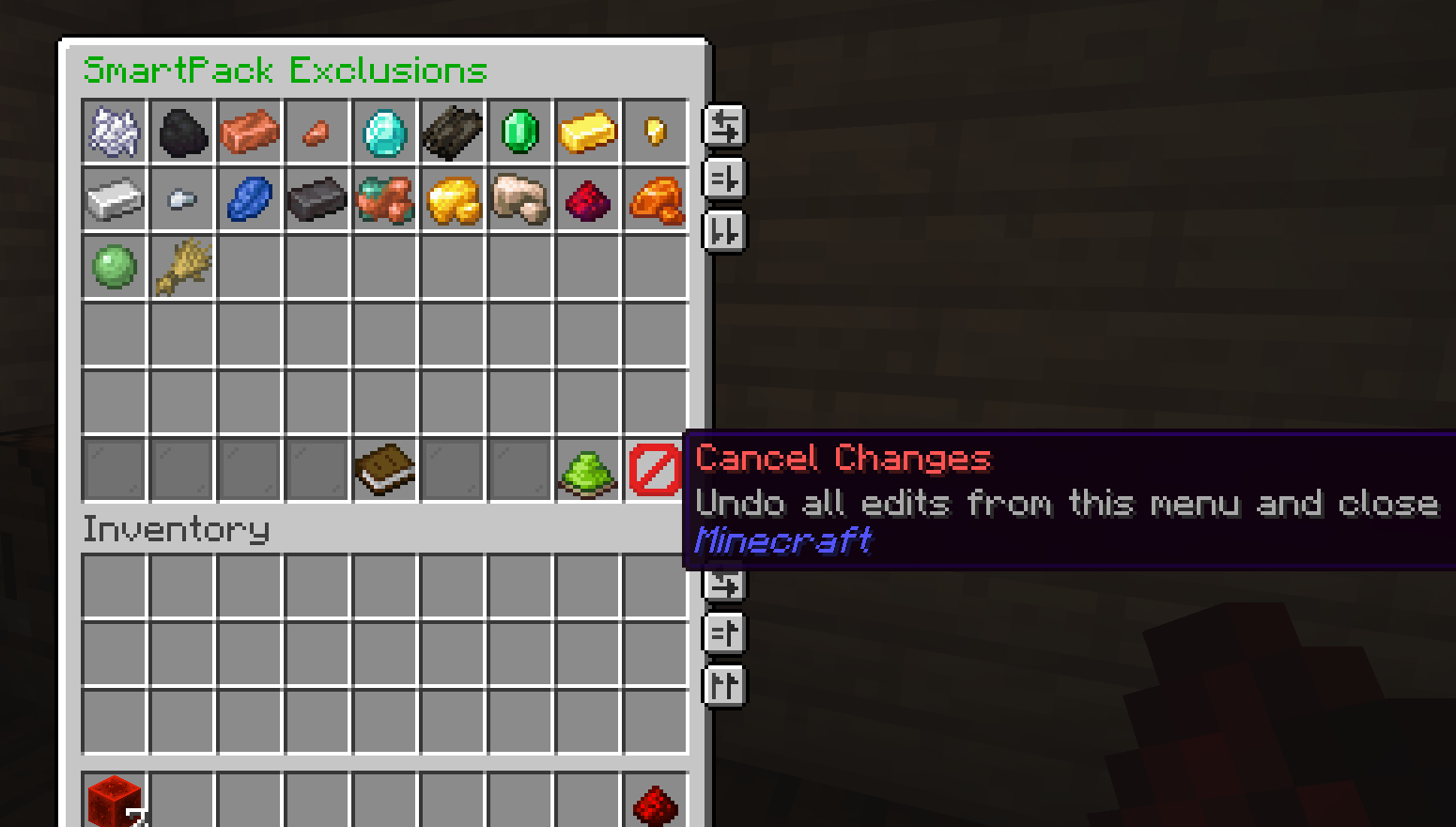
Apply and cancel Bottom-row controls let players keep or discard edits from the current menu session. |
View larger help and control screenshots
Built-in help
Apply and cancel controls
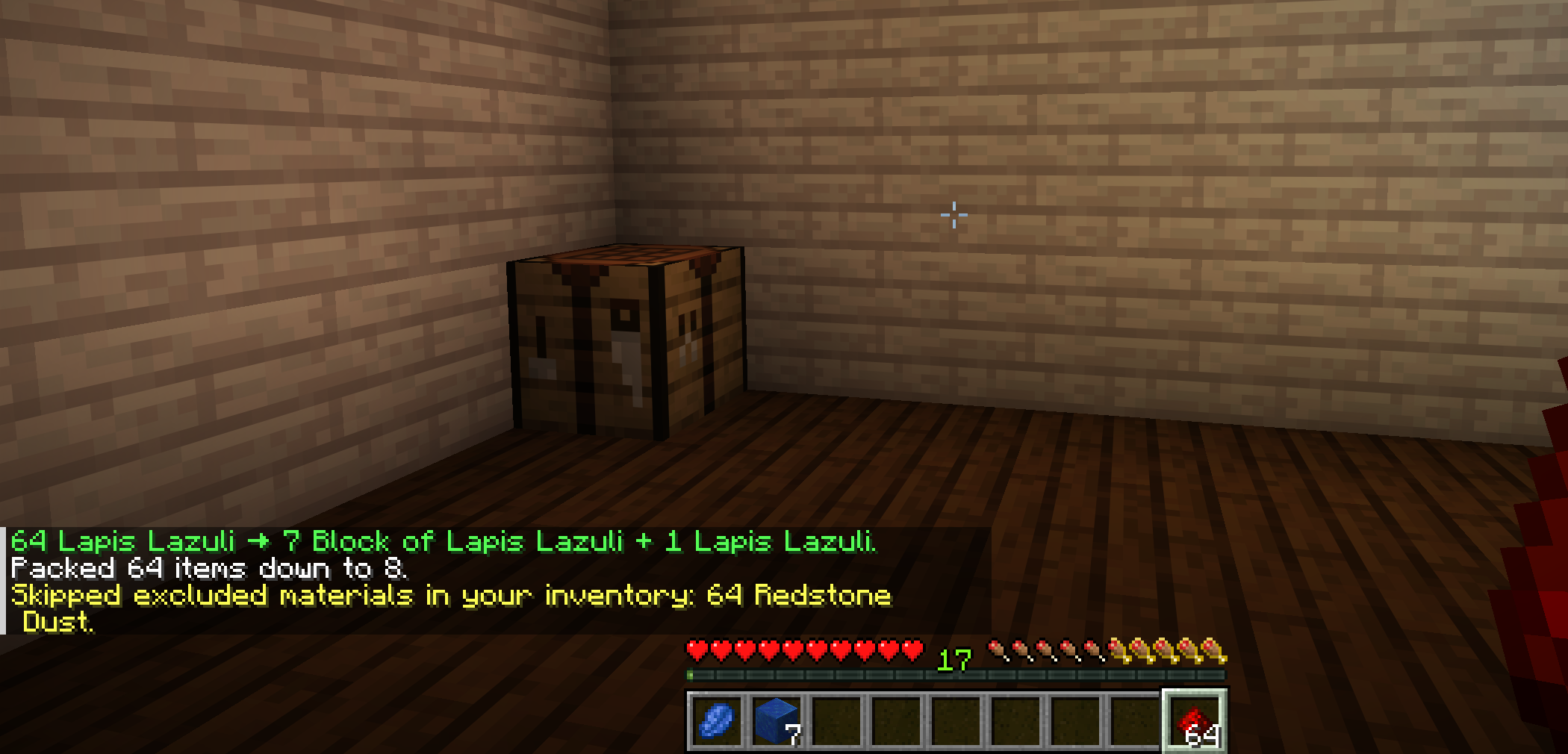
After a pack cycle, SmartPack can report configured inputs that were skipped and remain in the player's inventory.
message:
  info:
    skipped_excluded_materials: "Skipped excluded materials in your inventory: [items]."
- Exclusions are evaluated against configured input materials.
- Disabled or invalid pack recipes are not useful exclusion targets.
- Persistent exclusions and auto-pack preferences share the same SQLite database file.
- Exclusions are respected by both manual
/packand automatic packing.