







Welcome to Vectras VM! A virtual machine app for Android based on QEMU that lets you emulate various OSes including:


If you need help, check out our documentation. For quick answers, join the Vectras Telegram group. And here's a suggestion if you're new to Vectras VM:
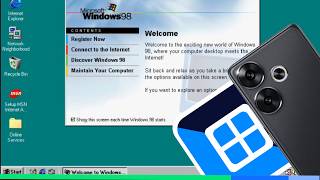
Works fine on devices manufactured in 2021 or later and devices equipped with Snapdragon 855 CPU or better. You can try running Vectras VM on unsupported devices, but we cannot guarantee stability or support. Here are the devices tested:
| Brands | Compatibility status |
|---|---|
| Samsung | ⭐⭐⭐⭐⭐ |
| Google Pixel | ⭐⭐⭐⭐⭐ |
| Xiaomi | ⭐⭐⭐⭐⭐ |
| Redmi | ⭐⭐⭐⭐⭐ |
| Poco | ⭐⭐⭐⭐⭐ |
| ZTE | ⭐⭐⭐⭐ |
| RedMagic | ⭐⭐⭐⭐ |
| Oppo | ⭐⭐⭐ |
| Realme | ⭐⭐⭐ |
| OnePlus | ⭐⭐ |
| vivo | ⭐⭐ |
| IQOO | ⭐⭐ |
| Huawei | ⭐ |
| Honor | ⭐ |
- Android 6.0 and up.
- 3GB RAM (1GB of free RAM).
- A good processor.
- Android 8.1 and up.
- 8GB RAM (3GB of free RAM).
- CPU and Android OS support 64-bit.
- Snapdragon 855 CPU or better.
- Integrated or removable cooling system (if running operating systems from 2010 to present).
Tip
If the OS you are trying to emulate crashes, try using an older version.
You can download Vectras VM from the releases page or the official website.
or

We publish a new beta release after every commit — so you can always test the latest features and improvements!

Upgrade or change the Qemu version you want to use without resetting the Vectras VM using the Terminal.
QEMU 11.0.0 (for Vectras VM 4.0.8+):
apk add bash && curl -H 'Cache-Control: no-cache' -o setup.sh https://raw.githubusercontent.com/AnBui2004/Vectras-VM-Emu-Android/refs/heads/master/qemu/11.0.0/upgrade.sh && chmod +rwx setup.sh && ./setup.sh; rm setup.shQEMU 9.2.2 - 3dfx (recommended and for Vectras VM 4.1.1+):
apk add bash && curl -H 'Cache-Control: no-cache' -o setup.sh https://raw.githubusercontent.com/AnBui2004/Vectras-VM-Emu-Android/refs/heads/master/qemu/9.2.2/upgrade.sh && chmod +rwx setup.sh && ./setup.sh; rm setup.shQEMU 7.2.22 - 3dfx (for Vectras VM 4.2.2+):
apk add bash && curl -H 'Cache-Control: no-cache' -o setup.sh https://raw.githubusercontent.com/AnBui2004/Vectras-VM-Emu-Android/refs/heads/master/qemu/7.2.22/upgrade.sh && chmod +rwx setup.sh && ./setup.sh; rm setup.shQEMU 11.0.0 (for Vectras VM 4.0.8+):
QEMU 9.2.4 - 3dfx (only for Vectras VM 3.5.0):
QEMU 9.2.2 - 3dfx (recommended and for Vectras VM 4.1.1+):
QEMU 9.2.2 - 3dfx (recommended and for Vectras VM 3.5.1+):
- For Android ARM (64-bit)
- For Android ARM (32-bit)
- For Android x86 (64-bit)
- For Android x86 (32-bit)
- See them at the Internet Archive (64-bit)
- See them at the Internet Archive (32-bit)
QEMU 9.2.2 - 3dfx (for Vectras VM 3.2.9 - 3.4.9):
QEMU 8.2.0 - 3dfx (only for Vectras VM 2.9.5):
QEMU 7.2.22 - 3dfx (for Vectras VM 4.2.2+):
Vectras VM is on the Play Store with the new Qemu 10, it runs natively on Android instead of requiring proot like the version on GitHub. Try it now!

Help support the project by contributing!


