SpriteSheetRenderer is an open-source project that I am developing in my free time. If you like it you can support me by donations.

A powerful Unity ECS api to render massive numbers of animated sprites using the new dots stack, taking full advantages of Jobs, DynamicBuffers and ComputeBuffer:
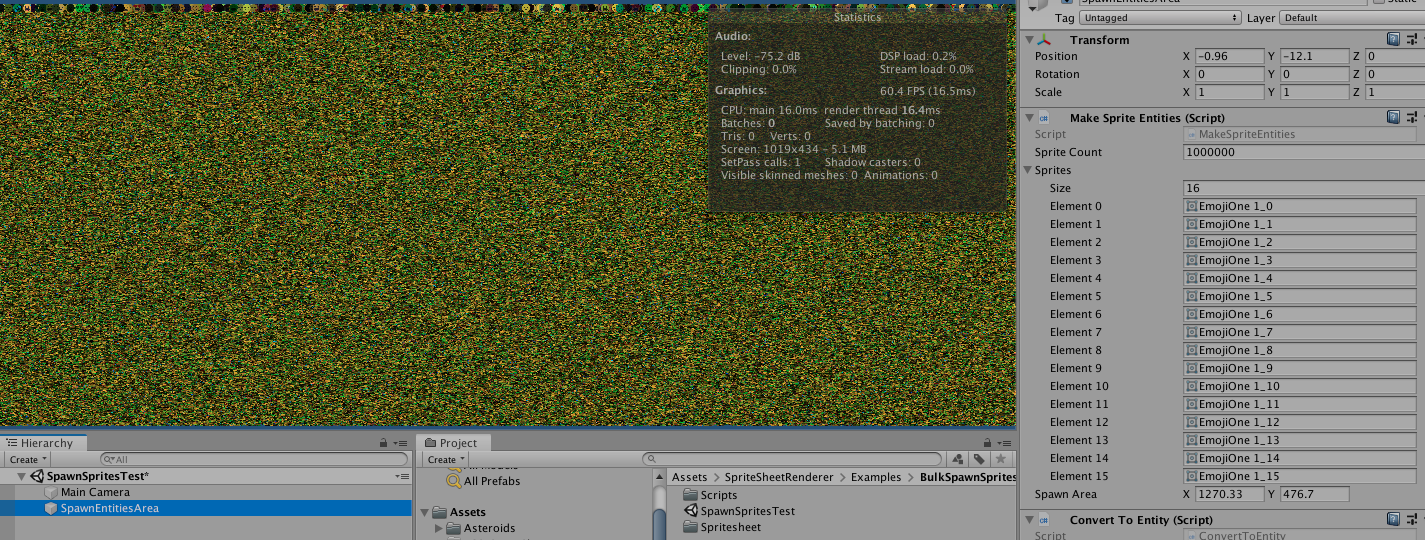
1 million animated sprites were rendered at 60fps(none of them was hurt during the process) on a Mid-2015 MacBook Pro.
- 1- Create the Archetype:
EntityArchetype archetype = eManager.CreateArchetype(
    typeof(Position2D),
    typeof(Rotation2D),
    typeof(Scale),
    //required params
    typeof(SpriteIndex),
    typeof(SpriteSheetAnimation),
    typeof(SpriteSheetMaterial),
    typeof(SpriteSheetColor),
    typeof(SpriteMatrix),
    typeof(BufferHook)
);- 2- Record and bake this spritesheet(only once)
SpriteSheetManager.RecordSpriteSheet(sprites, "emoji");- 3- Populate components
List<IComponentData> components = new List<IComponentData> {
    new Position2D { Value = float2.zero },
    new Scale { Value = 15 },
    new SpriteIndex { Value = UnityEngine.Random.Range(0, maxSprites) },
    new SpriteSheetAnimation { maxSprites = maxSprites, play = true, repetition = SpriteSheetAnimation.RepetitionType.Loop, samples = 10 },
    new SpriteSheetColor { color = new float4(color.r, color.g, color.b, color.a) }
};- 4- Instantiate the entity
Entity e = SpriteSheetManager.Instantiate(archetype, components, "emoji");- Update the entity
Entity e = SpriteSheetManager.UpdateEntity(e, new Position2D { Value = float2.zero});- Destroy the entity
Entity e = SpriteSheetManager.DestroyEntity(e, "emoji");- 1- Create the Archetype:
EntityArchetype archetype = eManager.CreateArchetype(
    typeof(Position2D),
    typeof(Rotation2D),
    typeof(Scale),
    //required params
    typeof(SpriteIndex),
    typeof(SpriteSheetAnimation),
    typeof(SpriteSheetMaterial),
    typeof(SpriteSheetColor),
    typeof(SpriteMatrix),
    typeof(BufferHook)
);- 2- Bulk instantiate entities
NativeArray<Entity> entities = new NativeArray<Entity>(spriteCount, Allocator.Temp);
eManager.CreateEntity(archetype, entities);- 2- Record and bake this spritesheet(only once)
SpriteSheetManager.RecordSpriteSheet(sprites, "emoji");- 3- Populate components
for(int i = 0; i < entities.Length; i++) {
  Entity e = entities[i];
  eManager.SetComponentData(e, new SpriteIndex { Value = 0});
  eManager.SetComponentData(e, new Scale { Value = 10 });
  eManager.SetComponentData(e, new Position2D { Value = RANDOM_VECTOR });
  eManager.SetComponentData(e, new SpriteSheetAnimation { maxSprites = MAX_SPRITES, play = true, repetition = SpriteSheetAnimation.RepetitionType.Loop, samples = 10 });
  SpriteSheetColor col = new SpriteSheetColor { color = A_COLOR };
  eManager.SetComponentData(e, col);
  eManager.SetComponentData(e, new BufferHook { bufferID = i, bufferEnityID = DynamicBufferManager.GetEntityBufferID(material) });
  eManager.SetSharedComponentData(e, material);
}