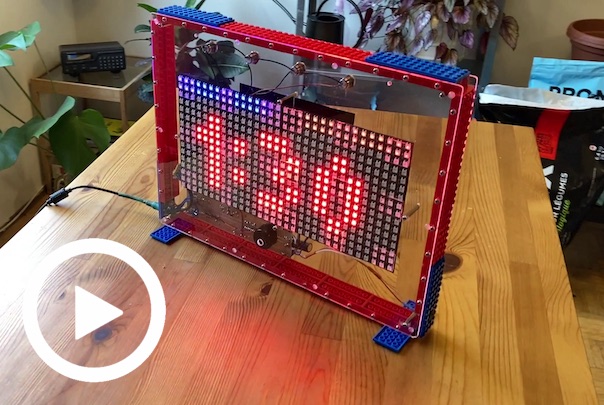
Competition timer for a game of all-out remote-controlled LEGO Battlebricks destruction. Based on an ESP8266 WiFi-enabled Microcontroller, it features an LED matrix displays that faces the audience, and a smaller LED matrix display that faces the players. Both displays show a mix of text and graphics depending on the status of the game.
The Battlebricks Timer was used at the BrickCon 2021 Battlebricks Tournament! Watch Part 1 & Part 2.
- Set your prefered game time and change it between rounds with the push of a button
- Supports 2 players, 3 players, and a free-for-all "rumble mode"
- External and on-screen light bars show which players are ready
- Fully configurable over wifi on mobile-friendly settings page
- Built-in buzzer for audio feedback
- Over-The-Air firmware updates
For details on operation, please watch the video above
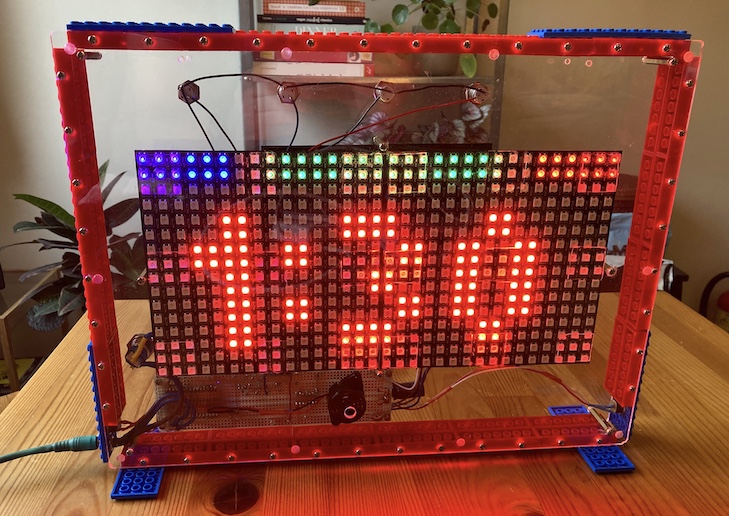
(Required) Main Components:
- ESP8266 (NodeMCU 1.0 or equivalent)
- 2x 16x16 WS2812 LED Matrix Displays
- 5V/8A Power Supply
- DC Jack
- 1n4001 Diode
- 1000uF 15v Electrolytic Capacitor
- 47uF 15v Electrolytic Capacitor
- 4x Momentary Buttons (Red, Green, Blue, and Black)
(Optional) Secondary Display:
- 2x 8x8 WS2812 LED Matrix Displays
(Optional) Light Bars:
- 2x 10kΩ Resistors
- 2x 2N3904 NPN Transistors
- Red 5v LED light bar
- Blue 5v LED light bar
- 2x Current-Limiting LED resistors (if not included in light bars)
(Optional) Other Components:
- Piezo Buzzer
- Power Button
- Case - Build your own!
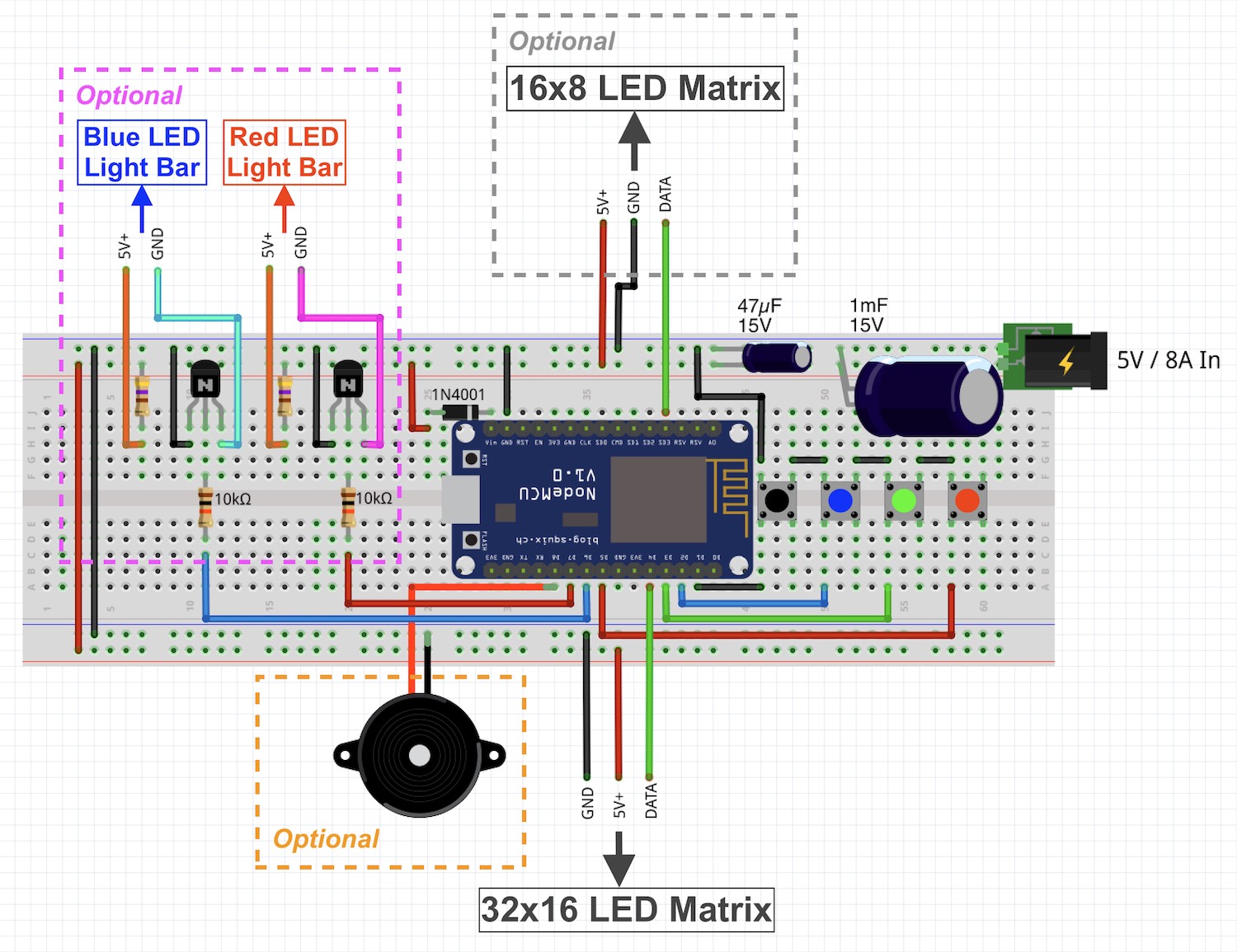 NOTE: When using WS2812 LED Matrix Displays, connect ALL VCC and GND wires to the 5V and GND rails respectively, as peak current draw may be too much for a single pair of wires to handle!
Written in C++ for the ESP family of connected microcontrollers, and using the Arduino framework. Developed using Visual Studio Code and PlatformIO. A platformio.ini file is included; If you clone the repository and open it up with Visual Studio Code with the PlatformIO extension installed, the dependencies should download automatically.
NOTE: In addition to flashing the firmware to the microcontroller, you must also flash the file system.
- adafruit/Adafruit NeoPixel 1.7.0
- adafruit/Adafruit GFX Library 1.10.4
- adafruit/Adafruit NeoMatrix 1.2.0
- adafruit/Adafruit BusIO 1.7.1
- bblanchon/ArduinoJson 6.17.2