An interactive journal experience created in Unity and utilizing IBM Watson’s Tone Analyzer API. Developed over the course of three weeks as my capstone project during Ada Developer’s Academy.
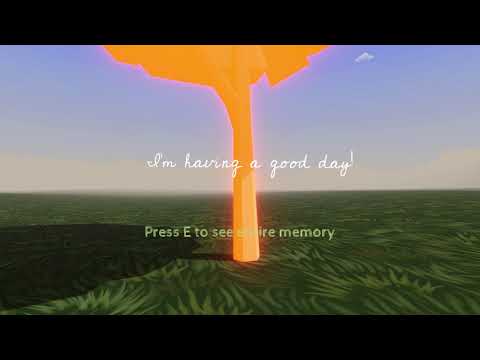
If you would like to play Forest of Memories, you can download it for Windows or Mac OS from itch.io.
If you would like to see how it's built in Unity, you will need to install Unity and get an API key from IBM Cloud.
- If this is your first time using Unity, install Unity Hub
- Clone this repository to your local machine
- Open up Unity Hub.
- From the Projects tab, select "Add"
- Navigate to the location where you cloned the repository to
- Select the folder and then select Open
- The folder will be added to your Projects list in Unity Hub
An API key is required in order to analyze player entries and create a tree.
- Sign up for an IBM Cloud account
- From your dashboard, under "Resources summary", select "Add resources"
- In the "Search the catalog..." input field, type "tone analyzer"
- Select the "Tone Analyzer" service
- Scroll to the bottom of the screen, and type in a Service Name (this can be anything)
- Click the Create button on the right hand panel to add the service
- Go to the Manage tab
- Click the copy icon to the right of the API key under Credentials
- In Unity, find the "ScriptedObjects" game object within the Hierarchy window
- Click the arrow to the left to expand this object
- Select the "ToneAnalyzer" GameObject
- In the Inspector tab, find the "Tone Analyzer (Script)" component
- Paste your API key into the "API_KEY" field