

Action-preserving sports edits, music highlights and narrated analysis.
A local Python + FFmpeg toolkit for boxing, football and other sports. Build music montages around reviewed action windows, or compose evidence-led documentaries with a voice-over, subtitles and visual annotations. It saves edit plans and quality reports rather than treating a successfully encoded MP4 as proof of a good edit. Missing source evidence, permissions, voice dependencies or disk capacity are reported as blockers.



Workflows · References · Quick start · Documentaries · Commands · Publishing · Changelog · Français
| Workflow | What you provide | Command | Default outcome |
|---|---|---|---|
| Checkpointed sports/music montage | Athlete, style, duration; permitted media and genuinely reviewed action windows | ueu create "Athlete — style — 10 minutes" |
Verified local export or a recorded blocker |
| Narrated documentary | A YAML film spec, prepared footage or cards, an approved voice reference and an MLX voice environment | ueu documentary --spec projects/film.yaml |
Narrated local export and evidence/quality reports |
| Explicit-input/legacy edit | Local files or individually authorized URLs and optional annotations | ultra create --spec examples/ronaldo.yml |
MP4 and editing reports |
Neither ueu workflow automatically uploads to YouTube. The documentary command does not independently prepare source proxies, acquire verified HD footage or establish the rights to a clip. See documentary setup and one-shot requirements.
Independent YouTube edits illustrating the sports/music style, not videos generated by this repository. Thumbnails link to the original uploads.
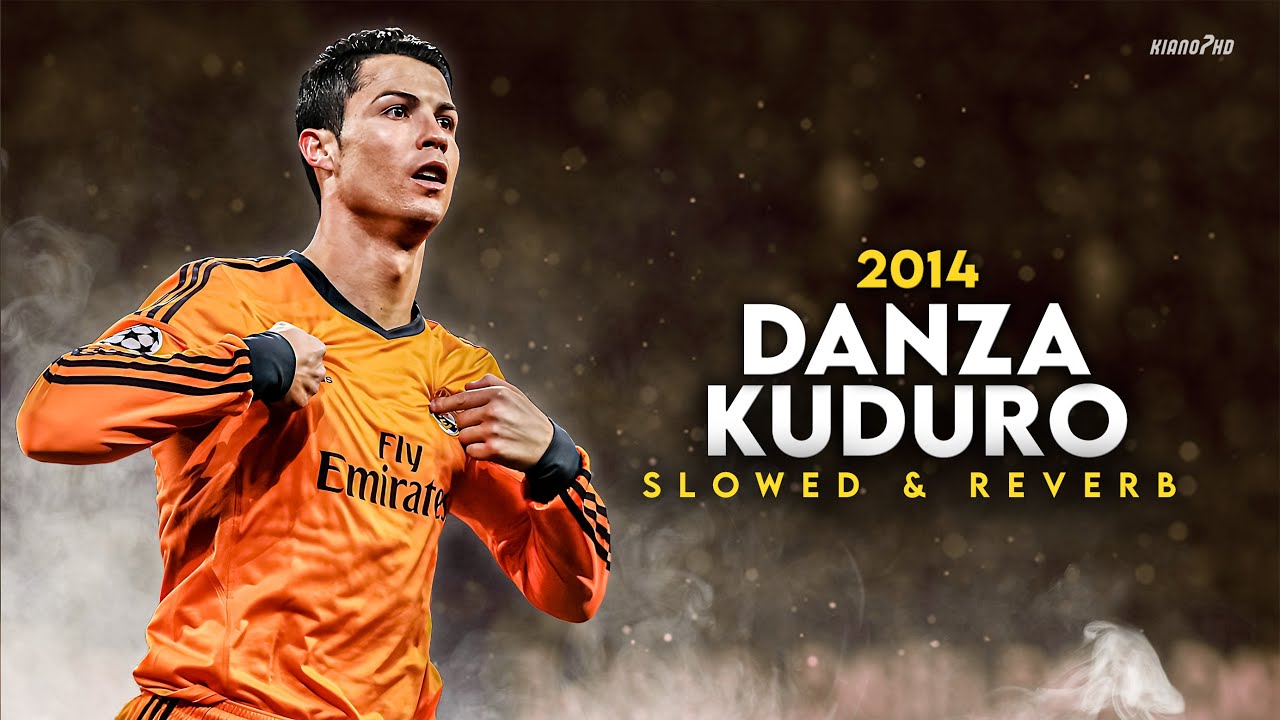
Cristiano Ronaldo Danza Kuduro · Skills & goals 23.5M+ views KIANO7HD |

Neymar Jr Balada Boa · Skills mix 17.1M+ views KHDfootball |

Kylian Mbappé Ramenez la coupe à la maison 19.5M+ views resheditz ツ |
YouTube view counts captured on 27 October 2026 · Video credits & source data
Local export is the default. Uploading requires an explicit command.
Reviewed boundaries are the default. An explicit
--auto-actionsoption can instead use motion candidates for a personal local draft, preserving their unverified/heuristic provenance. Motion peaks cannot verify goals, knockouts or athlete identity. Technical success is not artistic acceptance or continuous human viewing.
| Input | Processing | Output |
|---|---|---|
| Local footage, or explicit authorized URLs | Motion candidates or imported action annotations | H.264 MP4 at original 1× speed |
| Local tracks, ordered playlist or explicit audio URLs | Crossfades, transient detection and impact alignment | Music mixed with original stadium/ring audio |
| Athlete, sport and target duration | Whole-window selection with source interval reuse disabled by default | Edit plan, source report and integrity report |
| Optional local Ollama model | Ranks candidate clips from sampled frames | Recorded model responses |
Football, boxing, MMA, basketball and generic presets provide different amounts of context around detected motion. The planner preserves each selected window; annotation quality determines whether that window contains the complete real-world action.
ueu create "Terence Crawford — R&B 2000s — 30 minutes"
ueu create "Canelo Álvarez — Reggaeton — 30 minutes"
ueu create "Naoya Inoue — Japanese hip-hop — 20 minutes"
For personal local projects with media you attest you may use, and where you accept unverified automatic action windows, explicitly select roots and opt in:
ueu create "Oscar Valdez — Reggaeton — 30 minutes" --offline \
  --root "$HOME/Movies/Valdez" --root "$HOME/Music/reggaeton" \
  --attest-local-media --auto-actions --desktop
This does not discover or license commercial songs, bypass unavailable source rights, certify boxing actions, or override the system disk-guard floor. Resume an already blocked job with ueu resume JOB --root /path/to/footage --root /path/to/music --auto-actions --attest-local-media if its saved scan roots were explicit and its resources are still accessible.
ueu coordinates discovery → acquisition → validation → playlist → planning → mix →
export → quality control → delivery. Catalogue permissions and song history persist.
Each job records stage checkpoints, artifact hashes, logs and a readable report.
ueu status output/jobs/JOB_DIRECTORY
ueu resume output/jobs/JOB_DIRECTORY
Defaults are personal use, H.264/AAC, 1080p30 and local delivery. --mode commercial
requires recorded commercial scope for both music and footage; it does not guarantee
monetization. --desktop requests safe additional Desktop delivery. R&B 2000s is
not replaced with modern stock music. Spotify is optional metadata, never an audio source.
See the autonomous workflow for permissions, reviewed
annotations, disk requirements and exact gates. ultra create and ultra produce
remain compatible legacy interfaces. ueu create never publishes.
The newer ueu documentary mode renders a scripted analysis film with Qwen3-TTS narration, script-aligned subtitles, cards, clips, freezes, split screens and on-screen annotations. Its YAML spec ties each narrated claim to a category and each footage shot to a stated action, confidence and provenance. Recorded provenance is not the same as independently verified action recognition.
The base installer does not install the MLX voice environment. After installing the editor, install the documentary subtitle extra in the main virtual environment:
python -m pip install -e '.[documentary]'On Apple Silicon, also configure a separate .venv-doc for mlx-audio and faster-whisper, and supply a synthetic or consented reference voice. The example below contains only graphic cards, so it needs no sports footage; it is a configuration starter, not a ready-to-publish film.
mkdir -p projects output/documentary-demo/audio
cp examples/documentary.example.yml projects/demo.yaml
# Supply output/documentary-demo/audio/voice-reference.wav before running.
ueu documentary --spec projects/demo.yaml --stage plan
ueu documentary --spec projects/demo.yaml --preview 0 8 --proxy
ueu documentary --spec projects/demo.yaml
--stage plan still synthesizes and aligns the voice. The preview is a short layout/audio test; --proxy uses low-resolution footage only when such footage is included. The full render of a footage-based film requires prepared proxies and verified HD-window indexes. Rendering is checkpointed and remains subject to the 12 GB free-space floor.
See Documentary mode: installation, full spec, media preparation and voice QC and the starter YAML.
Install Homebrew if needed, then run:
brew install ffmpeg python@3.12
git clone https://github.com/searadacunha/YouTube-Edit-Ultra.git
cd YouTube-Edit-Ultra
bash scripts/bootstrap_mac.sh
source .venv/bin/activate
ultra doctor
ueu --help
The bootstrap detects Python 3.11+ on your PATH or at standard Homebrew locations. To choose an interpreter explicitly:
ULTRA_PYTHON=/path/to/python3.12 bash scripts/bootstrap_mac.shClone the repository before running its scripts. No downloaded ZIP or global ultra installation is assumed. Activate .venv again in each new terminal.
Install Python 3.11+, ffmpeg and ffprobe, then:
git clone https://github.com/searadacunha/YouTube-Edit-Ultra.git
cd YouTube-Edit-Ultra
python3 -m venv .venv
source .venv/bin/activate
python -m pip install -e '.[all]'
ultra init
ultra doctor
ueu --help
For local editing without downloads, scene detection or uploads, install with python -m pip install -e .. Extras are download, scenes, youtube and documentary (pysubs2). all includes the first three, but not documentary or the separate MLX voice runtime.
Open the YOUTUBE EDIT ULTRA launch screen and command overview:
ultraDisplay just the terminal logo:
ultra bannerThe logo appears automatically in interactive terminals. Use ultra --no-banner doctor to hide it for one command, or set NO_COLOR=1 to disable colors. Redirected output and CI runs stay free of the automatic banner.
After installation, run one of the ueu create examples above. Authorized existing
assets and reviewed sidecars are discovered automatically; available permitted
downloads require no manual assembly. A missing grant or unreviewed action boundary
is recorded in the job's REPORT.txt and JSON evidence. See the setup and annotation
contract to register actual evidence once.
Outputs live under output/jobs/JOB_DIRECTORY/ATHLETE-DURATIONs/. The cleanly named
MP4 is accompanied by delivery.json, verification_report.json, edit_plan.json,
music_tracklist.json, a thumbnail, storyboard and YouTube metadata. The job root
holds manifest.json, REPORT.txt, source reports and resumable caches.
Disk checks preserve the normal 12 GB free-space floor after each estimated heavy operation. With only 11 GB free, the job can correctly block before rendering. It never lowers the floor or deletes personal media or previous finals.
Add athlete-named footage to library/videos/, for example Cristiano_Ronaldo_2008.mp4. Add music to library/music/hip-hop/, reggaeton/ or funk-brasileiro/.
# Inspect the action selection and reports before rendering.
ultra create "Cristiano Ronaldo 30 min hip-hop" --dry-run

# Render with the same inputs.
ultra create "Cristiano Ronaldo 30 min hip-hop"
The 30-minute example requires enough source actions and music. Choose a shorter duration for a small library. The tool reports insufficient material instead of silently repeating video or music.
For this legacy ultra create command, outputs are written under output/cristiano-ronaldo-1800s/:
| File | Purpose |
|---|---|
montage.mp4 |
Final video with mixed audio |
thumbnail.jpg |
Actual source frame with a title |
storyboard.jpg |
Contact sheet for visual review |
edit_plan.json |
Exact source and timeline intervals |
action_integrity_report.json |
Window preservation, provenance and filler counts |
source_report.json |
Source paths, fingerprints, music and analysis details |
render_report.json |
Export duration, dimensions and audio status |
youtube_metadata.json |
Prepared title, description and tags |
--dry-run writes the plan and source/integrity reports. It still probes inputs and scans footage, but skips MP4/music rendering and uses a synthetic beat grid. The final render can therefore choose a different action order based on the real soundtrack.
| Task | Command |
|---|---|
| One-shot production | ueu create "Terence Crawford, R&B 2000s, 30 minutes" |
| Resume a job | ueu resume output/jobs/JOB_DIRECTORY |
| Inspect saved status | ueu status output/jobs/JOB_DIRECTORY |
| One-shot options | ueu create --help |
| Narrated documentary | ueu documentary --spec projects/film.yaml --stage plan |
| Short layout preview | ueu documentary --spec projects/film.yaml --preview 0 15 --proxy |
| Make a short still-image insert | ultra insert-image image.png insert.mp4 --duration 1.5 |
| Prepare library folders | ultra init |
| Show installed dependencies | ultra doctor |
| Boxing edit | ultra create "Mike Tyson 20 minutes rap US" --sport boxing |
| Brazilian funk football edit | ultra create "Ricardo Quaresma 30 minutes funk do brasil" --sport football |
| Require annotation files | ultra create "Ronaldo 5 min hip-hop" --strict-actions |
| Load an explicit project | ultra create --spec examples/ronaldo.yml |
| Inspect all options | ultra create --help |
Select tracks explicitly to control their order:
ultra create "Naoya Inoue 10 minutes j-pop" \
  --music library/music/j-pop/song1.mp3 \
  --music library/music/j-pop/song2.mp3
In the legacy explicit-input CLI, --repeat-music permits looping the playlist and --allow-repeat permits reusing source intervals. Both are disabled by default and are not exposed by the one-shot command. One-shot production adds sampled perceptual duplicate checks across sources and on the final video; alternate angles, crops and events between samples can still escape detection.
Put annotations beside a source as Cristiano_Ronaldo_2008.actions.json, or in library/annotations/Cristiano_Ronaldo_2008.json:
{
  "provenance": "visual_review",
  "events": [
    {"start": 115.0, "peak": 122.6, "end": 136.0, "label": "dribble_shot_goal"},
    {"start": 228.5, "peak": 234.2, "end": 245.2, "label": "run_and_cross"}
  ]
}
Times are seconds from the start of the source. Imported windows receive up to 0.5 seconds of padding; overlapping windows are merged. Music alignment affects selection and ordering, never a cut inside the selected window.
The example provenance must describe an actual review. The one-shot job requires explicit accepted provenance and blocks unreviewed candidates. Optional source_sha256 binds evidence to source bytes. Fine .shots.json files add safe margins, protected cores, intro/outro tags and audio_intent; see the editorial schema.
Legacy --strict-actions requires annotation files and also accepts SoccerNet-style predictions. It does not turn predicted context into verified ground truth. No unreviewed duration filler is used by default.
See the action policy for reliability levels and the technical workflow for the SoccerNet schema. A specialist spotting model and weights are not bundled.
Use a local still (PNG, JPEG or non-animated WebP) as a brief clip in the existing editorial workflow:
ultra insert-image /path/to/still.png /path/to/insert.mp4 --duration 1.5This creates a silent, aspect-ratio-preserving H.264 MP4 and an adjacent .insert.json provenance report. Duration must be strictly below 2 seconds and align to the frame grid. The resulting candidate is not automatically accepted as reviewed footage or authorized for reuse; inspect and annotate its placement before including it in an edit. See editorial notes.
With Ollama running locally:
ollama pull qwen3-vl:2b
ultra create "Cristiano Ronaldo 30 min hip-hop" --semantic-model qwen3-vl:2b
The model ranks sampled still frames; it does not reliably identify athletes or establish complete action boundaries. --semantic-limit 0 examines every candidate. --scene-detect adds a separate full-resolution scene scan. --beat-engine librosa selects the slower beat tracker; the default transient detector uses FFmpeg and NumPy.
ultra create "Ronaldo 5 min hip-hop" \
  --source 'https://example.org/rights-cleared-clip.mp4' \
  --allow-download --rights-confirmed
Use --music-source URL for authorized audio URLs in this explicit-input CLI. Its downloads are restricted to the URLs supplied, cached by URL and retain request order. ueu create separately performs catalogue discovery and authorized acquisition from the athlete/style request.
For repeatable projects, edit examples/ronaldo.yml. Manifest paths resolve relative to the YAML file. The example points back to the repository's library/ and output/ directories; replace its placeholder media paths with your files.
- Enable YouTube Data API v3 in your Google Cloud project and create an OAuth Desktop client.
- Save its JSON as
~/.config/youtube-edit-ultra/client_secret.json. - To screen YouTube-origin sources (discovered, downloaded or cached), configure a separate YouTube Data API v3 key and inspect the source metadata:
export YEU_YOUTUBE_API_KEY='YOUR_API_KEY'
ultra inspect-youtube 'https://www.youtube.com/watch?v=jNQXAC9IVRw'- Upload the finished montage to your channel for private copyright review:
ultra publish output/cristiano-ronaldo-1800s/montage.mp4 --privacy privateEvery new upload remains private, even if --privacy unlisted,
--privacy public or ultra create --publish public is requested.
Wait for YouTube Studio's copyright checks, examine all territory restrictions,
then manually publish only if the rights and checks are acceptable. Source
metadata alone cannot predict Content ID claims or license reuse. Missing API
keys or unsuccessful lookups exclude newly discovered YouTube sources from
automatic acquisition.
Every montage also writes rights_gate_report.json: each video and music
source, whatever its origin (discovery, catalogue, cache, local file, URL,
prepared mix), is ACCEPTED, REJECTED or UNVERIFIED, with licence,
evidence, geo restrictions, claim hints and check date. Add --publishable
to ueu create or ultra create to keep only ACCEPTED sources. After the
Studio checks finish, record the result; the command never changes visibility:
ultra publication-check output/cristiano-ronaldo-1800s/montage.youtube.json \
  --studio no-claims --approve
Successful upload IDs, requested/actual privacy and the Studio review link are
stored in montage.youtube.json to prevent duplicate submissions of that path.
Re-running publish after success returns the saved video; it does not change
visibility. Verify uploads in YouTube Studio before retrying interrupted
uploads with no saved ID. See the
YouTube copyright and availability preflight
for exact limitations, rights evidence and checks.
For an explicitly authorized upload containing a realistic synthetic or cloned voice, the ultra publish command reads "synthetic_media": true from the JSON passed with --metadata (or adjacent youtube_metadata.json) and sends YouTube's synthetic-media disclosure flag. Documentary mode instead writes youtube_metadata.md for review; this Markdown file is not accepted by ultra publish, and documentary export never auto-publishes. Review rights and platform disclosures before uploading.
- The scanner finds movement candidates, including possible camera pans, graphics and replays. No measured goal/KO recognition accuracy is claimed.
- The integrity report verifies planned window boundaries. It cannot establish whether the source annotations cover the real beginning and end of every action.
- Exact duration plus whole actions can be impossible even when total footage is long enough. Add usable windows or adjust the target duration.
- Accessible media is not automatically reusable. Permissions and commercial scope need evidence; neither the programme nor a green quality report guarantees monetization.
- Finalization checks full decode, requested geometry/fps, duration within 0.15 s, decoded frames within one frame, stream timestamps, black/freeze/silence flags and true peak ≤−1 dBTP. Audio-only correction preserves encoded video packets. Other defects and incomplete duplicate scans block delivery.
- Long H.264 renders consume CPU time and disk space. Streaming export avoids per-shot MP4 copies; analysis caches and optional model data still occupy storage. Exact duration plus protected actions can also exhaust the bounded planner search.
- Documentary voice synthesis depends on external Apple-Silicon/MLX tooling and a local reference voice; it does not verify a narrator by listening. Shot-level reports record the evidence provided, not a guarantee that the athlete, action or claim is correct.
Clone le dépôt, lance bash scripts/bootstrap_mac.sh, puis active source .venv/bin/activate. Lance ueu create "Terence Crawford — R&B 2000s — 30 minutes". Le programme orchestre le parcours et livre un MP4 vérifié, ou explique le blocage. Les permissions et limites d'actions réellement revues restent nécessaires; aucun accès public ne les remplace.
ueu resume CHEMIN_DU_JOB reprend les étapes vérifiées après interruption. ueu status CHEMIN_DU_JOB affiche l'état. Les vidéos et rapports se trouvent dans output/jobs/. Le plancher disque reste à 12 Go; aucune publication n'est automatique.
python -m pip install -e '.[dev,documentary]'
python -m ruff check --select E9,F src tests
ueu --help
python -m pytest
FFmpeg is required for the media integration tests. CI runs Python 3.11, 3.12 and 3.13, Ruff E9/F and the installed ueu entry point. Real short synthetic exports test one-shot delivery, interruption/resume, audio intent, clipping recovery with unchanged video packets, duplicates and quality failures. HTTP/provider, Ollama and disk conditions are simulated where relevant; these tests do not demonstrate live provider availability or semantic boxing recognition. Existing Crawford V2 media remains unchanged.
Technical workflow · Action policy · Documentary guide · Changelog · Maintainer publishing notes · Third-party components
License: MIT, copyright Benjamin Da Cunha. Input media and third-party dependencies retain their respective rights and licenses.
Historical production evidence, restored components and real-media acceptance: legacy execution diagnosis. The real-media demonstration is 16 seconds; synthetic tests and this demo do not certify KO recognition or a 30-minute production.
Historical long-form evidence and its review limits remain in production validation and the project journal. Agent-driven past exports do not establish that every new athlete/style request can run without missing rights, action review or adequate storage. See current workflow and test boundaries.
Implementation evidence: one-shot audit · executed checks and limits.