A free Android battery-saver utility for outdoor enthusiasts whose best privacy strategy is staying off the network in the first place.
Bikepacking. Thru-hiking. Expedition kayaking. Long-haul flights. Battery anxiety in the backcountry.
ThruSpark gives you one-tap access to system-level power controls — the same kind of permissions normally reserved for manufacturer (OEM) apps — through a small, well-defined integration with the open-source Shizuku project.
Alpha prototype in testing — open to anyone to try, and we invite your comments!
The app builds and runs on Android 11+ with all headline features implemented. There's no Play Store listing yet and no plan to pursue iOS in the near future, but the Android build is real, sideloadable, and ready for you to put on a phone.
If you try it, please open an issue with what worked, what broke, and what felt off. Bug reports, design feedback, edge cases you ran into on your specific device — all welcome.
Latest release: github.com/saneshiyer/ThruSpark/releases/latest
ThruSpark is sideload-only — there's no Play Store listing. From your Android phone:
- Open the latest release and download
app-debug.apk. - Tap the downloaded APK. Android will ask you to enable "Install unknown apps" for whichever browser you used — toggle it on, hit back, tap the APK again.
- Play Protect may show "unrecognized app". Tap "Install anyway."
That's the whole install. Requires Android 11 or newer.
Every release publishes the SHA256 of the APK in its notes — you can compare the file you downloaded against that hash to confirm the binary matches the source you can read here. The in-app "Verify this build" button (Settings → About) opens this releases page.
Heads up on signing. The APK is debug-signed rather than Play Store-signed — this is alpha-quality distribution, and release-signing requires a keystore commitment that doesn't make sense at this stage. Debug-signed installs cleanly via sideload; the only difference is the extra "unknown source" prompt above.
To unlock the full feature set (airplane mode, refresh-rate caps, app suspension), also install Shizuku — ThruSpark's in-app onboarding walks you through it. There's a video walkthrough of the Shizuku setup below.
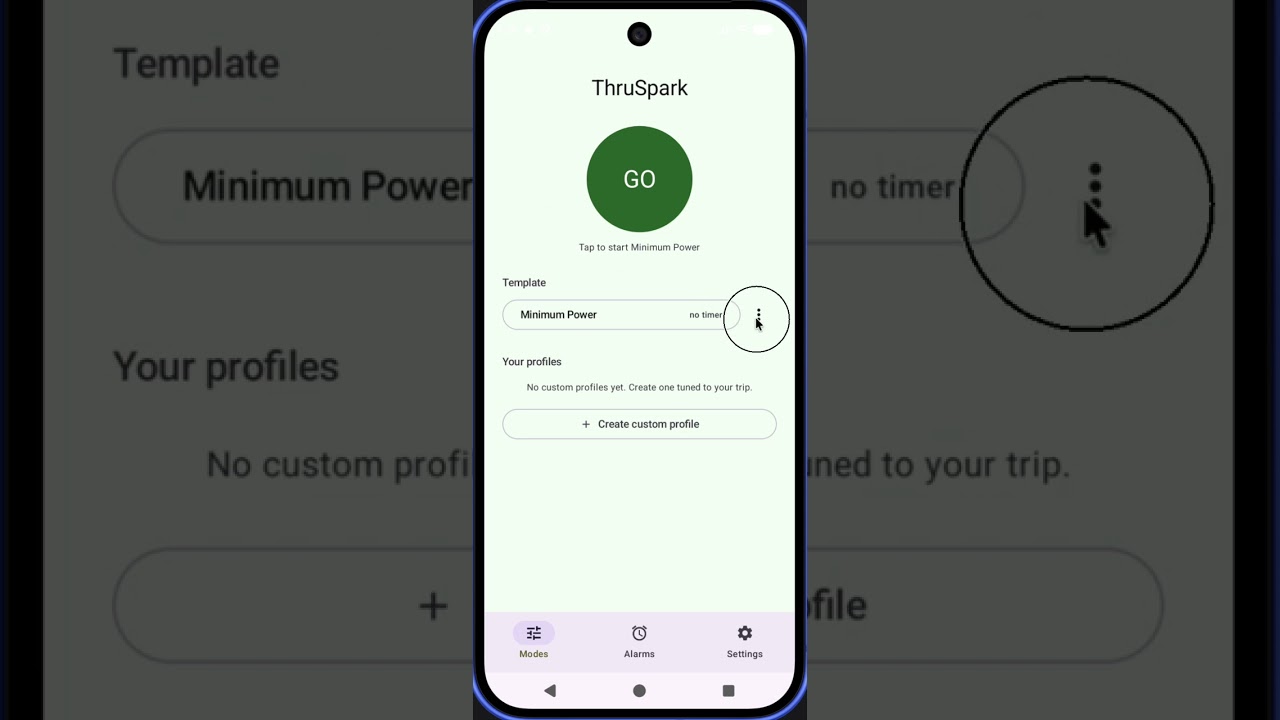
Click to watch on YouTube — covers Shizuku install, wireless-debugging activation, and granting ThruSpark access.
| Feature | What it actually does |
|---|---|
| Profiles | Save bundles of power settings — brightness, dark mode, screen timeout, Do Not Disturb, radio toggles (with Shizuku), per-profile app allowlists. One tap activates a profile, another deactivates it. |
| App pausing | When a profile activates, every app NOT on the profile's allowlist gets am force-stop'd, RUN_IN_BACKGROUND-denied, and cmd package suspend'd. Tapping a paused app's icon shows Android's "App is paused" dialog. Deactivating restores them. |
| Quick Settings tile | Activate / deactivate from the pull-down shade. Defaults to the last-used profile. |
| Multiple alarms | Wake-up alarms with day-of-week repeat. Firing an alarm deactivates the active profile so your phone is ready when you are. |
| Notification filtering | While a Do-Not-Disturb profile is active, notifications from non-allowlisted apps are quietly cancelled. Foreground-service notifications are deliberately preserved. |
- Kotlin 2.2.10, Jetpack Compose (BOM 2026.02.01), AGP 9.1.1, JVM 17
compileSdk = 36,minSdk = 30(Android 11),targetSdk = 36- Single Gradle module (
:app), version catalog atandroid/gradle/libs.versions.toml - Compose Navigation, Material 3, Material icons, Compose Foundation pager
- AndroidX DataStore (Preferences) for all on-disk state
- Kotlin Serialization for profile / alarm JSON and the data-export payload
- WorkManager for session timers, AlarmManager for wake-up alarms
- Shizuku SDK (v13) for Tier 2 capability access via ADB-granted binder
- Architecture overview:
android/ARCHITECTURE.md
No DI framework, no Room, no RxJava, no third-party analytics, no network library. The dependency graph is short on purpose.
Modern Android doesn't let regular apps toggle airplane mode, cap refresh rate, suspend other apps, or change carrier-network preferences. Those permissions are reserved for system / OEM apps.
Shizuku is a free, open-source companion app that bridges this gap safely. The user installs it themselves (Play Store or GitHub), starts its service via Wireless debugging, and grants ThruSpark access through Shizuku's own permission UI.
ThruSpark uses Shizuku for a small, auditable set of shell commands — see SECURITY.md §3.5.
Without Shizuku, ThruSpark falls back to "Tier 1" capabilities: brightness, dark mode, screen timeout, and Do Not Disturb. Useful but limited.
ThruSpark is built for users who would rather trust a small open-source project than a large one with telemetry. Concrete commitments, enforced by the manifest:
- Zero network calls. The
INTERNETpermission is not declared inAndroidManifest.xml. The app cannot phone home, cannot send analytics, cannot check for updates. Confirm via the device's app info page or by reading the manifest yourself. - All data on-device. Custom profiles, alarms, and settings live in app-private storage. No accounts, no email, no identifiers.
- In-app permission explainer. Settings → Privacy & transparency → Permissions used. Every declared Android permission, plain English, which feature uses it.
- In-app data export. GDPR Article 20 compliance — export everything ThruSpark stores about you as a JSON file you control.
Full security audit: SECURITY.md.
Requires Android Studio (any recent stable channel) and the Android SDK.
git clone https://github.com/saneshiyer/ThruSpark.git
cd ThruSpark/android
./gradlew assembleDebug
Open the project in Android Studio for the IDE experience. First Gradle sync downloads dependencies (~3 minutes); subsequent builds are quick.
For sideloading and on-device testing, see android/README.md.
- AGP 9.1.1 / Kotlin 2.2.10 / Compose BOM 2026.02.01
compileSdk = 36,minSdk = 30(Android 11),targetSdk = 36- Single module (
:app) — the project is intentionally not over-engineered - Gradle version catalog at
android/gradle/libs.versions.toml
No local.properties configuration is required — there are no API keys or external services to wire up for a debug build.
MIT. Copyright (c) 2026 Sanesh Iyer.
ThruSpark does not collect, transmit, or share any data.
The app declares no INTERNET permission, embeds no networking library, and contains no analytics or telemetry SDKs. Everything ThruSpark knows about you — your custom profiles, your alarms, your last-used profile — lives in app-private storage on your device and is deleted when you uninstall the app.
There are no user accounts. There is no email collection. There are no identifiers (no advertising ID, no Firebase ID, no install token).
Third parties involved when you use ThruSpark:
- Shizuku (optional companion app, installed and granted by you): an open-source project ThruSpark sends shell commands to. ThruSpark sends Shizuku the commands listed in
SECURITY.md§3.5; Shizuku does not phone home either. - Android system browser (when you tap the "Watch the setup video" link): hands the YouTube URL off to whatever browser you have set as default. That request comes from the browser, not from ThruSpark.
You can export everything ThruSpark stores about you from Settings → Data → Export my data. The output is a JSON file containing your custom profiles and alarms.
ThruSpark is provided under the MIT License — "as is", without warranty of any kind. You're free to use, modify, fork, and redistribute the code subject to the license.
Using Shizuku, app-suspension shell commands, and elevated power controls can affect how other apps behave on your device. Read SECURITY.md and the in-app permission explainer before granting permissions you're unsure about.
This is a personal project. There is no support obligation and no guarantee of future updates.
- General feedback:
hello@thebikemechanic.ca - Security:
security@thebikemechanic.ca(seeSECURITY.md) - Privacy / data subject requests:
privacy@thebikemechanic.ca