Repository navigation
Player controls show default state when added during playback #6372
Description

Describe the bug
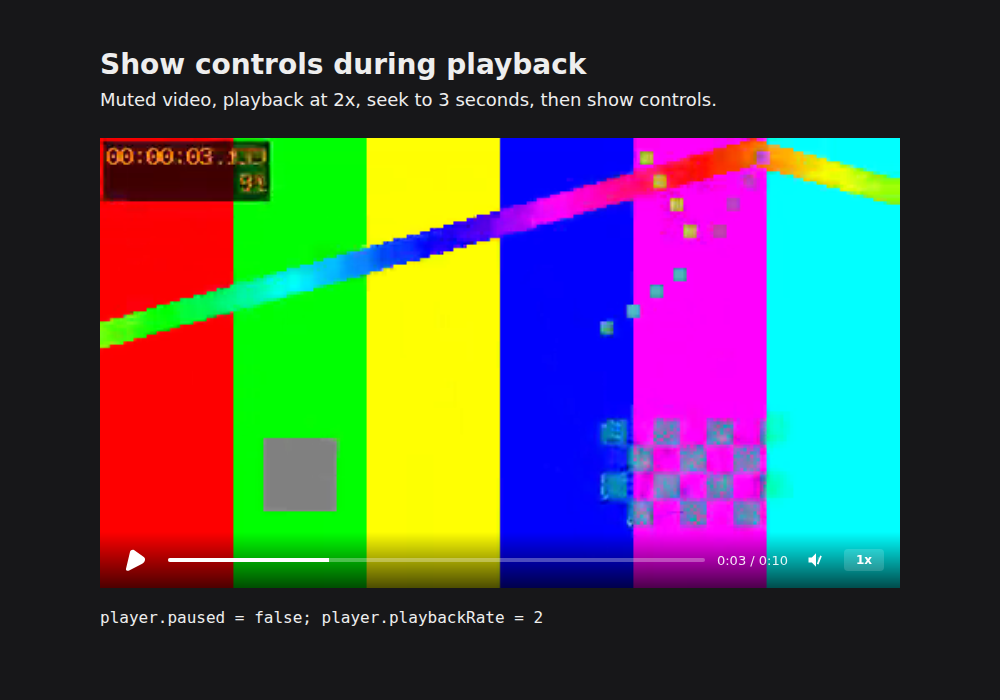
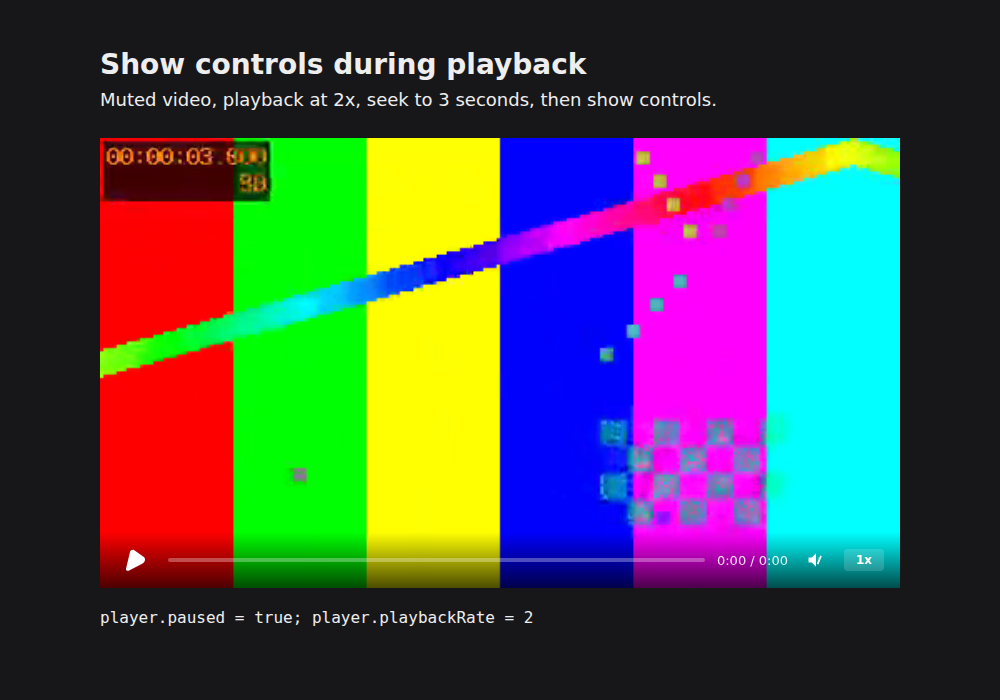
Adding controls after playback starts creates a Play button even though the player is playing. Clicking it calls play() again instead of pausing. The speed button also shows 1x when playback is already at 2x. Adding controls to a paused player shows 0:00 / 0:00 until another time update occurs, even after seeking.
This affects pages that show or recreate the built-in controls on demand. Setting playback-rate before controls in the initial markup also leaves the speed button at 1x.
Minimal reproduction
Public reproduction repository and script. It uses the repository's existing 10-second synthetic MP4 fixture, the built player, and Puppeteer. It runs Chromium headlessly with audio muted and saves screenshots and exact state to /tmp/hyperframes-player-recovery/.
git clone --branch player-controls-proof https://github.com/AksharP5/hyperframes.git player-controls-repro
cd player-controls-repro
git checkout 9eea42dda5ac4e1b894d3cacffdc6482a8241512
bun install --frozen-lockfile
bun run build
mkdir -p /tmp/hyperframes-player-recovery
node packages/player/tests/evidence/controls-state/repro.mjs before playing
node packages/player/tests/evidence/controls-state/repro.mjs before paused
The script's executablePath is /snap/bin/chromium, the installed browser on the tested machine. Change that line to your installed Chrome/Chromium path when reproducing elsewhere.
The relevant application code, after the video is ready, is:
player.playbackRate = 2;
player.seek(3);
player.play(); // omit this line for the paused case
player.setAttribute("controls", "");
Steps to reproduce
- Build and run the public reproduction above.
- In the
playingoutput, comparepaused: falseandplaybackRate: 2with the button and speed text. - The script clicks the visible playback button. Inspect
afterClick.paused. - In the
pausedoutput, inspect the time display after seeking to 3 seconds of the 10-second video.
Removing and re-adding controls produces the same behavior.
Expected behavior
New controls immediately reflect the current play/pause state, position, duration and speed. Clicking the playback button pauses an already-playing video.
Actual behavior
| Scenario | Observed | Expected |
|---|---|---|
| Playing, controls just added | Play button, 1x | Pause button, 2x |
| Click that button while playing | paused: false |
paused: true |
| Paused at 3 seconds, controls just added | 0:00 / 0:00, 1x |
0:03 / 0:10, 2x |
Environment
- Baseline main:
5353171155473d1e75941306800d8909690c8cb1, player v0.8.200. The player source is unchanged at84b63193463bac2e3e7f8500d03fb7da9fbf8846. - Linux arm64, Bun 1.4.4, Node.js v24.22.1, Chromium 156.0.8078.47.
hyperframes doctor: v0.8.200 latest; FFmpeg/FFprobe 7.0.2 and system Chromium available. Archive extractor, Docker, and optional local TTS/BGM are absent; this reproduction uses none of them.
Additional context
_setupControls() initializes mute and volume but does not synchronize time, playback state or speed. createControls() therefore retains its defaults. The existing update methods already provide the needed synchronization.
Live searches of open/closed issues and PRs covered player controls, initial speed, control toggling/recreation and _setupControls, plus all 12 repository Discussions, on 2026-10-26 UTC. #1407 covers controls DOM/listener cleanup, #2152 connection cleanup, and #6021/#6032 the speed button's accessible name. Those are merged/closed and do not address initializing the new controls from current player state. No matching public report or active implementation was found in the checked sources.
Activity