kawasaki is a customizable fish theme that emphasizes a simple and useful prompt without useless cluttter.



| Minimal Midnight | Joker |
|---|---|
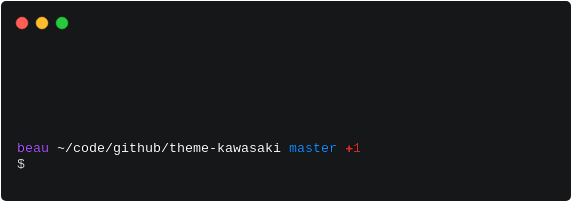 |
 |
- Fish shell - a smart and user-friendly command line shell for OS X, Linux, and the rest of the family
- Oh My Fish - The Fishshell Framework
Once Oh My Fish is installed:
omf install kawasaki
This theme was inspired by bira.
To use kawasaki's virtualenv prompt instead of the default virtualenv prompt append set -x VIRTUAL_ENV_DISABLE_PROMPT 1 to your init.fish
- Completely customizable.
- Display status of the working tree for Git projects.
- Read/write indicator of the current working directory.
- Background jobs indicator.
- Virtualenv prompt indicator.
kawasaki comes with several pre-built presets that you can use right away. Each preset has unique colors and display configurations.
- kawasaki (default) - The original kawasaki theme
- midnight - Minimal, clean prompt with purple accents
- joker - Vibrant green and yellow color scheme
- nord - Professional arctic color scheme (shows all segments)
- dracula - Popular purple/pink theme (always shows jobs)
- gruvbox - Retro warm colors (minimal display)
- spaceship - Clean minimal style (essential info only)
- ocean - Calming blues and teals (balanced display)
The easiest way to apply a preset is using the kawasaki_preset function:
# Apply a preset (temporary - only for current shell session)
kawasaki_preset midnight
kawasaki_preset joker
kawasaki_preset nord

# Apply and save preset to config file (persists across sessions)
kawasaki_preset --save midnight
kawasaki_preset -s joker  # Short form
The --save (or -s) flag automatically adds the preset command to your ~/.config/fish/config.fish file, so it will load automatically in future shell sessions.
You can also use a custom color palette:
# Define your color palette
set theme_primary 1eb980
set theme_secondary ffcf44
set theme_primary_variant 045d56
set theme_secondary_variant ff6859
set theme_hilight b15dff

# Apply the custom palette
kawasaki_preset customYou can easily create your own preset by creating a .fish file in the presets directory:
-
Find your presets directory:
# Usually located at: ~/.config/omf/themes/kawasaki/presets/ -
Create a new preset file (e.g.,
mytheme.fish):# My Custom Preset # Usage: kawasaki_preset mytheme # Set your custom colors set -g theme_color_user aa55ff set -g theme_color_path brgreen set -g theme_color_prompt white # Configure display options set -g theme_display_group no set -g theme_display_hostname no set -gx fish_prompt_pwd_dir_length 1
-
Use your preset:
kawasaki_preset mytheme
-
Persist your preset (optional):
kawasaki_preset --save mytheme
The kawasaki_preset function will automatically discover your new preset and make it available. You can see all available presets by running kawasaki_preset without arguments.
For detailed customization options including all color variables, display toggles, prompt characters, and more, see CUSTOMIZATION.md.
kawasaki is released under The MIT License (MIT)
Copyright (c) 2016 Beau Hastings