IV. Code
This page covers a brief overview and description of the code. Here, we'll explore the directory structure and the fundamental ideas on which the code depends.
The core of the code is located in the src directory. The src directory contains the following subdirectories:
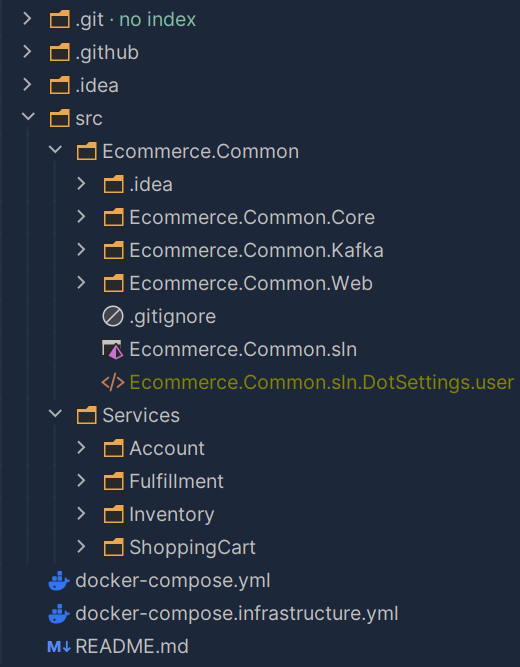
The first subdirectory in src is the Ecommerce.Common project. It contains a .NET solution with currently three projects.
The projects offer code that is mostly shared between multiple other projects in the application.
Each projects in the Common solution is a .NET Library that can be packed to a NuGet package.
These NuGet packages are then used in the other projects. The following list gives a brief overview of the projects in the Common solution:
- Ecommerce.Common.Core: Contains code for the DDD implementation for the core domain logic of each service.
- Ecommerce.Common.Kafka: Contains a wrapper for the Confluent.Kafka library that is used to communicate with Kafka.
- Ecommerce.Common.Web: Contains a configuration abstraction to simplify the configuration of the web projects.
These projects can be built and packed to NuGet packages by running the following command dotnet pack -o {direcotry path} in
the root of each project. Another way to build and pack teh solution are the GitHub Actions that are configured in the
.github/workflows/publish-packages.yml file. These actions can be triggered manually in the actions tab of the GitHub repository.
To use the packages reference the github package registry in the NuGet.config file of the project, like explained on the Deployment page.
The second subdirectory in src is the Services directory. It contains a directory for each service in the application.
Each service is a .NET solution with multiple projects. The structure of each service results from the Clean Architecture patter.
The following image shows the structure of each service:
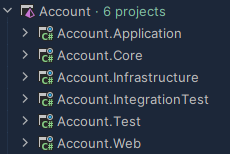
The .Core project contains the domain model of the service. It is the core of the service and contains the business logic. It is developed with the DDD approach.
The .Application project contains the application logic of the service. This layer manages the interaction between the .Core project .Infrastructure, and the .Web project.
The .Infrastructure project contains the implementation of the database and the inter service communication. It contains the implementation of the repositories and the Kafka consumer and producer.
The .Web project contains the exposed API logic. It will handle exceptions and decided which HTTP status code to return.
The .Test and .IntegrationTest projects contain the Unit and Integrations Tests written in xUnit, for each service.
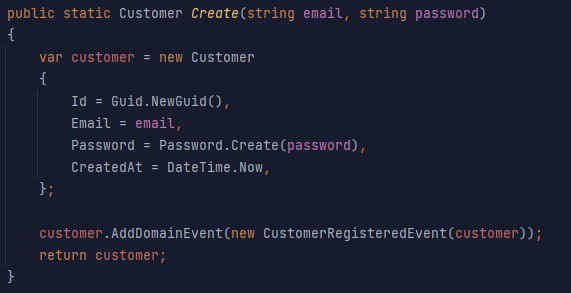
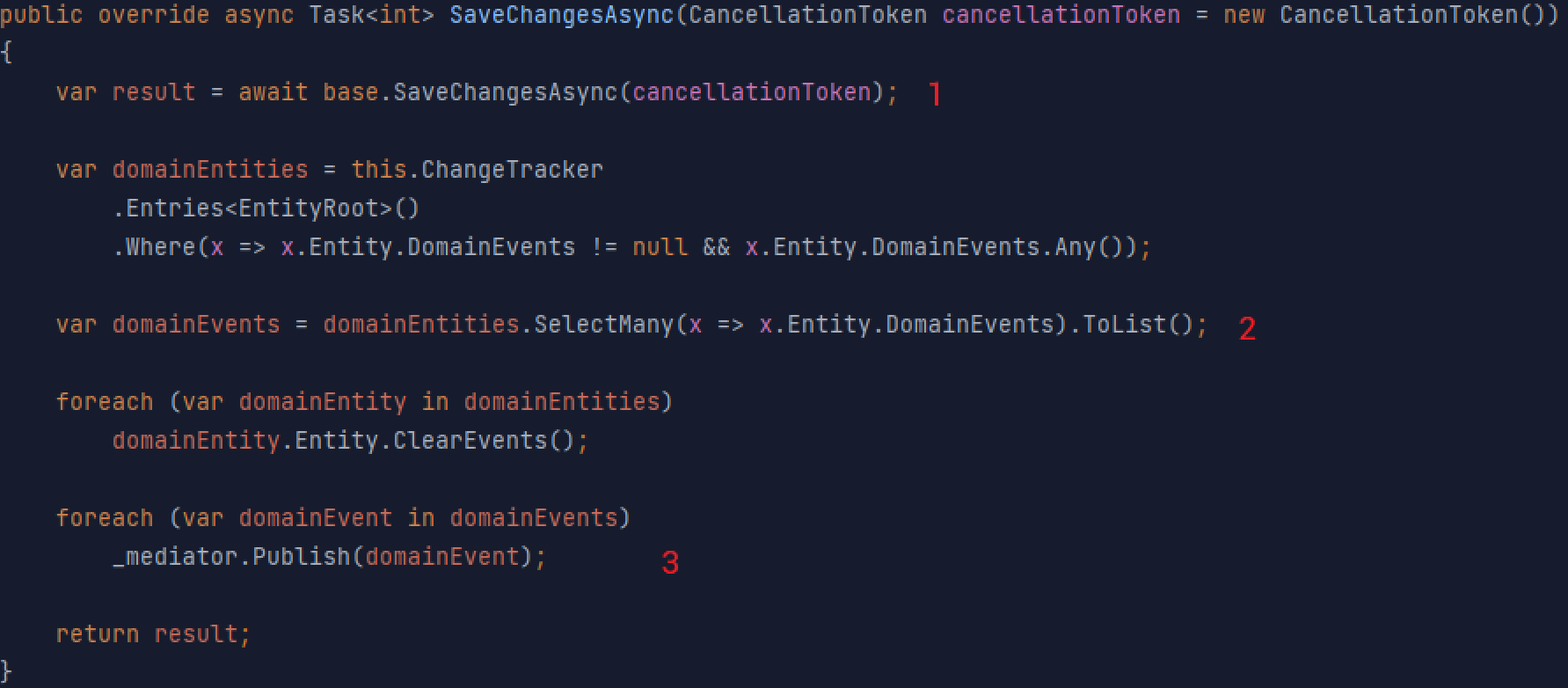
DomainEvents are raised in the root entity of the aggregate. They are kept there until the aggregate is saved to the database.
The method SaveChangesAsync in the DbContext class of each service is overriden to dispatch the events to the MediatR. Then
the MediatR will look for a registered event handler, which will then publish the event to Kafka. The following images will display
that in the code:
CustomerRegistedEvent added at customer registration:
SaveChangesAsync override:
- Entity (Customer) is saved to database
- All domain events are extracted from all saved root entities in the transaction
- All raised domain events are published to the mediater
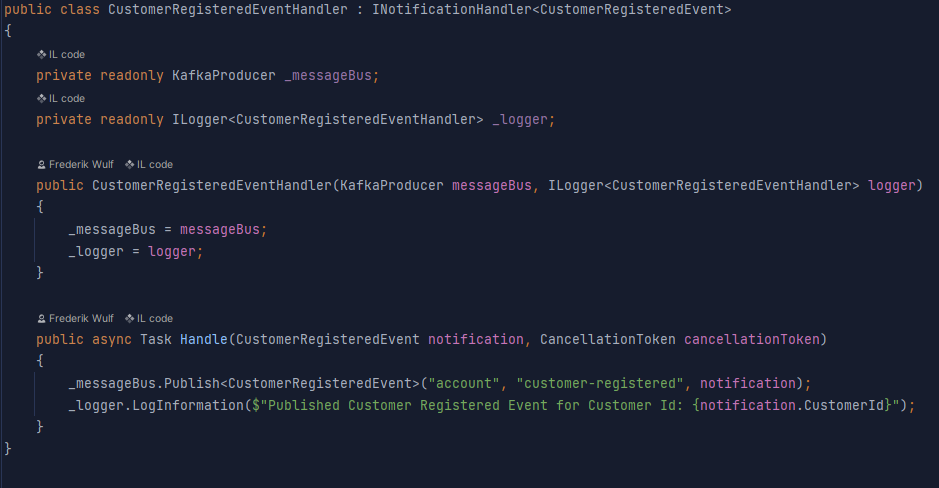
The CustomerRegisteredEventHandler published the event to kafka in the Handle() method
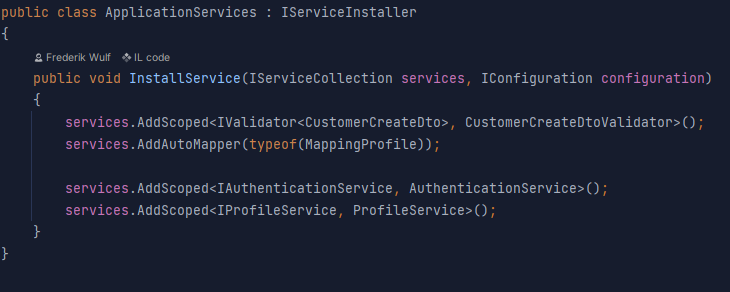
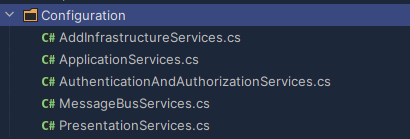
Usually the service configuration is done in the Program.cs class of the .Web project. Since this can be a mess with multiple Services, Repositories, EventHandler, EventConsumer etc., this
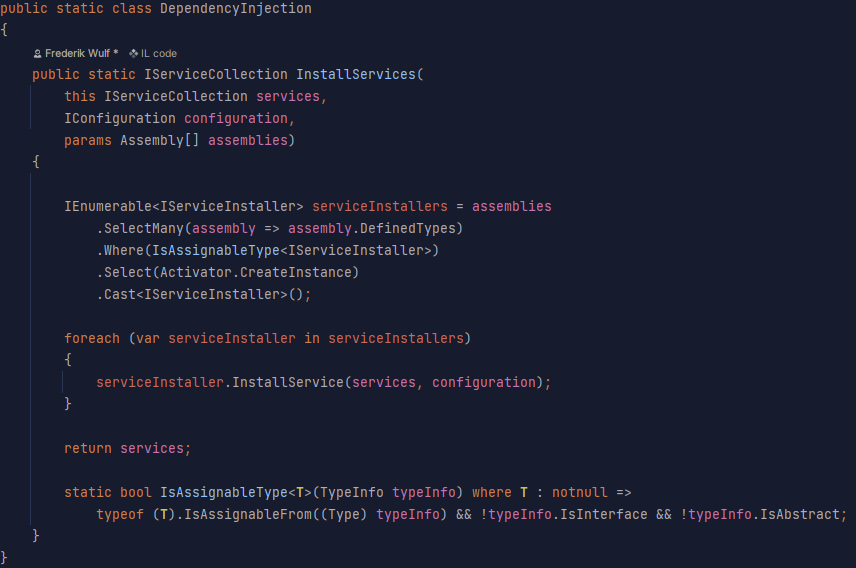
is done it the Configuration directory found the the .Web project of each service. The installation of the services is done in the DependencyInjection class from the Common.Web NuGet package.
This class will look for all classes that implement the IServiceInstaller interface and call the InstallServices method. This way the configuration of the services can be split up
into different topics and therefore different ServiceInstaller classes. Then the Program.cs will only need to call builder.Services.InstallServices(configuration, Assembly.GetExecutingAssembly())
Configuration of Account service:
DependencyInjection class, that collects all IServiceInstallers and executes the InstallSercice() method.
Implementation of the IServiceInstaller, with the example from the ApplicationServices.