feat: quote-reply popover — quick answers, quote any block, open mentioned files - #350
Open
windli2018 wants to merge 4 commits into
Open
feat: quote-reply popover — quick answers, quote any block, open mentioned files#350windli2018 wants to merge 4 commits into
windli2018 wants to merge 4 commits into
Conversation


Author
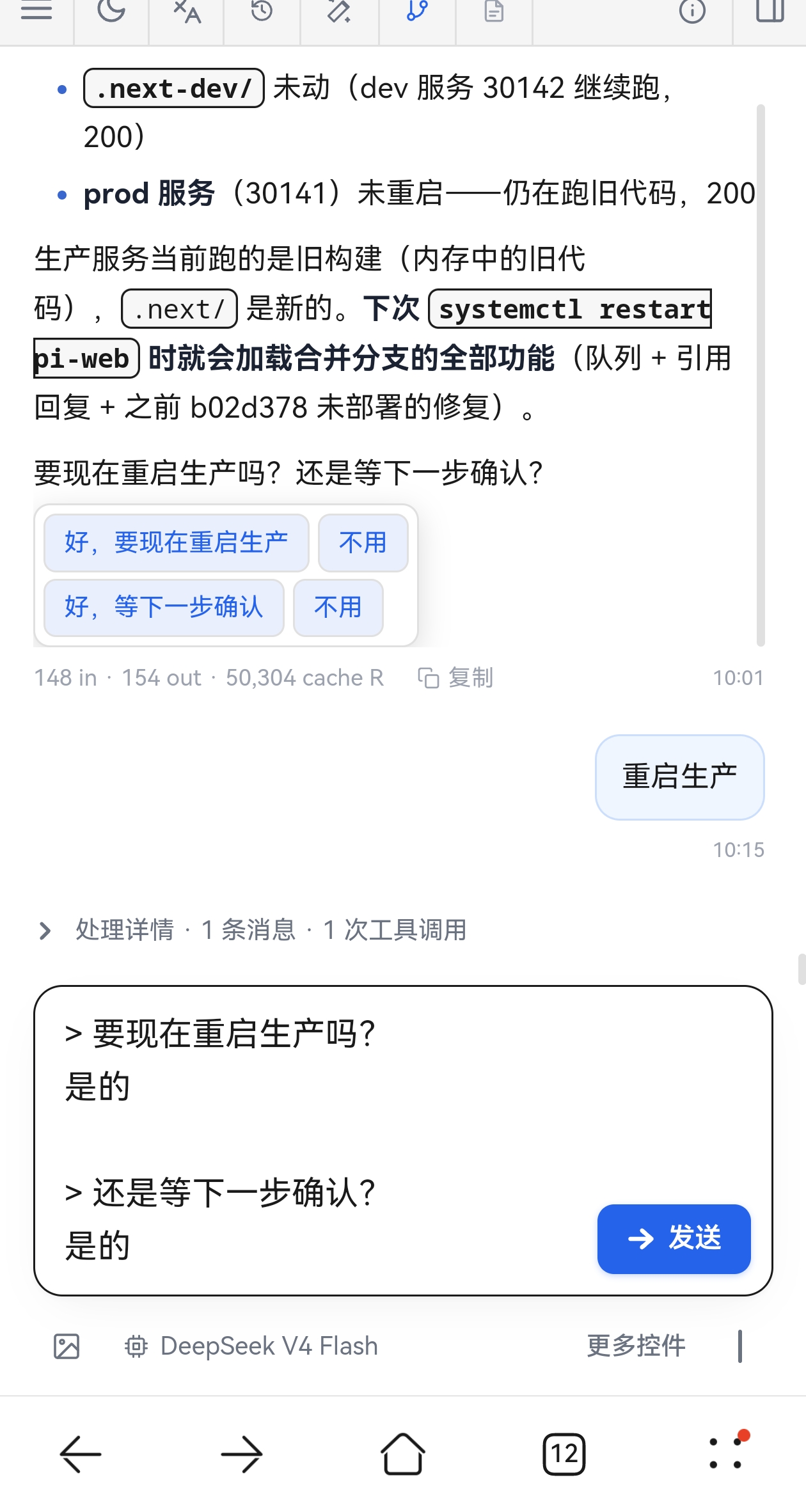
Final appearance (screenshot)
Behavior:
Screenshot hosted on the |

windli2018
force-pushed
the
feat/quote-reply
branch
from
August 2, 2026 03:46
5a90f80 to
5d5fbba
Compare
windli2018
changed the title
# Conflicts:
#	components/MarkdownBody.tsx
This file contains hidden or bidirectional Unicode text that may be interpreted or compiled differently than what appears below. To review, open the file in an editor that reveals hidden Unicode characters.
Learn more about bidirectional Unicode characters
Sign up for free
to join this conversation on GitHub.
Already have an account?
Sign in to comment
1 participant

Add this suggestion to a batch that can be applied as a single commit.This suggestion is invalid because no changes were made to the code.Suggestions cannot be applied while the pull request is closed.Suggestions cannot be applied while viewing a subset of changes.Only one suggestion per line can be applied in a batch.Add this suggestion to a batch that can be applied as a single commit.Applying suggestions on deleted lines is not supported.You must change the existing code in this line in order to create a valid suggestion.Outdated suggestions cannot be applied.This suggestion has been applied or marked resolved.Suggestions cannot be applied from pending reviews.Suggestions cannot be applied on multi-line comments.Suggestions cannot be applied while the pull request is queued to merge.Suggestion cannot be applied right now. Please check back later.
What
Click any assistant paragraph, list item, or table row to pop a quote-reply popover. It does three things in one small UI:
要X吗/是否X/需要我X吗) →[好,X] [不用]A 还是 B/A 或者 B) →[A] [B]> text) plus an optional pre-filled answer, email-reply style. It never sends — the user decides prompt / steer / followUp.lib/foo.ts,design/spec.md). The popover detects them, verifies each against the backend, and offers an Open button per existing file.How
lib/quote-reply.ts(new): pure-text helpers, no NLP deps.splitQuestions— split on?/?;;, keepsA 还是 Bwhole.detectOptions— yes/no, choice (还是/或者/orwith word boundaries sostore/worddon't false-positive), open-question detection (怎么/哪个/什么…) → fall back to quote.extractFilePaths— candidate file paths from plain text (dir/name.ext + bare filenames with common extensions), de-duplicated.formatQuote—> seg\n+ optional answer line.QuoteReplyPopover(new): option buttons per question, fallback quote button, and Open-file buttons (existence verified via/api/files?type=metabefore rendering).MarkdownBody:QuoteableParagraphwraps<p>,<li>,<tr>(table row cells joined with|). Exactly one popover open at a time (context); re-click toggles it closed; a follow-mouse tooltip hints "click to quote reply" on hover. Popover is flow layout (expands the message, no clipping) and stays open until explicitly closed.MessageView → ChatWindow: threadsonQuoteReply/onOpenFiledown; insert uses the existingchatInputRef.prependText; opening reuses the existing file-tab machinery.Design choices
Validation
> 快速排序 | O(n log n) | O(n log n) | O(n²); assistant file list → Open button → file panel opens the file.orword-boundary fix verified againstWord?/More?/queue-storefalse positives.Notes