Competitive Programming Operating System
Open a problem in your browser. CPOS creates the file, loads the samples, and lets you run and submit — without copy-pasting anything.







Capture a problem · auto-create your file · run samples · submit from VS Code
Solving a problem on Codeforces, CSES, or AtCoder usually means copying samples into files, running them by hand, and pasting code back into the judge. CPOS removes that entire layer.
It is three local clients that share the same files and talk over 127.0.0.1:
| Component | What it does |
|---|---|
| Browser companion | Captures samples and statements from the problem page, and autofills the judge's submit form in your logged-in tab. Optional practice and on-page tools for Codeforces and CSES. |
| VS Code extension | A panel with your sample tests, Run All, Submit, and a native Statement tab. Compiles and runs locally with per-test diffs. |
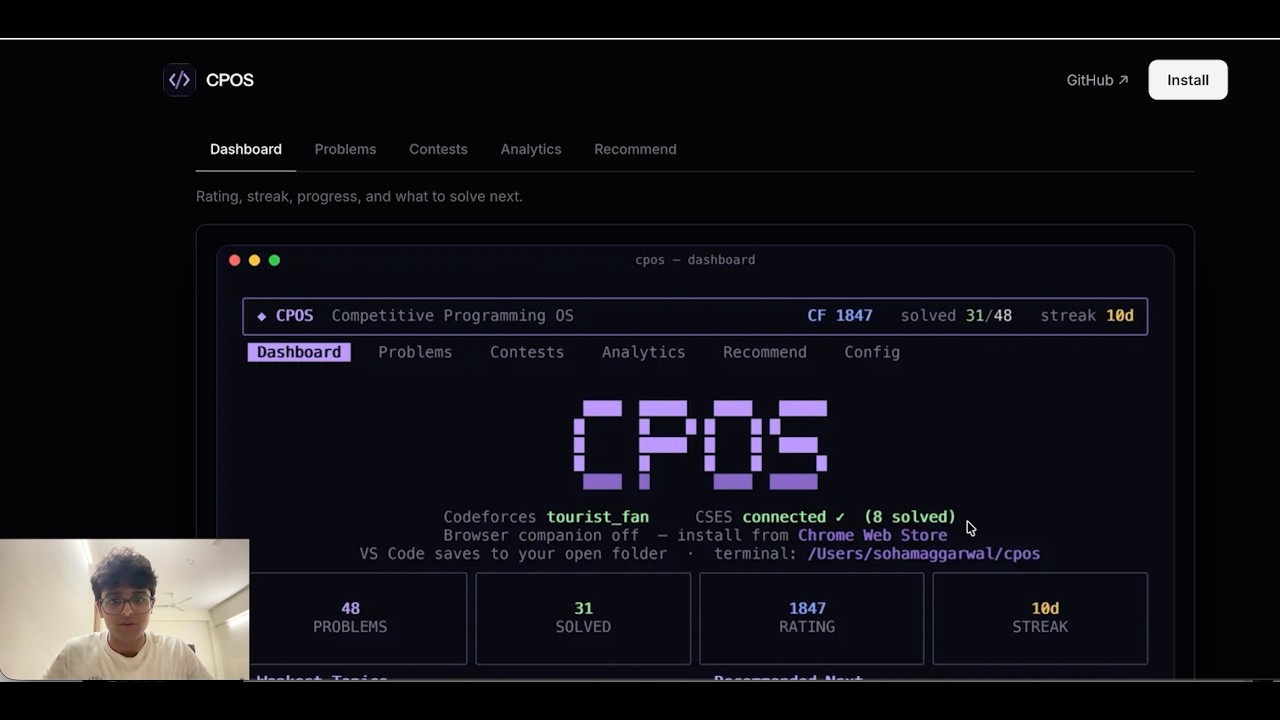
| Terminal app | A Rust TUI: problem catalog, contests, analytics, skill-model recommendations, and a goal-based practice plan. |
Everything runs on your machine — no accounts, no servers, no tracking. CPOS never touches your judge passwords; submitting reuses the login already in your browser.
1. Terminal app
# macOS / Linux
brew tap Soham109/cpos https://github.com/Soham109/cpos
brew install cpos
cpos
# Windows
scoop bucket add cpos https://github.com/Soham109/cpos
scoop install cpos
cposPrebuilt binaries — no Rust toolchain needed. No package manager? See the installer scripts.
2. VS Code extension — install from the Marketplace.
3. Browser companion — install from the Chrome Web Store (Chrome, Edge, Brave) or from source for Firefox.
Then:
- Open a folder in VS Code.
- Visit any Codeforces / CSES / AtCoder problem — a solution file appears with the samples attached.
- Write your solution, hit Run All, then Submit. Done.
- Auto file creation & sample capture — open a problem, get a ready-to-edit file with its tests
- Run & submit — compile and diff samples locally; submit autofills the judge form in your browser
- Statements everywhere — the full captured statement renders in VS Code and inside the terminal (LaTeX and diagrams included)
- Sample visualizer — auto-detects what a sample input is (graph, tree, grid, intervals, permutation, …) and draws it, with an execution trace player that animates your own code on the drawing
- Practice engine — a per-tag skill model scores unsolved problems across seven query modes (weakness, push, refresh, upsolve, explore, …), each pick with human-readable reasons
- Goal plans — set a rating goal, get topic readiness and an ordered problem plan to reach it
- Analytics — rating history, topic breakdown, activity heatmap, streaks
- Contests — upcoming and running Codeforces contests with countdowns
- Shared templates — per-language templates used by VS Code, the terminal, and the browser editor alike
Full docs live at cpos.sohamaggarwal.com/docs — how the pieces fit together, every install path, component guides, the practice engine, the localhost protocol, and configuration.
| In this repo | Purpose |
|---|---|
| INSTALL.md | Terminal app install, update, and release publishing |
| TROUBLESHOOTING.md | Common fixes (install, Run All, submit, source builds) |
| ARCHITECTURE.md | How the components connect (interactive graph) |
| CONTRIBUTING.md | Dev setup and PR guidelines |
| CHANGELOG.md | Version history |
| SECURITY.md | Report vulnerabilities |
- Discord — help, workflows, and what's coming next
- GitHub issues — bugs and feature requests
- AtCoder in the terminal app (sync, analytics, recommendations — capture, submit, and the visualizer already work in the browser and VS Code)
- CodeChef support
- Contest mode with per-problem timers
- Submission verdicts read back into CPOS
CPOS is MIT-licensed and built by one person, in the open. Contributions are welcome — start with CONTRIBUTING.md. If CPOS saves you time on every problem, sponsoring funds new judges, contest mode, and ongoing maintenance.