
Repo-lyzer is a modern, terminal-based CLI tool written in Golang that analyzes GitHub repositories and presents insights in a beautifully formatted, interactive dashboard. It is designed for developers, recruiters, and open-source enthusiasts to quickly evaluate a repository’s health, activity, and contributor statistics.
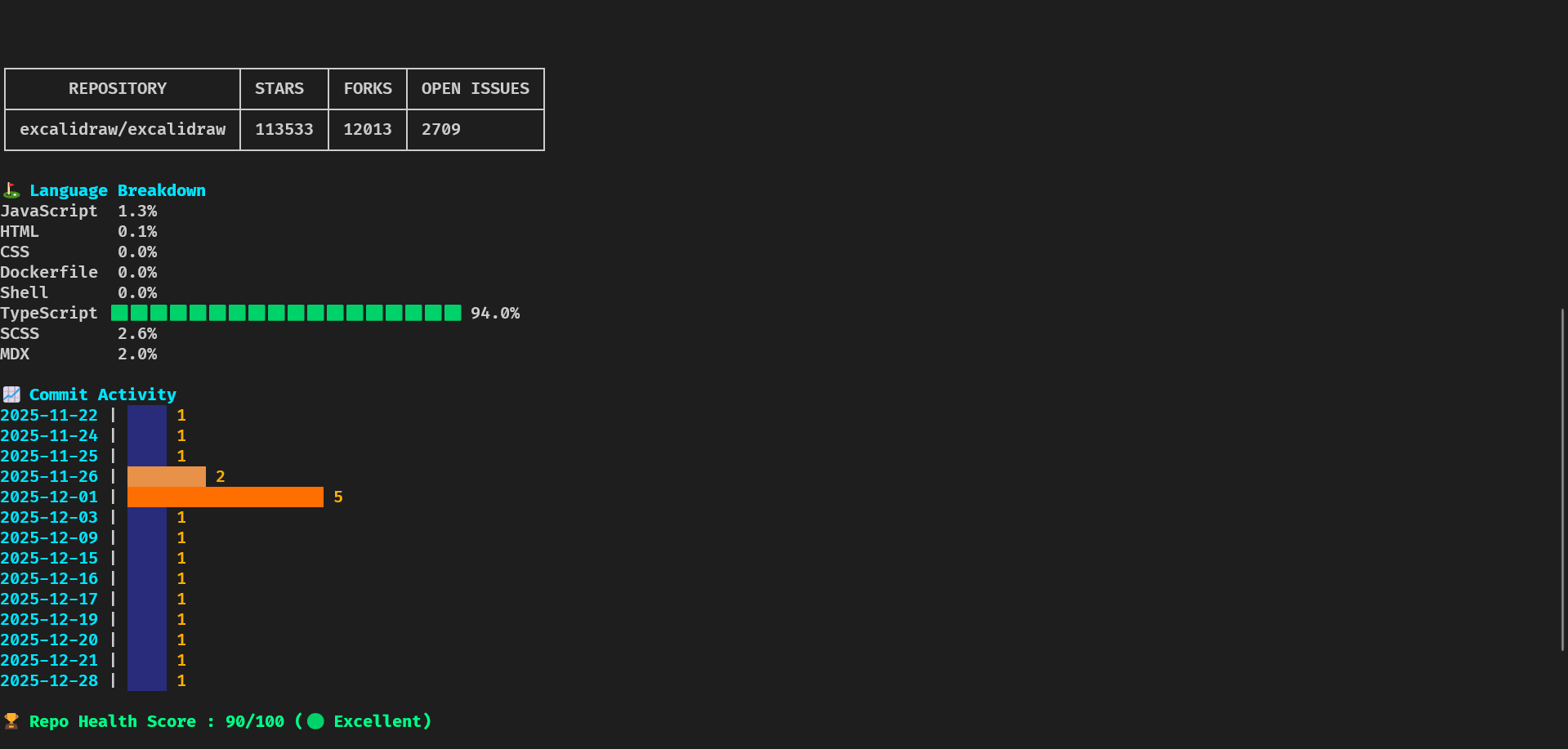
- Repository Overview: Shows stars, forks, open issues, and general info.
- Language Breakdown: Displays percentage of languages used with colored bars.
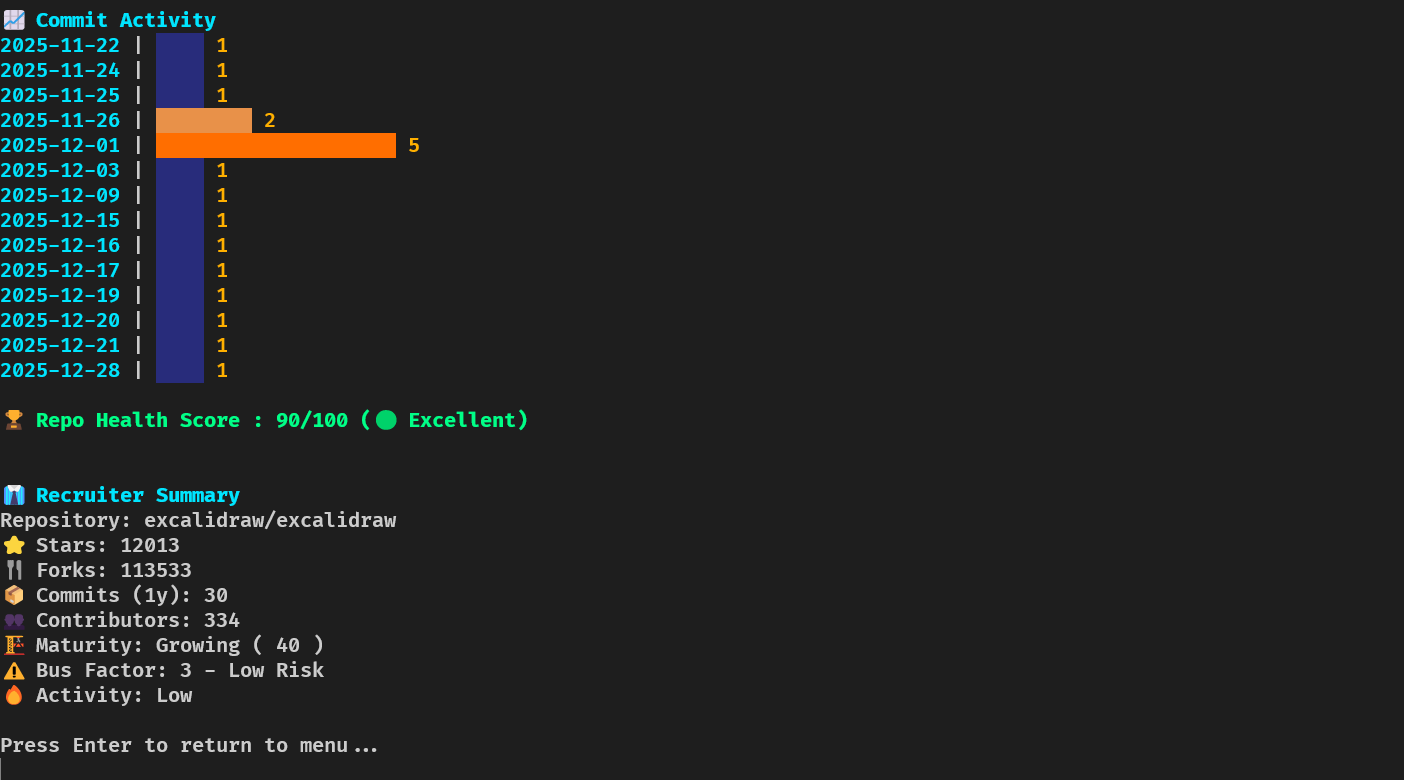
- Commit Activity: Horizontal graph showing commit frequency over the past year.
- Health Score: Calculates repository health based on activity and contributor stats.
- Bus Factor: Measures critical contributors to assess project risk.
- Repo Maturity Score: Evaluates repository age, activity, and structure.
- Recruiter Summary: Quick summary highlighting key metrics for recruitment evaluation.
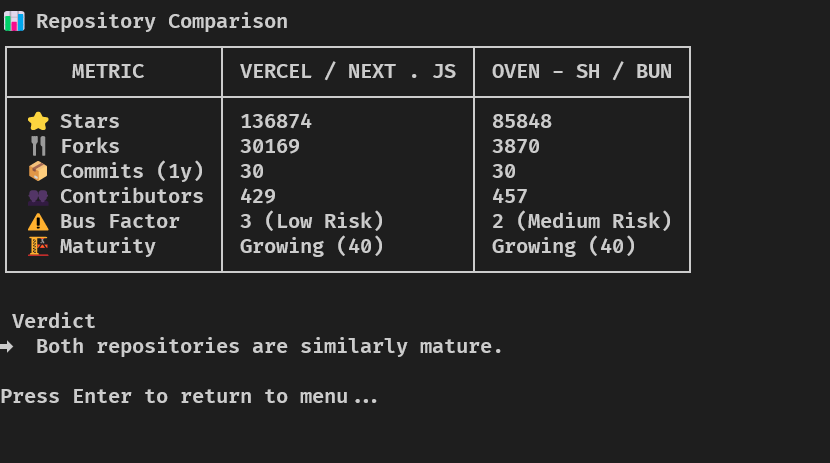
- Compare Mode: Compare two repositories side by side.
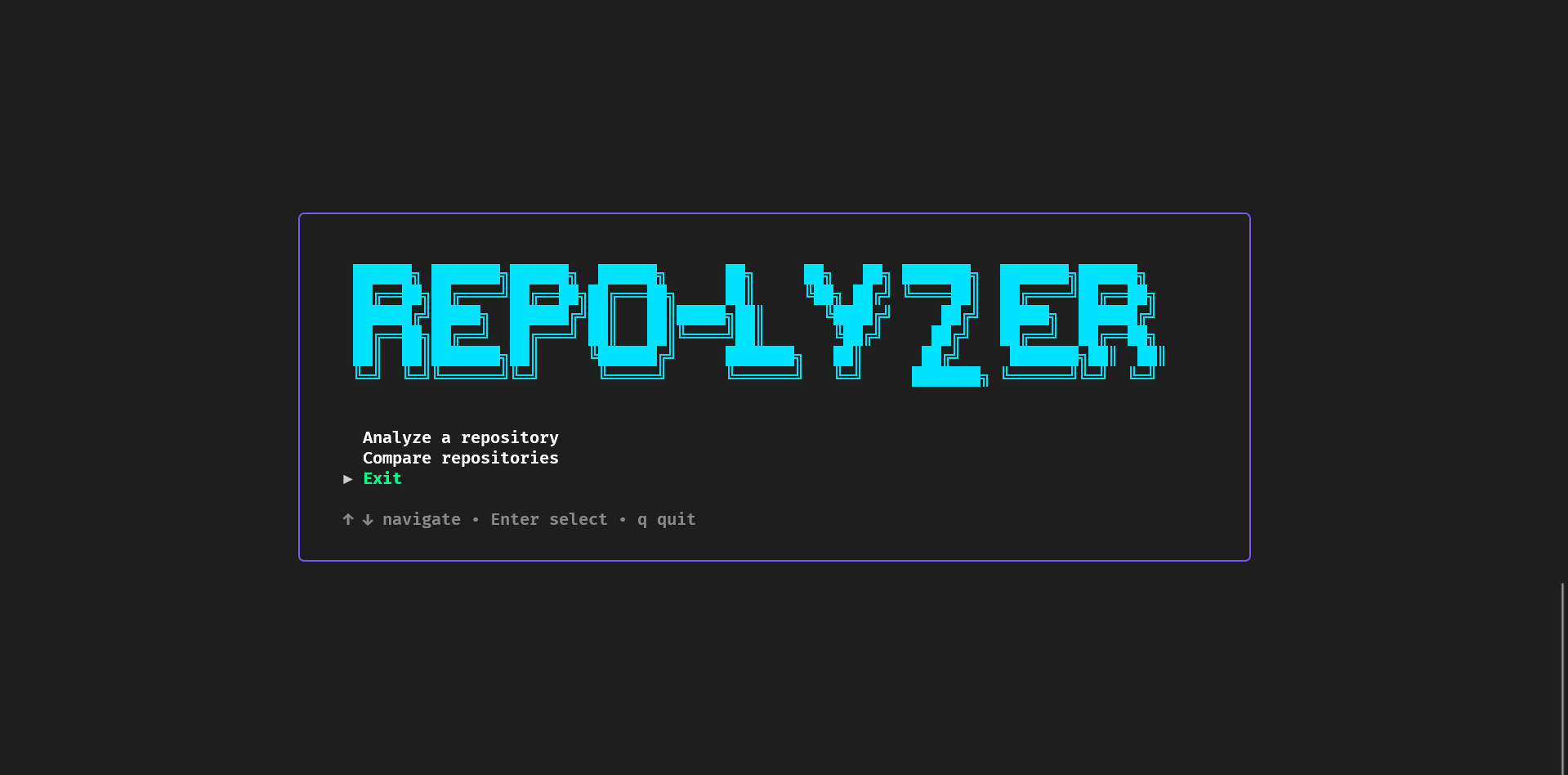
- Interactive CLI Menu: Fully navigable TUI with keyboard arrows, input prompts, and instant feedback.
- Colorized Output: Uses neon-style colors and ASCII styling for a modern CLI experience.
- Golang – Core language for CLI development
- Cobra – CLI command management
- Bubble Tea – Terminal-based interactive UI
- Lipgloss – Styling terminal output, colors, borders, alignment
- Tablewriter – Beautiful tables in the terminal
- x/term – Terminal size detection
- GitHub REST API – Fetching repo, commits, issues, and contributors
Repo-lyzer is structured in a modular architecture for scalability and maintainability:
repo-analyzer/ │ ├── cmd/ │ ├── root.go │ ├── analyze.go │ └── compare.go │ ├── internal/ │ ├── github/ │ ├── analyzer/ │ └── output/ │ ├── config/ ├── main.go ├── go.mod └── README.md
Workflow:
- User launches
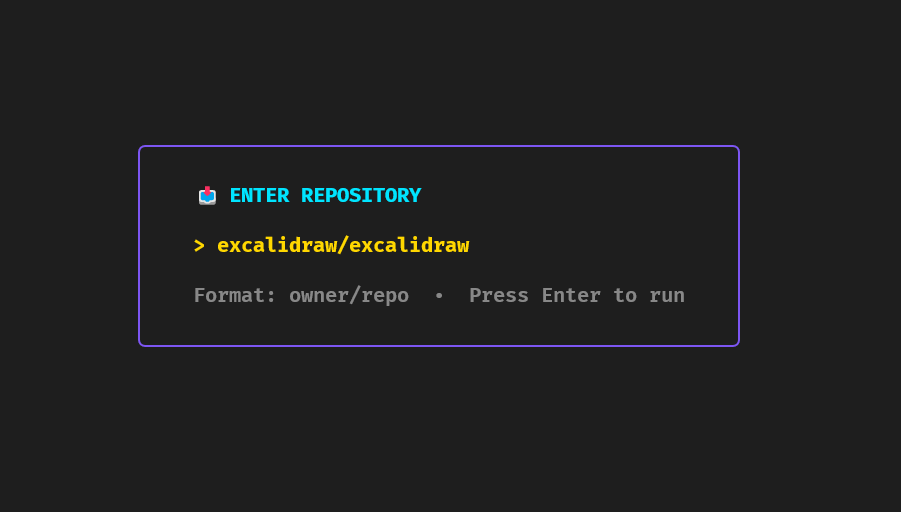
repo-lyzer. - Interactive TUI menu guides the user to select Analyze or Compare mode.
- CLI fetches data from GitHub API (repos, commits, contributors, languages).
- Computes health, bus factor, maturity score, and recruiter summary.
- Displays results in a beautifully styled, centered terminal dashboard.
- Terminal layout: Centering multiple sections with minimal gaps using Lipgloss and Bubble Tea.
- Dynamic data rendering: Handling repositories with very high activity or many contributors without breaking the TUI.
- GitHub API rate limits: Required careful handling of requests and optional support for personal access tokens.
- Horizontal commit graphs: Creating readable, interactive graphs for commit activity over a year.
- Unified dashboard: Combining multiple sections while maintaining responsive vertical and horizontal alignment.
- Clone the repo:
git clone https://github.com/agnivo988/Repo-lyzer.git
cd Repo-lyzerMIT License © 2026 Agniva Mukherjee
1.Go to the terminal and run
go install github.com/agnivo988/Repo-lyzer@v1.0.02.Then just run
repo-lyzer