Quality-of-life toolkit for WoW addons. It ships the Edit Mode helper sublib LibEQOLEditMode-1.0 (Blizzard Edit Mode integration), the optional native helper sublib LibEQOLNativeEditMode-1.0 (own manager/selection/snap/grid flow), the Settings helper sublib LibEQOLSettingsMode-1.0 (helpers for Blizzard Settings UI), and the optional debug helper sublib LibEQOLDebugMode-1.0 (on-demand timeline/session bug reports). LibEQOL-1.0 remains a backward-compatible alias to LibEQOLEditMode-1.0.
Full docs live at: https://github.com/R41z0r/LibEQOL/wiki
- Retail WoW 10.0+ (uses Edit Mode APIs)
- LibStub (bundled by most addon frameworks)
- Standalone: Drop
LibEQOLintoInterface/AddOnsand enable it; it loads automatically. - Embedded: Place the folder in
libs/and includeLibEQOL.xmlin your TOC:<Include file="libs/LibEQOL/LibEQOL.xml" /> - Optional native edit mode: Keep the default include above unchanged and add this only if you want the native mode:
<Include file="libs/LibEQOL/LibEQOLNativeEditMode.xml" /> - Optional debug mode: Keep the default include above unchanged and add this only if you want the debug/bugreport module:
<Include file="libs/LibEQOL/LibEQOLDebugMode.xml" /> - Packaging (BigWigs packager): Do not list LibEQOL as an External; it can bleed into other addons and create XML/template conflicts. Vendor it explicitly (e.g. with the GitHub Action below) into your
libs/directory instead.
Use the published action in this repo to pull the latest LibEQOL release ZIP during CI and unpack it into your addon. Set destination to the folder that should contain LibEQOL/ (for example EnhanceQoL/libs); the action creates that path, extracts the ZIP, and stages destination/LibEQOL in your repo.
- name: Install LibEQOL
  uses: R41z0r/LibEQOL@v1.0.0
  with:
    destination: EnhanceQoL/libs   # results in EnhanceQoL/libs/LibEQOL
Optional inputs: repo (defaults to this repo) and github-token (defaults to github.token). Outputs: tag and asset_url from the resolved release.
- Single-file design with explicit layers: state tracker, pool manager, widget builders, dialog controller, and selection handling.
- Modules under
LibEQOL: LibEQOLEditMode (shipping), LibEQOLNativeEditMode (optional), LibEQOLSettingsMode (shipping), and LibEQOLDebugMode (optional) share core helpers while exposing separate APIs. - Umbrella entry (
LibEQOL.lua) surfaces sublibs on_G.LibEQOL(EditModeandSettingsModeload withLibEQOL.xml;NativeEditMode/DebugModeresolve when their extra XML files are additionally loaded). - All widgets are built on-demand from our factories; no embedded Blizzard UI copies or borrowed layout code.
- Public API for Edit Mode (
AddFrame,AddFrameSettings,AddFrameSettingsButton, callbacks,SettingType, etc.) stays stable for drop-in compatibility.
local EditMode = LibStub("LibEQOLEditMode-1.0")

-- 1) Make your frame moveable via Edit Mode
EditMode:AddFrame(MyFrame, function(frame, layoutName, point, x, y)
    frame:ClearAllPoints()
    frame:SetPoint(point, UIParent, point, x, y)
end, { point = "CENTER", x = 0, y = 0 })

-- 2) Optional: add settings rows under the Edit Mode dialog
EditMode:AddFrameSettings(MyFrame, {
    {
        name = "Show title",
        kind = EditMode.SettingType.Checkbox,
        default = true,
        get = function(layout) return MyDB[layout].showTitle end,
        set = function(layout, value) MyDB[layout].showTitle = value end,
    },
    {
        name = "Size",
        kind = EditMode.SettingType.Slider,
        minValue = 0.5,
        maxValue = 2,
        valueStep = 0.05,
        default = 1,
        get = function(layout) return MyDB[layout].scale end,
        set = function(layout, value) MyDB[layout].scale = value end,
        formatter = function(value) return string.format("%.2fx", value) end,
    },
})

-- 3) Optional: custom button under the settings list
EditMode:AddFrameSettingsButton(MyFrame, {
    text = "Open full config",
    click = function() OpenOptionsFrameToCategory("MyAddon") end,
})

-- 4) Optional: react to Edit Mode events
EditMode:RegisterCallback("layout", function(layoutName)
    print("Now editing layout:", layoutName)
end)- Selection overlay and move handles that integrate with Blizzard Edit Mode selection/highlight.
- Keyboard nudging (arrow keys, Shift for larger steps) and reset-to-default positioning.
- Auto-built settings dialog with pooled widgets (checkbox, dropdown, multi dropdown, slider, color picker, checkbox+color, dropdown+color) and a built-in reset action.
- The same settings dialog can also be spawned outside Edit Mode for a custom standalone config popup, but only when you opt in via the standalone API.
- Optional max height for per-frame settings lists with automatic scrolling.
- Per-frame action buttons plus automatic "Reset Position" button (can be hidden).
- Optional checkbox panel under the Edit Mode manager for toggling your addon frames on/off.
- Callbacks for entering/exiting Edit Mode and when the active layout changes.
- Helpers to refresh setting enable states when your backing data changes.
AddFrame(frame, callback, defaultPosition)– register a frame for Edit Mode.callback(frame, layoutName, point, x, y)fires on move/reset; anchors stay relative to the frame’s current parent (or existing relative frame when nudging) anddefaultPositiondefaults to{ point = "CENTER", x = 0, y = 0 }relative to the parent. Opt-in overlay/label toggle viadefaultPosition.enableOverlayToggle = true(oroverlayToggleEnabled = true).- Native-only control API (
LibEQOLNativeEditMode-1.0):EnterEditMode(),ExitEditMode(),ToggleEditMode(),SetSnapEnabled(enabled),GetSnapEnabled(),SetGridEnabled(enabled),GetGridEnabled(),SetGridSize(size),GetGridSize(). - Reset button: sets settings back to their
default(andcolorDefaultwhere applicable); settings without defaults are skipped. AddFrameSettings(frame, settingsTable)– supply rows for the settings dialog. See Setting rows.AddFrameSettingsButton(frame, data)– add a custom button (text,clickhandler) using the built-in Edit Mode extra button style.ShowStandaloneSettingsDialog(frame, options?)/HideStandaloneSettingsDialog(frame?)/IsStandaloneSettingsDialogShown(frame?)– opt-in helpers to open, close, or query the shared settings dialog outside Edit Mode. Existing Edit Mode behavior stays unchanged unless you call them. Omitoptions.settings/options.buttonsto reuse rows already registered for the frame; pass them directly to build a popup for an unregistered frame instead.SetFrameResetVisible(frame, showReset)– hide or re-show the built-in "Reset Position" button.SetFrameSettingsResetVisible(frame, showReset)– hide or re-show the settings "Reset to Default" button for that frame.SetFrameSettingsMaxHeight(frame, height)– set a max height (in pixels) for the settings list only (button bar excluded); passnilto clear the override.SetFrameDragEnabled(frame, enabledOrPredicate)– allow/deny drag + keyboard nudging for a frame; pass a boolean or function(layoutName, layoutIndex);nilremoves the override. You can also setdefaultPosition.allowDrag/dragEnabledonAddFrame.SetFrameOverlayToggleEnabled(frame, enabled)– show/hide the eye-button for that frame; default is disabled until you opt-in.SetFrameCollapseExclusive(frame, enabled)– make collapsible headers on this frame exclusive (expanding one collapses the others). You can also setdefaultPosition.collapseExclusive(aliasexclusiveCollapse) onAddFrame.AddManagerToggle(data)/AddManagerCheckbox(data)– add a checkbox row underEditModeManagerFrameto show/hide frames. Providelabel,frames, and optionalid/category(ifidis omitted,labelis used as the id).AddManagerCategory(data)– register a category header (with optional sort) for manager toggles.RemoveManagerToggle(id)/RefreshManagerToggles()/SetManagerTogglePanelMaxHeight(height)– manage or resize the manager toggle panel.- Default visibility flags on
AddFrame:default.showReset = falsehides the Reset Position button;default.showSettingsReset = falsehides the Settings Reset button for that frame. - Settings layout overrides on
AddFrame:default.settingsSpacing,default.settingsMaxHeight(ordefault.maxSettingsHeight),default.sliderHeight,default.dropdownHeight,default.multiDropdownHeight,default.multiDropdownSummaryHeight,default.checkboxHeight,default.colorHeight,default.checkboxColorHeight,default.dropdownColorHeight,default.inputHeight,default.dividerHeight,default.collapsibleHeight. RegisterCallback(event, callback)–eventis"enter","exit","layout","layoutadded","layoutdeleted","layoutrenamed","layoutduplicate", or"spec";layoutcallbacks receive(layoutName, layoutIndex);layoutaddedreceives(addedLayoutIndex, activateNewLayout, isLayoutImported, layoutType, layoutName);layoutdeletedreceives(deletedLayoutIndex, deletedLayoutName)using the cached name from before the refresh;layoutrenamedreceives(oldName, newName, layoutIndex)wherelayoutIndexis the UI index (custom layouts are offset by +2), and only fires for real rename operations (not index shifts caused by delete);layoutduplicatereceives(addedLayoutIndex, duplicateIndices, isLayoutImported, layoutType, layoutName)(name is the new layout once, not per duplicate);specreceives the current spec index (fromGetSpecialization()).GetActiveLayoutName()/GetActiveLayoutIndex()/IsInEditMode()– query current state.GetLayouts()– returns an array of{ index, name, layoutType, isActive }for UI indices (1/2 useLAYOUT_STYLE_MODERN/LAYOUT_STYLE_CLASSICandEnum.EditModeLayoutType.Modern/Enum.EditModeLayoutType.Classicwhen available);isActiveis1for the active layout, else0.GetFrameDefaultPosition(frame)– retrieve the default position for a registered frame.lib.internal:RefreshSettings()– re-evaluateisEnabled/disabledpredicates on visible rows.- Debug mode (
LibEQOLDebugMode-1.0) – opt-in session capture with explicitStartSession/StopSession; supports tiers (off/basic/deep), manual traces/errors/spans, optional SavedVariables persistence (savedRoot+path), and report export viaBuildReport().
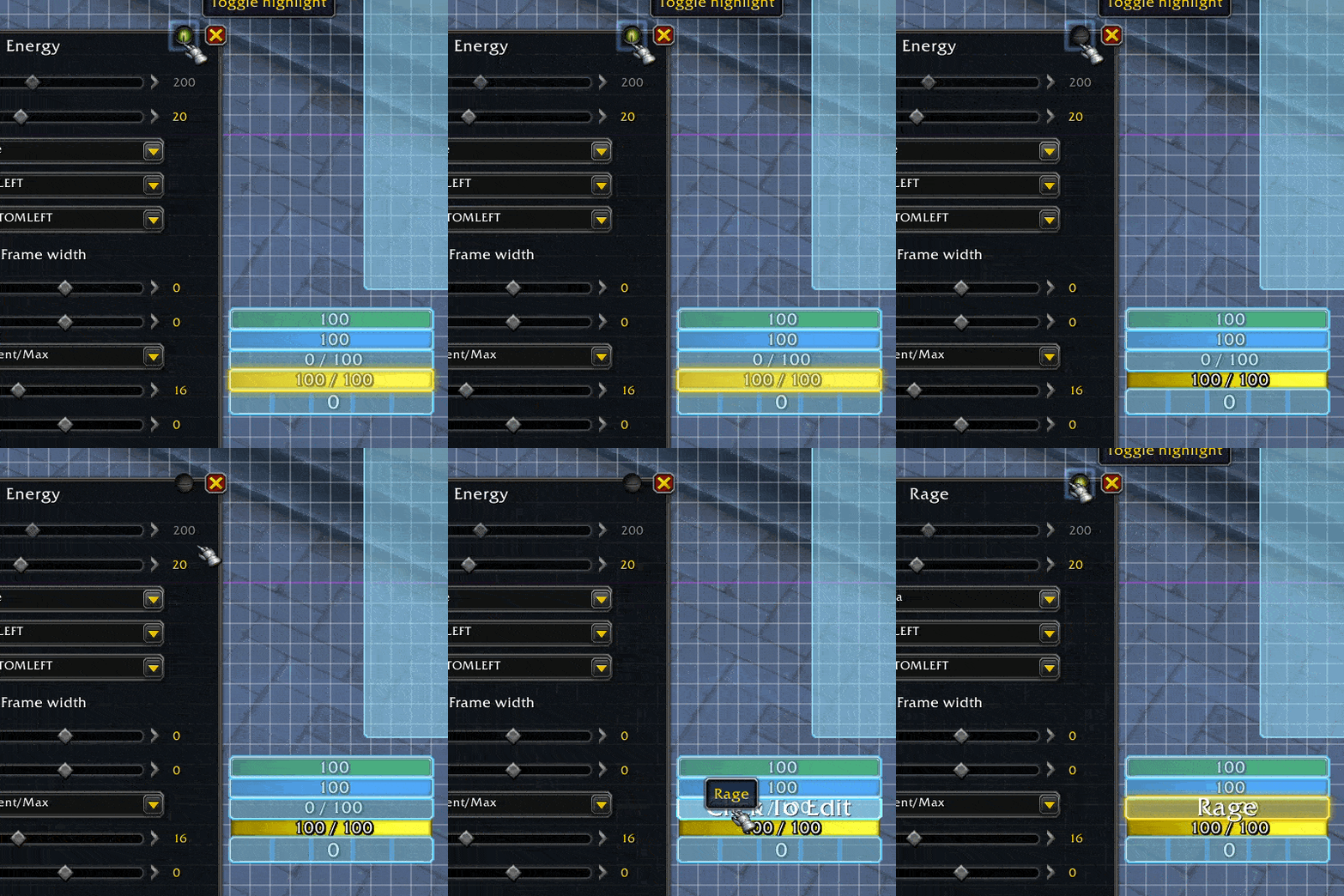
Example: examples/EditModeExamples.lua (https://raw.githubusercontent.com/R41z0r/LibEQOL/main/examples/EditModeExamples.lua) includes an "Overlay Toggle" frame showing how to opt into the eye-button via enableOverlayToggle = true. Native example: examples/NativeEditModeExamples.lua (/eqolnative to toggle). Also see docs/overlay-toggle-example.lua. GIF: https://raw.githubusercontent.com/wiki/R41z0r/LibEQOL/assets/widgets/frames/example-hideoverlay.gif
Each row needs name, kind, get(layoutName), set(layoutName, value), and default. Optional isEnabled(layoutName) or disabled(layoutName) toggle availability.
Kinds (from EditMode.SettingType):
Checkbox– boolean toggle.Dropdown– eithervalues = { { text = "Option" }, ... }or agenerator(owner, rootDescription, data)for dynamic menus. Single-select; useMultiDropdownfor checkbox menus. Optionalheightto force scrolling.MultiDropdown– checkbox menu that returns a map of selected values; supportsvalues/options, optionaloptionfunc(layout),isSelected, andsetSelected. Optionalheightto force scrolling.Slider–minValue,maxValue, optionalvalueStep,formatter,allowInput(show text box).Input– plain text/number input with optionalnumeric,maxChars,inputWidth,readOnly.Color– values resolve to{ r, g, b, a? }; sethasOpacityto allow alpha.CheckboxColor– boolean + color. UsecolorGet(layout)andcolorSet(layout, color)(orsetColor) pluscolorDefault.DropdownColor– dropdown behavior plus a color swatch viacolorGet/colorSet.tooltip = "..."can be added to any row to show a GameTooltip on hover.
- Keep
LibStubloading beforeLibEQOL.luawhen embedding. - If you rely on load-on-demand, list
LibEQOLinOptionalDepsso the library is ready before your code runs.
- If a frame does not move, ensure it is parented and not forbidden during combat; Edit Mode is blocked in combat.
- Call
lib.internal:RefreshSettings()after you mutate data that controlsisEnabled/disabledlogic for visible rows.