





Set up passwordless SSH on Raspberry Pi, NVIDIA Jetson or any Linux device in one command.
Tired of juggling ssh-keygen, ssh-copy-id (missing on Windows) and ~/.ssh/config edits every time you set up a new device?
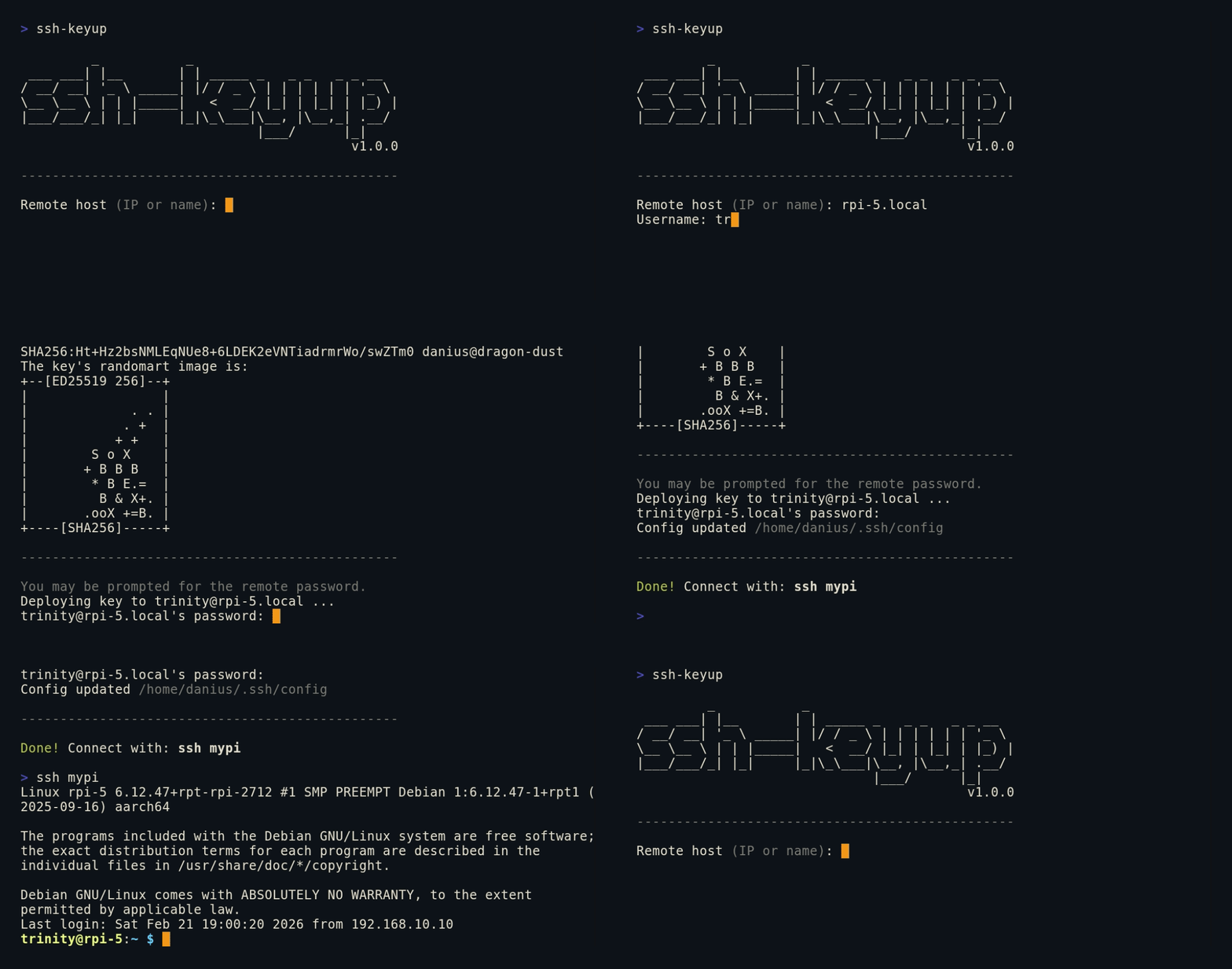
ssh-keyup handles all three in a single interactive session.
Install globally with pip:
pip install ssh-keyup

ssh-keyup   # ready to use anywhere
Tip
If ssh-keyup is missing or runs an old version after install, the new
script sits in a folder outside PATH (pip warns about this). Add that folder
to PATH or use pipx: pipx install ssh-keyup.
Or run directly without installing:
git clone https://github.com/Kurokesu/ssh-keyup.git
cd ssh-keyup
python ssh_keyup.py   # Windows
python3 ssh_keyup.py  # Linux
Follow the prompts, enter the remote password once and you're done.
SSH from terminal:
ssh mypi # no password, ever againOr open VSCode Remote - SSH, your ~/.ssh/config is already set up. Press Ctrl+Shift+P, select Remote-SSH: Connect to Host, pick your alias and get a full IDE on your remote device, no password:

Skip the prompts by passing arguments:
ssh-keyup pi@192.168.1.23 mypi # user, host and alias in one goOr configure a whole fleet:
for host in 192.168.1.10 192.168.1.11 192.168.1.12; do
  ssh-keyup pi@$host
done
Flags (--host, --user, --alias) work too, see ssh-keyup --help.
List or remove entries ssh-keyup manages:
ssh-keyup --list
ssh-keyup --remove mypi # deletes its key pair too# without ssh-keyup (repeat for every new device)
ssh-keygen -t ed25519 -N "" -f ~/.ssh/id_ed25519_rpi5
scp ~/.ssh/id_ed25519_rpi5.pub trinity@192.168.1.23:~/
ssh trinity@192.168.1.23 "mkdir -p ~/.ssh && chmod 700 ~/.ssh"
ssh trinity@192.168.1.23 "cat ~/id_ed25519_rpi5.pub >> ~/.ssh/authorized_keys && chmod 600 ~/.ssh/authorized_keys && rm ~/id_ed25519_rpi5.pub"
nano ~/.ssh/config # add Host entry manually
...
# with ssh-keyup
ssh-keyupPython 3.8+ and OpenSSH tools (ssh, ssh-keygen) must be in PATH.
- Windows 10/11: Install Python from python.org or the Microsoft Store. OpenSSH Client is included via Settings > Optional Features or ships with Git for Windows.
- Linux:
sudo apt install python3 openssh-client(usually pre-installed).
- Generates a per-host Ed25519 key pair (
~/.ssh/id_ed25519_<alias>) - Deploys public key to remote host in a single SSH session, only one password prompt
- Never touches your password.
ssh-keyuponly pipes the public key and SSH handles password authentication directly through its own terminal - Adds a named entry to
~/.ssh/config, works instantly withssh <alias>and VSCode Remote SSH - Detects and recovers from host key mismatches (common after reflashing)
- Handles re-runs gracefully: reuses existing keys or offers regeneration, detects duplicate config entries
- Works with any device reachable over SSH: Raspberry Pi, NVIDIA Jetson, Orange Pi, VMs, servers
- Zero Python dependencies, standard library only. Uses system OpenSSH (
ssh,ssh-keygen) - Installs via
pipor runs as a single script