

Play while plugged in without continuously charging the battery.
Uses Retroid's own charging controls, with live battery/USB telemetry and automatic safety fallback.
No Magisk. No terminal. No need to keep the app open.
Install it, enable Bypass charging, and forget about it.
Important
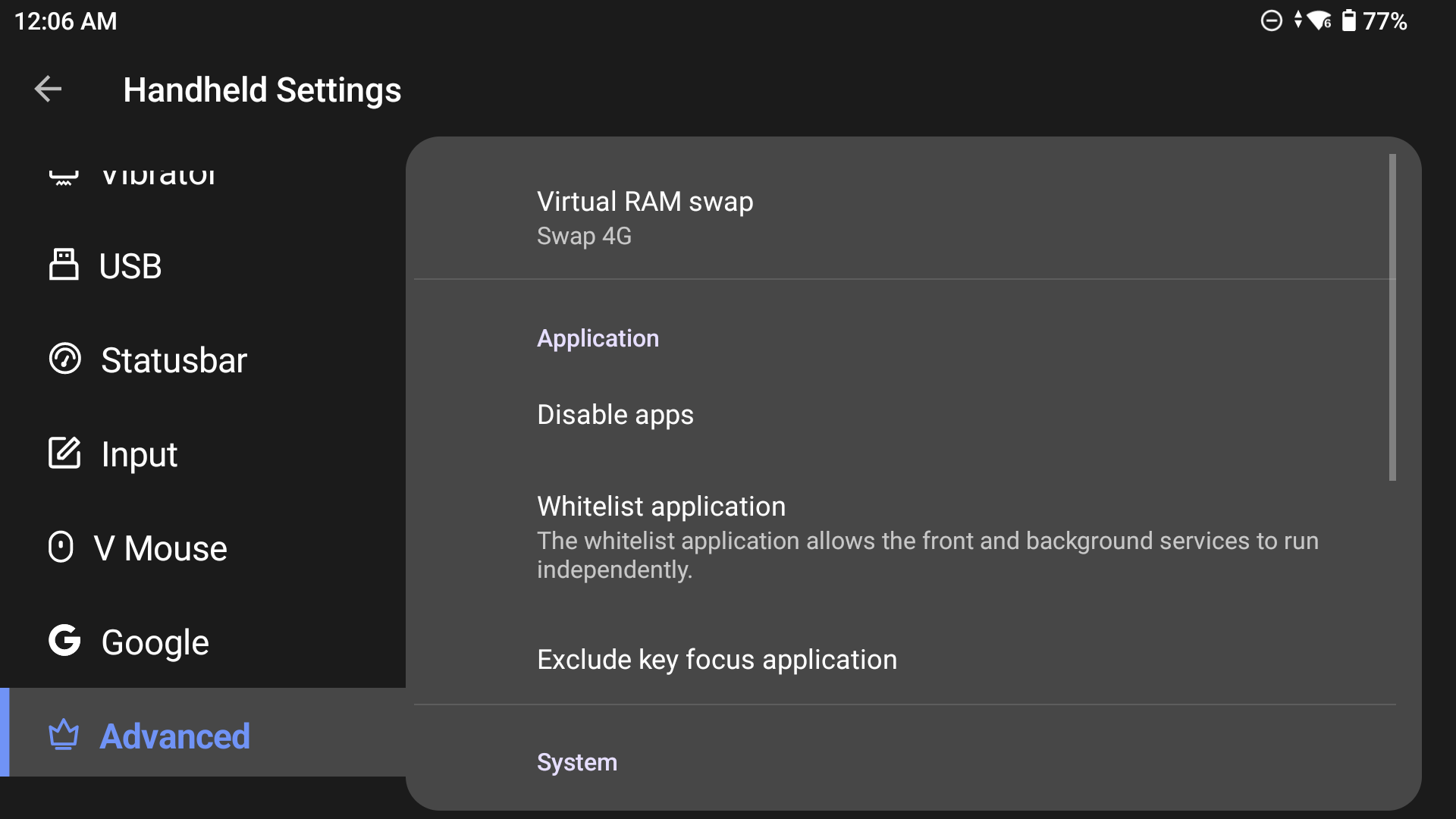
Retroid Pocket Flip 2 12 GB, firmware 1.0.0.311: Retroid's background process handling can stop the charging monitor while the screen is off, even when Android does not mark the app as restricted. Add Jesty RP Charging Separation to Settings → Handheld Settings → Advanced → Whitelist application before relying on an automatic charge limit. In the reported test, this kept monitoring active through the 80% limit and kept the notification visible after closing the dashboard. Other firmware versions have not been ruled out.
Where to find Whitelist application (screenshot from issue #2)
Download latest APK · How it works · Measured results · ☕ Support


Normally, USB powers the handheld and charges the battery at the same time.
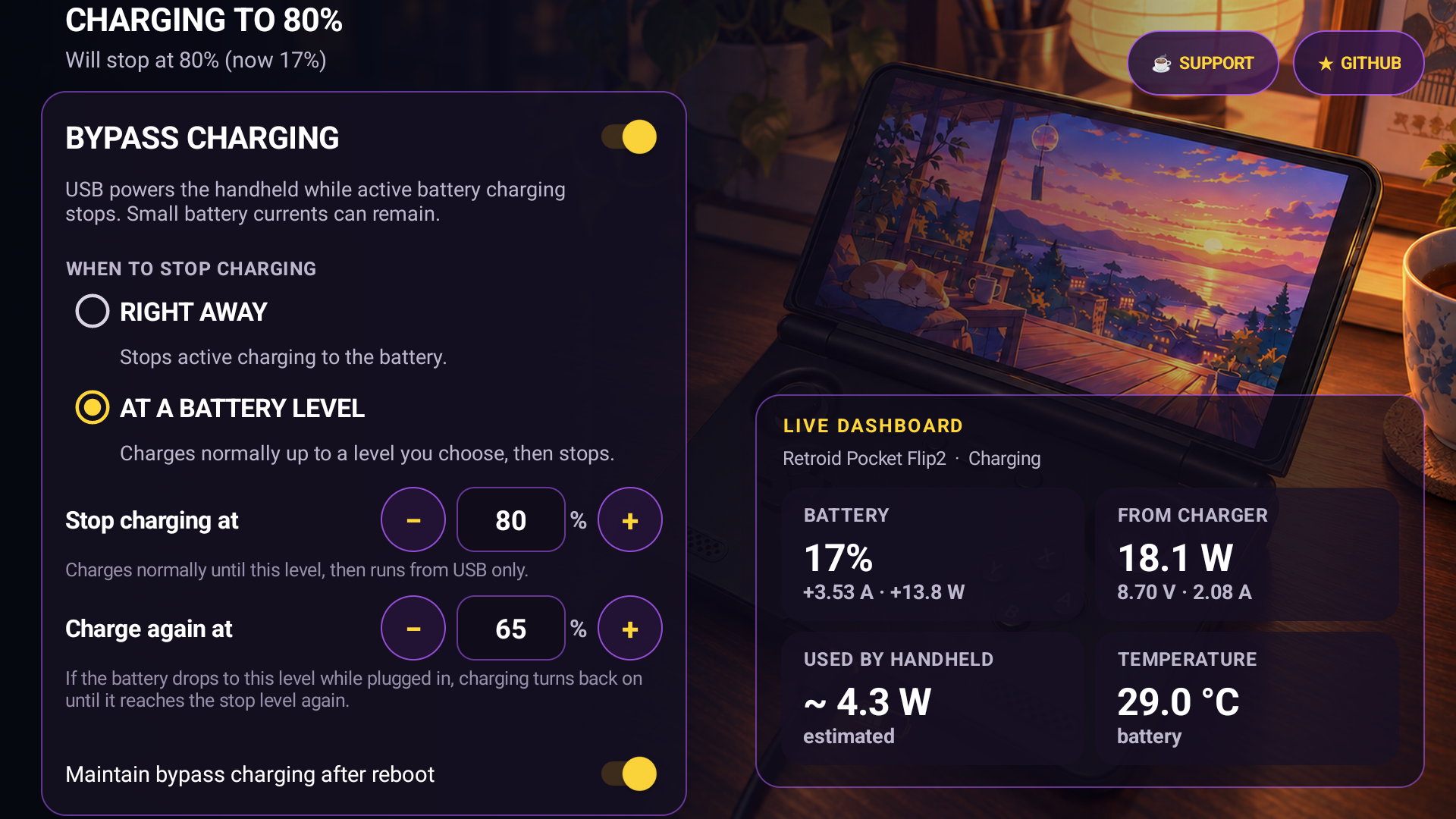
Charging Separation uses Retroid's built-in privileged controls to stop active battery charging while USB continues powering the device.
- No Magisk, root, Termux or ADB required
- Live battery current, USB input, direct-to-device estimate and temperature
- Right away or At a battery level (default: stop at 80%, charge again at 70%)
- Verifies that separation actually activated before reporting success
- Automatic safety fallback to normal charging if something looks wrong
- Optional restore after reboot
- In-app updates (manual checking and failure/retry feedback in v1.5.12)
- Battery temperature: observed minimum/maximum records with reset (v1.5.12)
- Quick Settings toggle to turn Charging Separation on or off without opening the dashboard
- Runs in the background - you can close the app
The app does not physically disconnect the battery, so small positive or negative currents can still appear depending on load, charger, firmware and temperature.
Available in v1.5.11 and later. After installing, expand Android Quick Settings, open Edit (the pencil), and drag Charging Separation into your active tiles. Tap it to enable or disable the feature using the mode and limits already configured in the app. Turning it off also disables automatic activation after reboot, just like the dashboard switch. A locked device asks you to unlock before changing the setting.
Controlled comparison, 30 one-second samples per state, same cable, screen state and workload:
| Metric | Normal charging | Charging separated |
|---|---|---|
| Android state | Charging |
Not charging |
| Native limit | 0/10 | 10/10 |
| Average battery current | +0.239 A | -0.011 A |
| Charge-counter change | +2,449 µAh | -109 µAh |
| Average USB input | 2.286 W | 1.379 W |
| Battery temperature | 29.7 °C | 29.7 °C |
This is a short functional measurement, not a battery-health or longevity study.
Full method and samples → benchmarks
| Device | Status |
|---|---|
| Retroid Pocket Flip 2 | Compatible (measured + screenshots) |
| Retroid Pocket 5 | Compatible (maintainer + community) |
| Retroid Pocket Mini | Compatible (community) |
| Retroid Pocket Mini V2 | Compatible (community) |
| Other Retroid models | Not validated |
| Unrelated Android devices | Unsupported |
Compatibility is based on the required Retroid control nodes and privileged bridge, not a simple model-name list.
Before and while separation is active the app:
- verifies the charging-control capability
- confirms Android reports
Not charging - monitors USB input, battery current, charge counter and temperature
- restores normal charging if validation or telemetry fails
- disables separation after repeated evidence that the battery may be powering the device instead of USB
- Download the latest APK
- Install and open Jesty RP Charging Separation
- Connect a suitable USB charger
- Enable Bypass charging and confirm
Not chargingin the live diagnostic - (Optional) Enable Maintain bypass charging after reboot
- (Optional) Add Charging Separation to Quick Settings for an ON/OFF shortcut
After that you can close the app. The controller continues running in the background.
Note: Android Force stop (or the vendor launcher's "Clear all") blocks the app until you open it again. An individual swipe from Recents does not.
Free and open source. No features locked behind donations.

- ⭐ Star the repository so other Retroid owners can find it
- 🧪 Share carefully redacted results from another firmware
- 🐛 Report reproducible safety or compatibility issues
Architecture · Device validation · Live results · Benchmarks · Release integrity · Research provenance · Project notice
Technical implementation
The app reaches Retroid's hidden PServerBinder through Android's service manager. The vendor transaction accepts a two-element String array and runs a narrowly scoped command through Retroid's privileged pservice path.
See Architecture for the state machine and failure behavior.
Build from source
Requirements: PowerShell 5.1+, Android SDK platform 28+, Android Build Tools 34+, JDK 17.
.\build.ps1