- node.js 설치
https://nodejs.org/ko/download/
CentOS : curl -sL https://rpm.nodesource.com/setup_10.x | sudo bash -
Ubuntu : curl -sL https://deb.nodesource.com/setup_10.x | sudo -E bash -
- dependency
$ git clone
$ cd news-crawler/
$ npm install
- /private/config.json
{
    "server": {
        "port": "50000"
    },
    "db": {
        "host": "db url",
        "port": "3306",
        "database": "schema name",
        "user": "username",
        "password": "password"
    },
    "s3": {
        "doc": "doc bucket url",
        "news": "news bucket url"
    }
}- /private/credentials.json
** aws configure 안해도 됨
{
    "accessKeyId": "YOUR_ACCESS_KEY_ID",
    "secretAccessKey": "YOUR_SECRET_ACCESS_KEY",
    "region": "YOUR_REGION"
}- DB (mysql)
테이블 생성
CREATE TABLE `news` (
  `id` int(11) NOT NULL AUTO_INCREMENT,
  `url` varchar(511) NOT NULL,
  `newspaper` varchar(15) NOT NULL,
  `category` varchar(31) NOT NULL,
  `division` varchar(31) NOT NULL,
  `date` varchar(15) NOT NULL,
  `title` varchar(255) NOT NULL,
  `texturl` varchar(1023) NOT NULL,
  `textsize` int(11) NOT NULL,
  `textwc` int(11) NOT NULL,
  `textsc` int(11) NOT NULL,
  PRIMARY KEY (`id`),
  UNIQUE KEY `url_UNIQUE` (`url`)
) ENGINE=InnoDB AUTO_INCREMENT=1 DEFAULT CHARSET=utf8mb4 COLLATE=utf8mb4_0900_ai_ci- AWS S3
- AWS Console S3에서 사용할 S3 버켓 선택 -> 상단 탭 '권한' -> 'CORS 구성' -> 아래 소스 붙여넣고 사이트 배포할 URL로 수정한 다음 '저장'
** http://13.209.193.98:50000 (예시)는 배포할 사이트 URL
*** http://localhost:50000 (예시)는 테스트용
<?xml version="1.0" encoding="UTF-8"?>
<CORSConfiguration xmlns="http://s3.amazonaws.com/doc/2006-03-01/">
<CORSRule>
    <AllowedOrigin>http://13.209.193.98:50000</AllowedOrigin>
    <AllowedMethod>GET</AllowedMethod>
    <MaxAgeSeconds>3000</MaxAgeSeconds>
</CORSRule>
<CORSRule>
    <AllowedOrigin>http://localhost:50000</AllowedOrigin>
    <AllowedMethod>GET</AllowedMethod>
    <MaxAgeSeconds>3000</MaxAgeSeconds>
</CORSRule>
</CORSConfiguration>- AWS Console S3에서 사용할 S3 버켓 선택 -> 상단 탭 '권한' -> '버킷정책' -> 정책생성기에서 아래처럼 GetObject에 대해 허용하는 소스를 생성하여 입력하고 '저장'
** arn:aws:s3:::<bucket_name>/* 사용하는 ARN
{
  "Id": "Policy1552798068293",
  "Version": "2012-10-17",
  "Statement": [
    {
      "Sid": "Stmt1552798062234",
      "Action": [
        "s3:GetObject"
      ],
      "Effect": "Allow",
      "Resource": "arn:aws:s3:::<bucket_name>/*",
      "Principal": "*"
    }
  ]
}- Launch on cli
$ npm start
- Launch on background
$ sudo nohup npm start &
- Launch using Docker
$ docker build -t news-crawler $ docker run -d -p {prefer_port}:50000 news-crawler
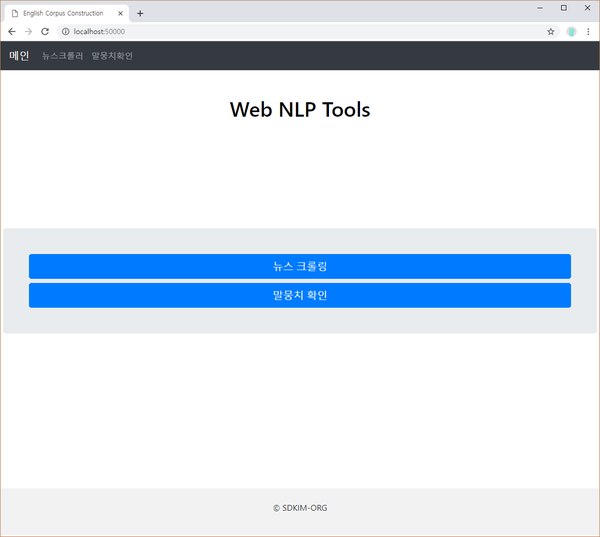
|

|
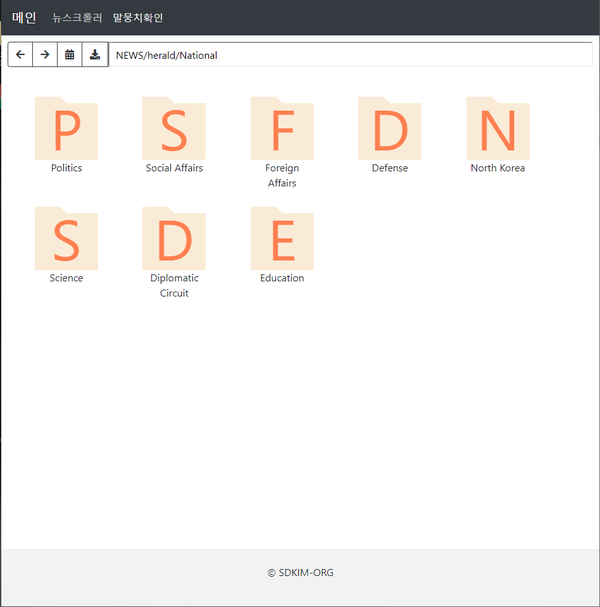
|
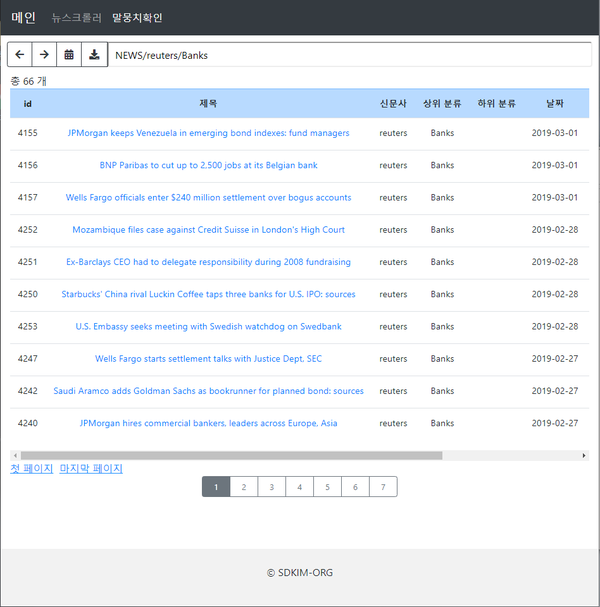
|