

Desktop GUI tool to scan Rust project target/ directories, show disk usage, and safely delete selected folders to free space.
桌面 GUI 工具:扫描 Rust 项目的 target/ 目录,展示占用体积,并按勾选安全删除以释放空间。
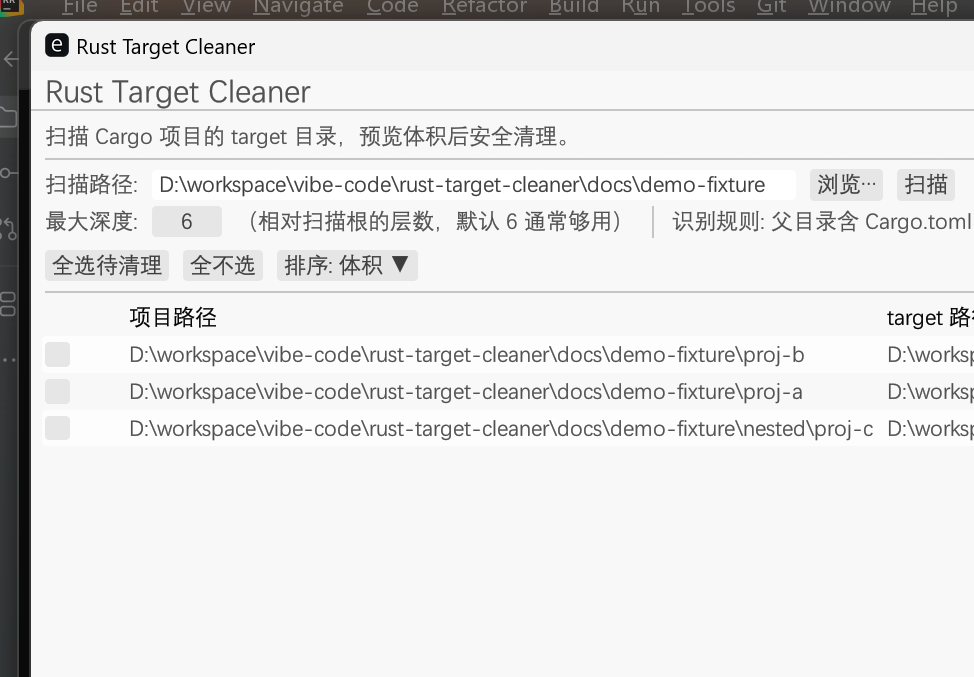
扫描结果列表示例:项目路径、target 路径、体积、最近修改、状态;支持勾选后清理。
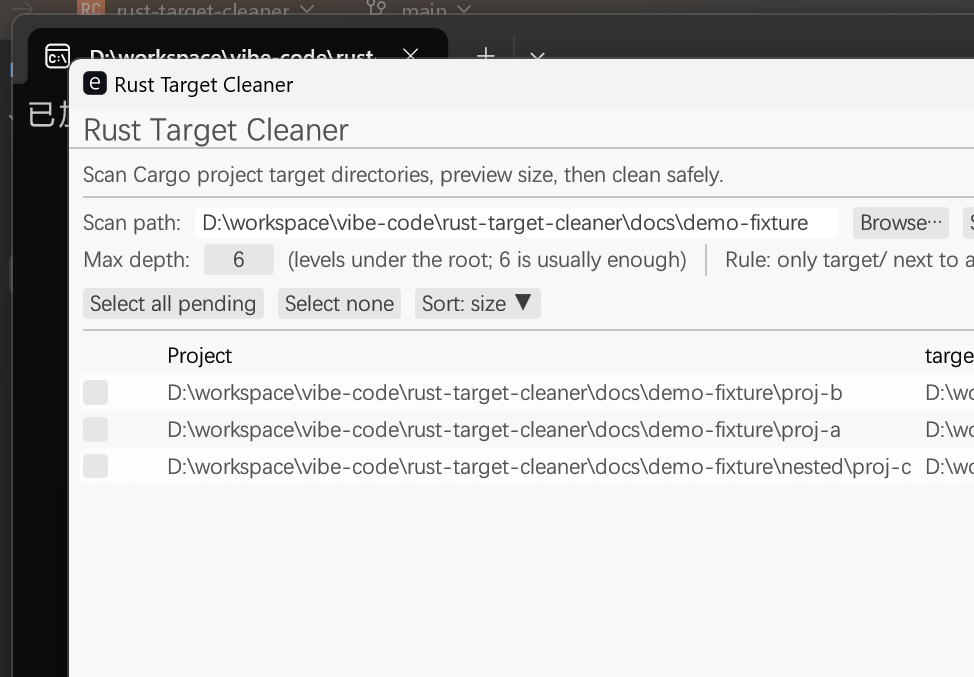
Same workflow with the language switcher (top-right: 中文 / English).
cargo install rust-target-cleaner
rtc
From source:
git clone https://github.com/DaQun/rust-target-cleaner.git
cd rust-target-cleaner
cargo run --release
Binary name: rtc (target/release/rtc / rtc.exe on Windows).
- Recursive scan for Cargo projects under a chosen root
- Only treats
target/next to aCargo.tomlas candidates (safer) - Parallel size calculation; sort by size or last modified time
- Confirm before permanent delete (not Recycle Bin / Trash)
- Default-select items larger than 100 MB
- Remember last scan path and language (中文 / English)
- Cross-platform: Windows, macOS, Linux (desktop GUI required)
- Choose or browse a scan root directory
- Adjust max depth if needed, click Scan / 扫描
- Select rows to clean (select all / none available)
- Check reclaimable size in the footer
- Clean selected… / 清理选中… → confirm → delete
- Only deletes directories named
targetunder a Cargo project - Confirmation dialog; deletion is permanent
- Source code and
Cargo.tomlare not deleted - Skips noisy dirs such as
node_modules,.git
- Windows / macOS / Linux desktop: supported via
eframe - Linux: may need GUI/dev packages and CJK fonts for Chinese UI, e.g.
fonts-noto-cjk - Headless servers without a display are not supported
cargo testMIT