Home
Router firewall & security enhancements for Asuswrt-Merlin
Control what connects. See what gets blocked.
Project home · User guide · Screenshots · Community support
Skynet v9 combines IPv4 blocking, managed threat feeds and traffic visibility with an integrated WebUI and a full SSH interface. Open Firewall → Skynet on your router, or run firewall over SSH.
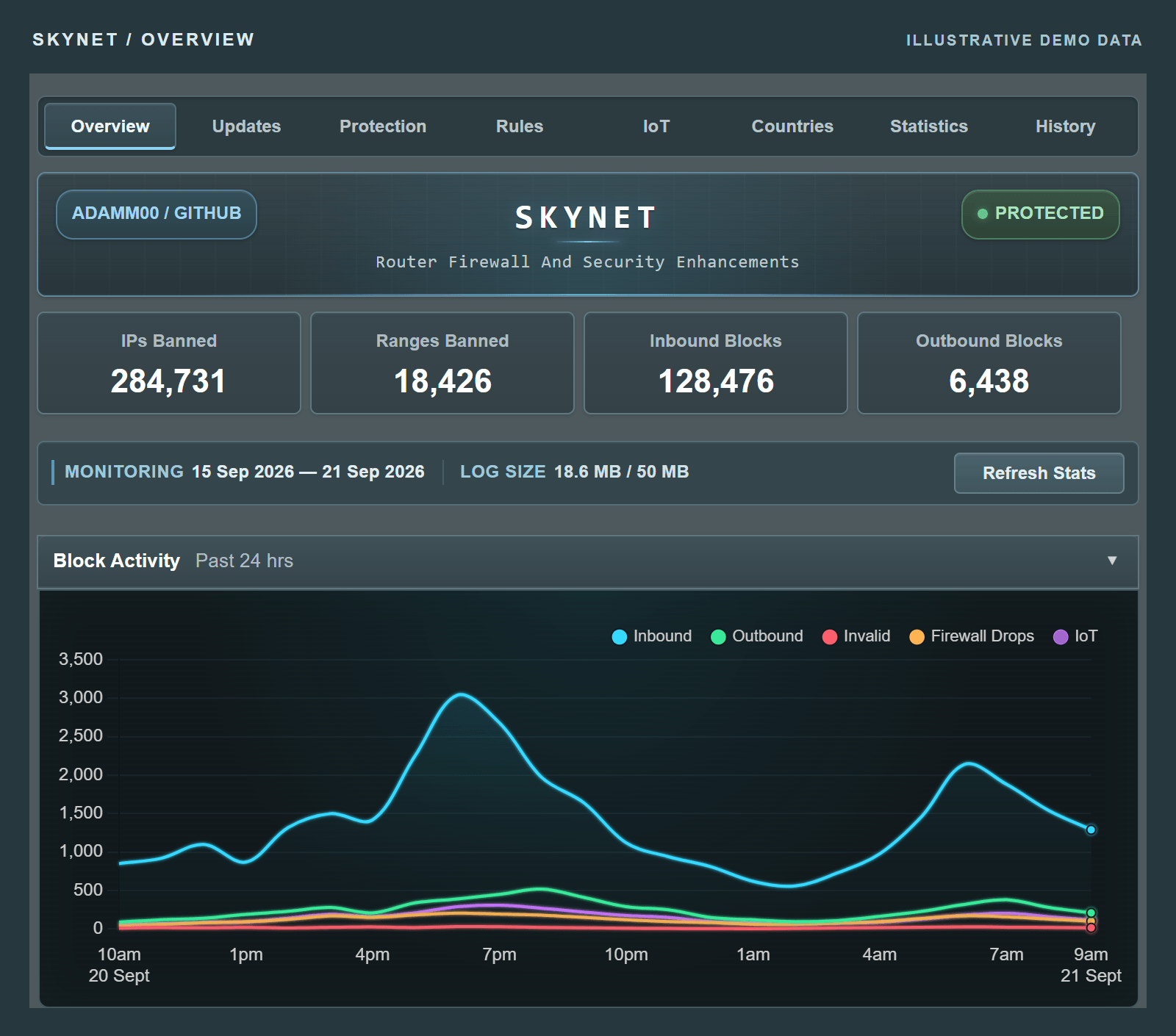
Screenshots use fictional statistics, addresses and devices.
| Guide | What you will find |
|---|---|
| Getting started | Requirements, installation, updating from v8 and your first visit. |
| Using the WebUI | A tour of each tab, with steps for rules, feeds, history, IoT and backups. |
| Command reference | All CLI commands and detailed operating notes. |
| Troubleshooting | Common symptoms, diagnostics and reporting a problem. |
The user guide is maintained alongside the source code so documentation changes can be reviewed with each release. This wiki is the starting point for those guides.
Existing users can update directly:
firewall updateUpgrades from public v8 releases preserve supported settings and saved policy. For a fresh installation, follow Getting started.
| What you are seeing | Where to start |
|---|---|
| A website or application is blocked | Find the destination and matching rule |
| The WebUI is missing | Check WebUI integration |
| Charts are empty or stale | Check logging and refresh statistics |
| History is empty or unavailable | Check filters, collection and retention |
| A command is busy or locked | Let the active operation finish |
| A feed or country update fails | Inspect source health |
| Time-dependent features are pending | Check router time |
| Storage or integrity checks fail | Storage and integrity |
Run firewall debug info when investigating a problem. Include your router model, firmware and Skynet versions, the steps taken and relevant diagnostic output. Review logs and screenshots for private information before posting.
Ask the community · Report a bug · Support development
Following a link from older documentation?
These headings preserve links from previous versions of this wiki. Use the current guides for v9 behaviour.
Let the active operation finish; do not remove an active lock. Current guidance.
Investigate recorded outbound destinations before adding an allowance. Whitelists apply to all clients. Current guidance.
This message belongs to older Skynet documentation. For current source failures, use threat-feed troubleshooting. Include the exact message and installed version if it persists.
In v9, permanent protection can remain available while time-dependent features wait for synchronization. Current clock behaviour.
Skynet supports IPSet 6 and 7 on supported Asuswrt-Merlin firmware. Current requirements.
Historical firmware minimums are not a current compatibility guarantee. IPSet support and diagnostics.
Check that the expected partition is mounted, writable and has free space. Storage guidance.
Capture the exact message and review other firewall scripts or add-ons. Integrity diagnostics.
Check source reachability, DNS and router time. Source troubleshooting.
Threat feeds need usable IPv4 addresses or CIDRs, not HTML pages or domain-only lists. Source troubleshooting.
Inspect diagnostics and recent firewall changes. Current reconciliation behaviour.
Capture the error and inspect storage health before changing files. Configuration and script errors.