written by: Brandon Faulkenberry, Caleb Owens, and Trevor Dunbar
Wiki Races is an Angular web application designed to have users play the game, 'wiki racing'. Wiki racing involves a player starting at one Wikipedia.org page and, through using links in the page, navigate to a desired end wikipedia page. For example, one race might involve starting at the page, 'elephant' and trying to end up at 'Ice Cream'. Starting on the elephant page, I would attempt to find a link to a page that I believed would bring me closer to the Ice Cream page, such as a link for 'Ice'. The player continues to try and reach the end page until that goal is achieved, or the max limit of time or steps is reached.
- .NET5 framework
- C#
- T-SQL
- Entity Framework Core
- ASP.NET Core
- Angular
- Typescript
- HTML/CSS
- Azure CI/CD pipelines
- SonarCloud analysis using Azure pipelines
- HTML Agility Pack
- login to an okta account
- create your own WikiRace with your own choice of starting and ending page. You and other players can play your created races.
- play a wiki race within the Angular web app, featuring the HTML page contents pulled and parsed directly from wikipedia.org
- view a leaderboard of registered players that have completed different wiki races
- provide validation against manipulation/cheating of races AKA jumping to the end via HTML
To-Do items:
- Complete implementation of registering new users
- Implementing a user profile system upon login
- Connecting leaderboard entries to Users
- Completion of Okta authorization and authentication to the server-side
- better quality of life alerts and notifications upon user selection successes and failures
use git clone on the 'Server' and 'Client' projects.
This application is designed to store information in a T-SQL database on the server-side. the SQL file for generation of the table and starting contents is provided in the top layer of the repository. 'Connection String' information will need to be stored in the 'App' ASP.NET project file user secrets.
server-side will need to be running via some server, whether local or remote. client-side needs to be built using 'npm build' while in the Client/Project2-Angular file, and run using 'npm start' in order to use the appropriate set-up proxy commands that are done at start time.
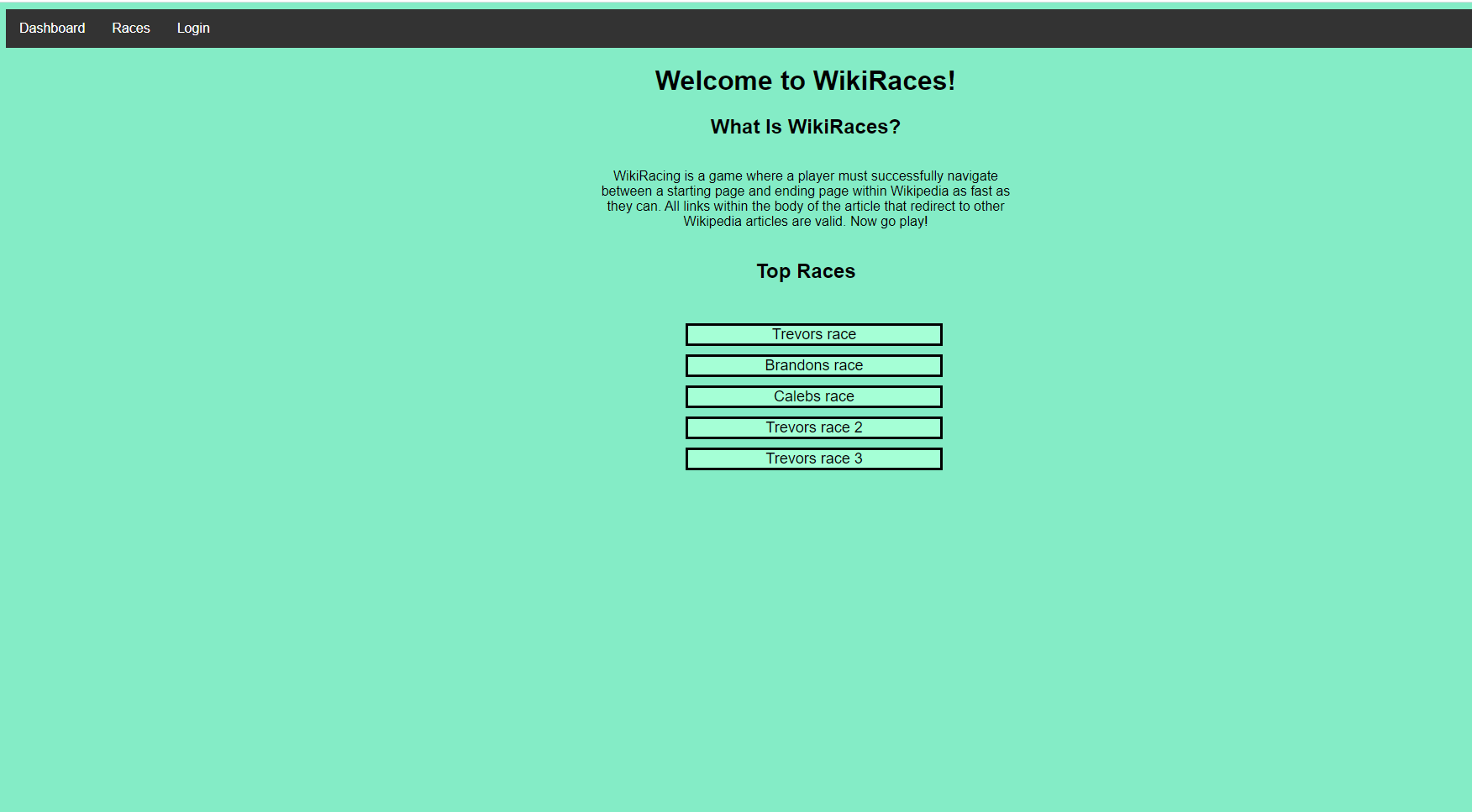
If the Client side is started correctly, the main page should show the blue page shown above, that shows a list of popular races and has a navbar for Dashboard, Races, and Login.
Once the race navbar button is selected, the user will be prompted to either select a race shown, search for a race from the list using the search bar, or create their own race. When a race is selected, the user will be directed to a page with the starting wiki page information with an example shown here:
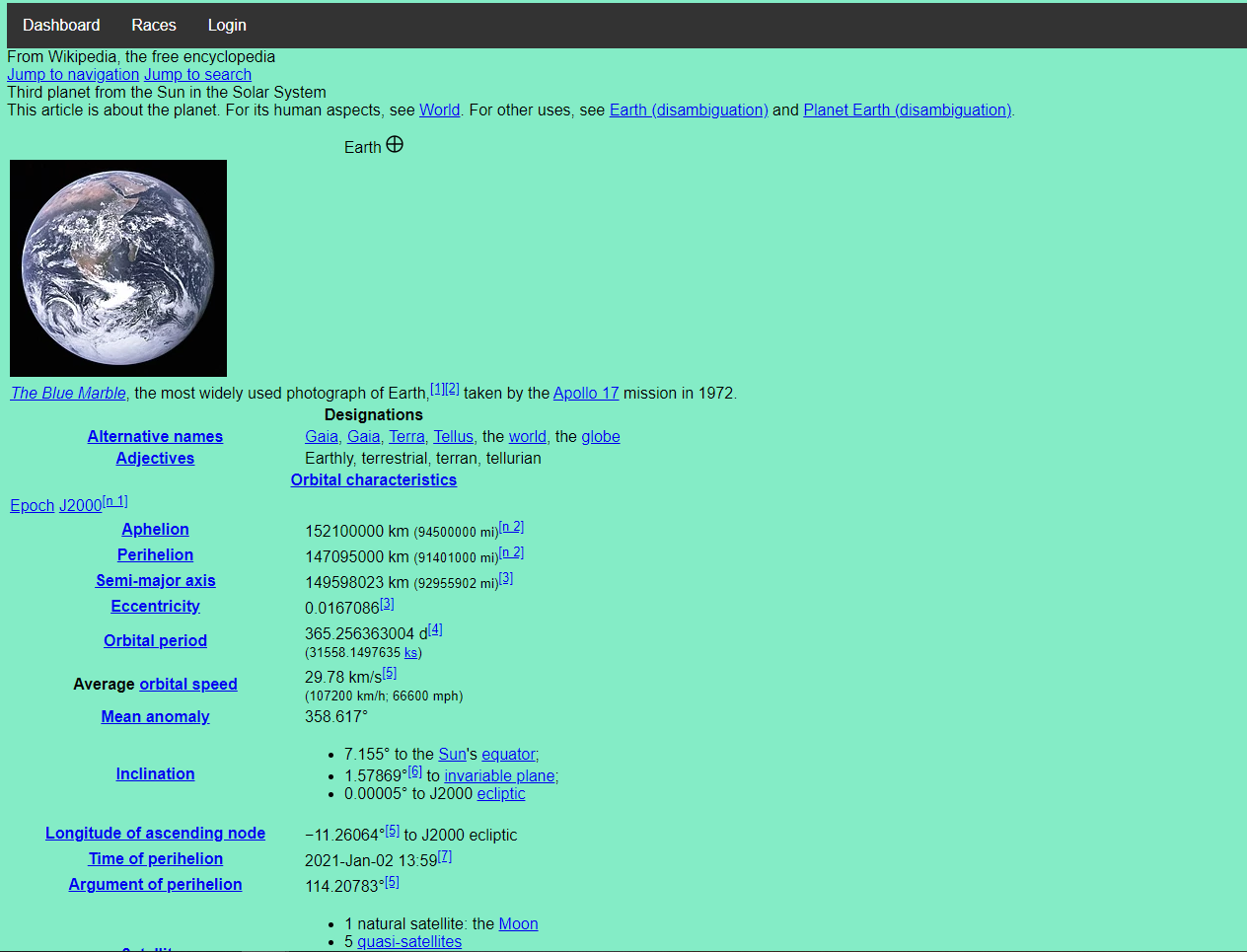
the player of the race will click on the links provided in the wiki page until the desired end page or limits of the race are reached.