English · 中文
无需本地安装开发工具,在线构建 Pake 应用。
-
在你 Fork 的仓库里打开 Actions 页面,选择
Build App With Pake CLI,按 CLI 选项 填写表单后点击Run Workflow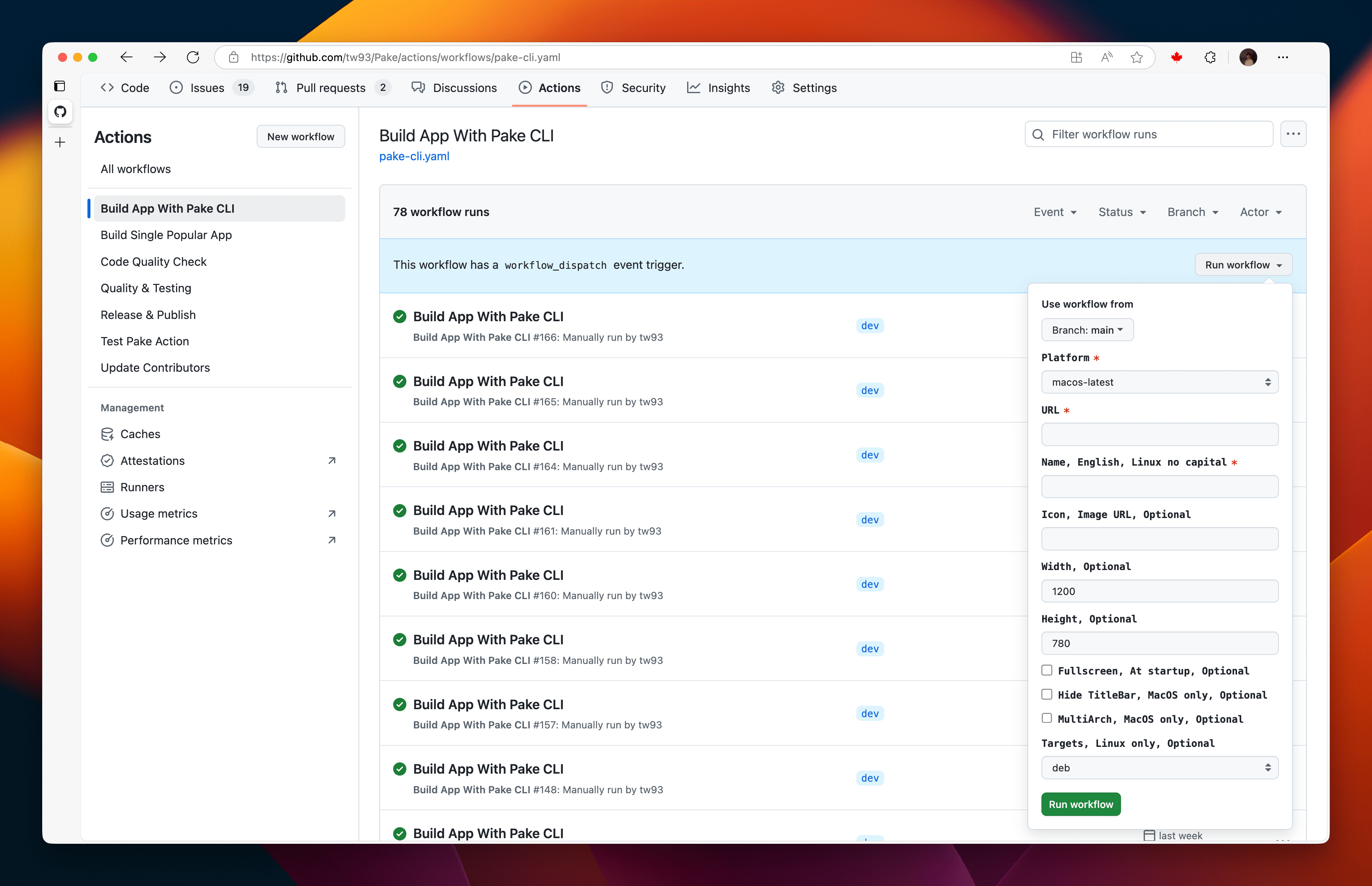
-
出现绿色勾号就是构建成功,点击工作流名称进入详情,在
Artifacts部分下载应用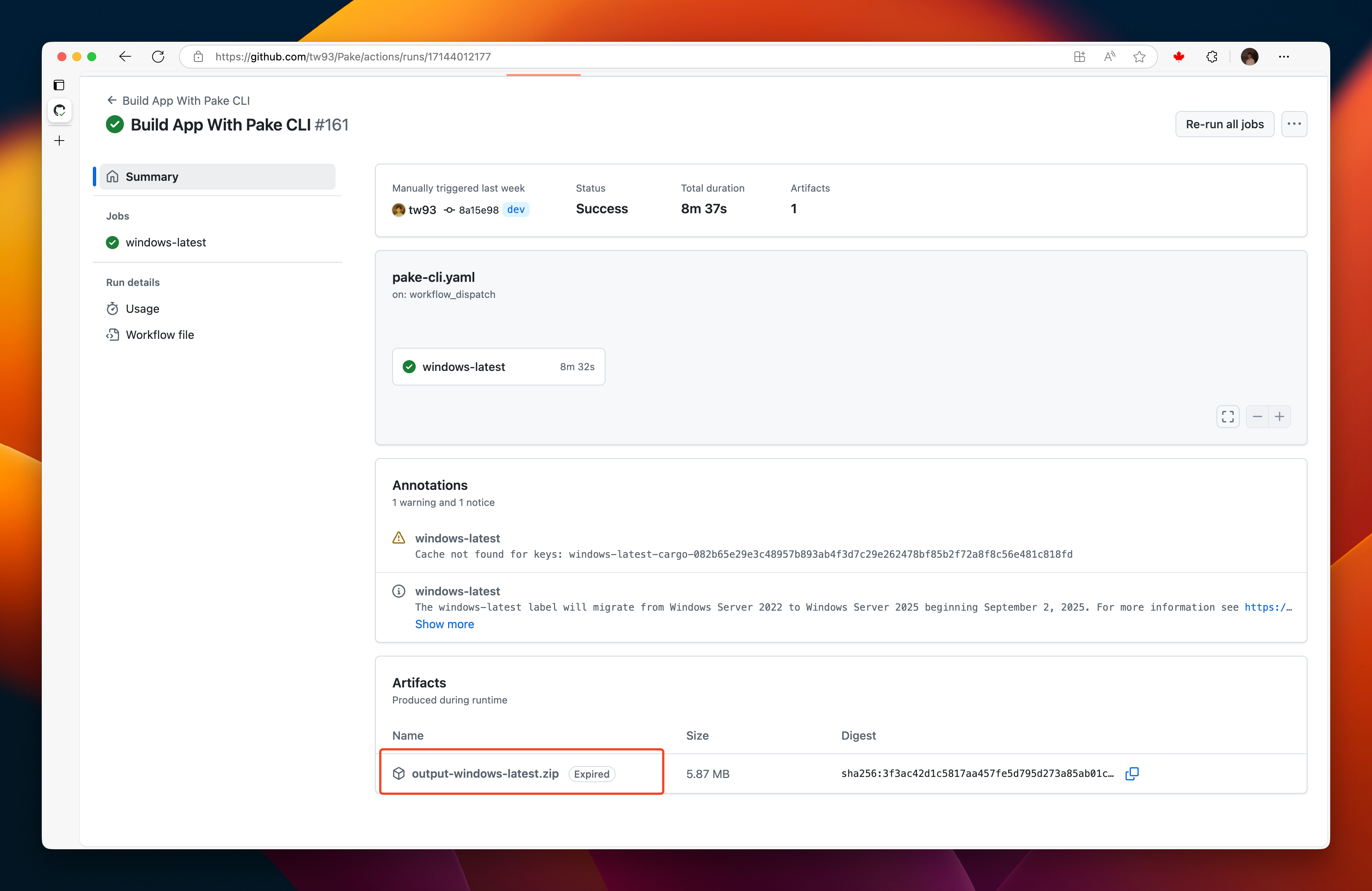
首次运行要建立依赖缓存,大约 10-15 分钟,之后用上缓存大约 5 分钟,缓存完整时为 400-600MB。
| 字段 | 作用 | 默认值 |
|---|---|---|
Platform |
构建平台,可选 windows-latest、macos-latest 或 ubuntu-24.04 |
macos-latest |
Website URL |
要打包的网站,必填 | 无 |
App name (lowercase for Linux) |
应用名称,也是产物名的前缀,必填 | 无 |
Icon URL, auto-fetch if empty |
应用图标,留空时从网站自动获取 | 空 |
Window width (px) |
窗口初始宽度 | 1200 |
Window height (px) |
窗口初始高度 | 780 |
Minimum window width (px) |
窗口能缩到的最小宽度 | 空 |
Minimum window height (px) |
窗口能缩到的最小高度 | 空 |
App version |
写入安装包的版本号 | 1.0.0 |
Start in fullscreen mode |
以全屏模式启动 | 关 |
Hide title bar (macOS only) |
隐藏窗口标题栏 | 关 |
Allow sites to open new windows |
允许网站弹出新窗口 | 关 |
Universal binary (macOS only) |
打一个同时支持 Intel 和 Apple 芯片的应用 | 关 |
Package formats (comma-separated: deb,appimage,rpm,zst) |
Linux 安装包格式,其他平台忽略 | deb |
每次运行会把安装包按应用名上传为 Artifact,<name>-macOS 里是 .dmg,<name>-Windows 里是 .msi,Linux 每种格式各一个,分别是 <name>-Linux-deb、<name>-Linux-AppImage、<name>-Linux-rpm 和 <name>-Linux-zst。产物只保留 3 天,构建完尽快下载,除了在 Artifacts 部分下载,也可以用 GitHub CLI 执行 gh run download RUN_ID 拿到。
- 当网站通过新窗口打开登录、考试或其他流程时,启用
Allow sites to open new windows - 如果构建失败,清理 Actions 缓存后重试