Auth0 is one of identity providers that can be choose to manage users in Schema CMS.
-
Create a new account or log-in to existing one.
-
Create new tenant that will be used by Schema CMS or use default one:
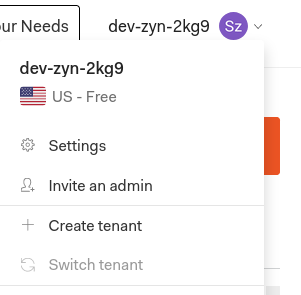
-
Create required applications:
3.1. Go to
Applications.
3.2. Create
Single Page Application, you can choose the name you want.
3.3. In application settings you will find values that you need set later in
local.envfile if you want run application locally or inssm_parametes.jsonif you want to deploy app to AWS.-
set
Client IDasDJANGO_SOCIAL_AUTH_AUTH0_KEY -
set
Client SecretasDJANGO_SOCIAL_AUTH_AUTH0_SECRET -
set
DomainasDJANGO_SOCIAL_AUTH_AUTH0_DOMAIN

3.4. Fill required fields replacing
example.comwith domain name you will use. For local useexample.comshould be replaced bylocalhost:8000.-
Allowed Callback URLs:http://example.com/api/v1/auth/complete/auth0
-
Allowed Logout URLs:http://example.com/api/v1/auth/login/auth0,http://example.com/auth/not-registered,http://example.com/auth/revoked-access
-
Allowed Web Origins:http://example.com

3.5 Go back to
Appliactionstab and createMachine to Machineapplication, you can choose name you want.
3.6. Select
Auth0 Management APIand selectAllscopes.
3.7. Use
Client ID,Client SecretandDomian, to set later correct values inlocal.envorssm_parametes.json.-
set
Client IDasDJANGO_USER_MGMT_AUTH0_KEY -
set
Client SecretasDJANGO_USER_MGMT_AUTH0_SECRET -
set
DomainasDJANGO_USER_MGMT_AUTH0_DOMAIN
3.8. Fill required fields replacing
example.comwith domain name you will use. For local useexample.comshould be replaced bylocalhost:8000.-
Allowed Callback URLs:http://example.com
-
Allowed Web Origins:http://example.com

-


