Chats can now be started about Files, Deck boards, or Projects in Nextcloud 16. Comments about these associated files or projects must be viewed separately, either from the Files or Activity app.
Describe the solution you'd like
If a file or Deck board or project is associated to a chat, display comments about those things within the chat as well.
Describe alternatives you've considered
Manually browse through the file details pane or project timeline or Deck details to locate comments, then browse back to the chat. To let commenters know about the chat, post a shared link as a comment.
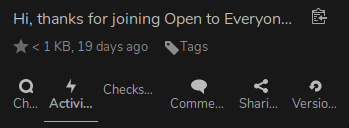
This details view of a file links to the Chat (Talk), Activity (Comments), & Comments sections.

Chats can now be started about Files, Deck boards, or Projects in Nextcloud 16. Comments about these associated files or projects must be viewed separately, either from the Files or Activity app.
Describe the solution you'd like
If a file or Deck board or project is associated to a chat, display comments about those things within the chat as well.
Describe alternatives you've considered
Manually browse through the file details pane or project timeline or Deck details to locate comments, then browse back to the chat. To let commenters know about the chat, post a shared link as a comment.
This details view of a file links to the Chat (Talk), Activity (Comments), & Comments sections.