
(dpc's) Tau coding agent
Tau is like Pi, but twice as much.
Tau is a minimal Unix-first coding agent for people who want local control, simple process boundaries, and tooling that fits naturally into a command-line environment.
Tau runs its main components as standalone POSIX processes and connects them over stdio and Unix sockets.
Components include:
- UI
- Harness
- LLM provider integration
- Extensions
This architecture has important benefits:
- Starting a component is just running a process — supervise, sandbox, restart, or swap it for anything else that speaks the protocol.
- Components can be system-provided, which pairs well with technologies like NixOS.
- Components can be sandboxed individually using tools like bubblewrap, Docker, jails, or Landlock, according to their actual needs.
- Components can be implemented in any programming language.
- It avoids bringing in web technology where it does not belong.
See FEATURES.md for a tour of the major features.
Patchmark is a diff-aware language server for Markdown and plain-text review notes. It pairs nicely with Tau's prompt-editing flow: open your prompt in $EDITOR, review diffs with language-server help, and leave precise feedback for agents without leaving your normal editing environment.
Tau is still under heavy development, but it has been a productive daily driver for its developers for weeks. It already has features and design choices that are stronger than those in popular coding agents, while the Unix-centric UX keeps improving quickly.
Recent overview video: The State of Tau #1.

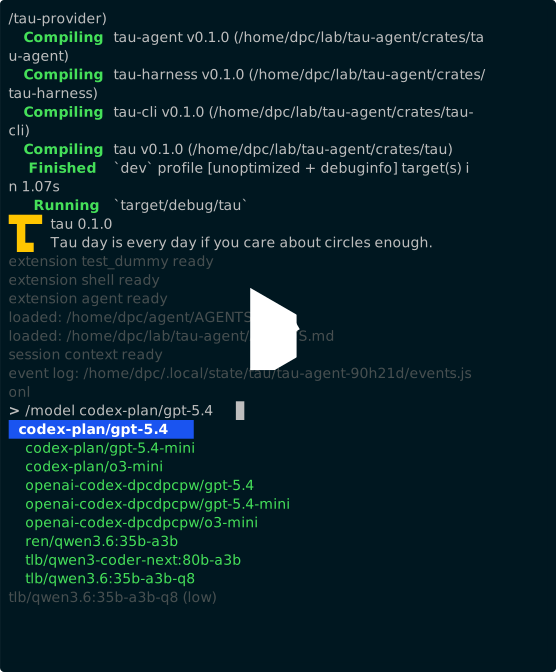
Terminal demo:
Tau exposes a Nix flake and can be started with nix run github:dpc/tau.
You can also import it as a flake input.
Tau is a Rust project and can be installed directly from Git:
cargo install --git https://github.com/dpc/tau tauOfficial packaging will come later — request a format or upvote existing requests on GitHub Discussions to help prioritize.
Use tau init to generate config files.
Use tau provider login chatgpt to enable the built-in ChatGPT/Codex provider; edit harness.yaml for harness-owned roles, defaults, and extension settings.
By default, tau starts the harness daemon and the CLI UI.
To explore other entry points, run tau -h.
- Discord server
#support:dpc.pwMatrix channel- Rostra p2p social network profile
- GitHub Discussions — questions, ideas, general conversation
- Security policy — private vulnerability reporting and trust-boundary notes
- I don't want your PRs anymore — I do not accept pull requests
Because the author is not very original and forgot to do prior research, and Tau is just such a good name, there are other coding harnesses called "Tau", like:
- https://github.com/tau-agent/tau - CLI, in Rust, probably quite similar
- https://taulepton.com/
- https://github.com/AbdoKnbGit/tau
- https://alexledger.substack.com/p/tau-the-self-modifying-browser-based
Get used to it, I guess. Now that we can all be so productive, we'll have forks and personal re-implementations of everything, with conflicting names.
When you want to be specific, you can call this one "dpc's Tau coding agent".
I use LLMs when working on my projects.
Because of its nature, this project is more AI-assisted than most of my other work.